Basic Info
Intro:
With the largest players removing the ability to have personal folders and share easily, I've been wondering the options. I like Project Send (which I reviewed), but I don't want to go through setting that up in all instances. Someone whom I support via Patreon sent me a link, and I was impressed at how transparent it all was. So I looked into pCloud. Still not totally sold, but I'm willing to give it a try because of the cool features.
Who is this app designed for:
Basically anyone who needs to share files in a secure and convenient way, but doesn't want to rely on public or expensive services.
Review
After creating an account, it showed the obligatory "take these steps to get more space". I did, and am now at 14GB. I downloaded and installed the client as a part of this process, and encountered the one thing that immediately set it apart to me. It created a drive on my machine- a virtual drive that does not store files locally. From the FAQ:
So the 14GB that I have from pCloud shows up as a drive on my PC, but doesn't take up space on my PC. There are positives and negatives to this for sure, but personally, given my use case, the positives far outweigh the negatives. I imagine it's not immediate like the propaganda says- there is a cache folder maintained on your PC where these files are cached and uploaded, I'm sure. It does appear pretty quick in uploading and downloading however.
You can also pay an additional amount to encrypt everything client side with zero knowledge if you want.
It's promising as I said. My concerns are towards not knowing the company, or anything about where they store things other than the company is in Switzerland.
Why I think you should use this product
If you have to share files with others- either on a regular basis or in groups, this makes it pretty simple, without having to go through setting up any services to do so. It also does the same thing as Dropbox, Onedrive, etc, and you can host a file in the public folder on your own account, as you used to be able to with Dropbox.
How does it compare to similar apps
So far, favorably. All of the same functionality, and a little bit more.
| App Name | pCloud |
| App URL | http://www.pcloud.com/ if you wish to go direct, or https://partner.pcloud.com/r/8393 (referral link) or https://my.pcloud.com/#page=register&invite=6zq6ZvuMJ5k (Get a free GB if signing up free) |
| App Version Reviewed | 3.5.8 |
| Requirements | Windows XP-Windows 10 (Tested on Windows 10), MacOS (doesn't say which versions), Linux (64/32-bit), Microsoft Store, iOS, Google Play, Download the APK |
| Support Methods | https://www.pcloud.com/help/general-help-center/ and https://www.pcloud.com/request-help.html |
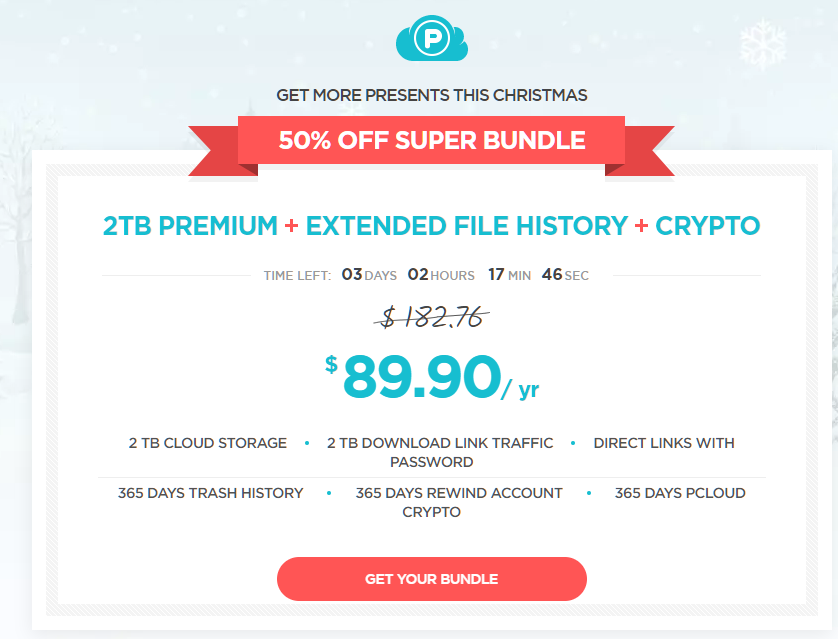
| Pricing Scheme | Free for 10-20GB. Currently have a lifetime plan $175 for Premium, or $350 for premium plus. $4.99/mo or $9.99/mo respectively normally. https://www.pcloud.com/cloud-storage-pricing-plans.html |
Intro:
With the largest players removing the ability to have personal folders and share easily, I've been wondering the options. I like Project Send (which I reviewed), but I don't want to go through setting that up in all instances. Someone whom I support via Patreon sent me a link, and I was impressed at how transparent it all was. So I looked into pCloud. Still not totally sold, but I'm willing to give it a try because of the cool features.
Who is this app designed for:
Basically anyone who needs to share files in a secure and convenient way, but doesn't want to rely on public or expensive services.
Review
After creating an account, it showed the obligatory "take these steps to get more space". I did, and am now at 14GB. I downloaded and installed the client as a part of this process, and encountered the one thing that immediately set it apart to me. It created a drive on my machine- a virtual drive that does not store files locally. From the FAQ:
Quote
By installing pCloud on your computer (through its desktop application pCloud Drive), the app creates a secure virtual drive which expands your local storage space. Every change you make in your pCloud can be seen immediately on your computer, phone or tablet. All your devices are instantly synchronized and you have direct file access to any update you make.
So the 14GB that I have from pCloud shows up as a drive on my PC, but doesn't take up space on my PC. There are positives and negatives to this for sure, but personally, given my use case, the positives far outweigh the negatives. I imagine it's not immediate like the propaganda says- there is a cache folder maintained on your PC where these files are cached and uploaded, I'm sure. It does appear pretty quick in uploading and downloading however.
You can also pay an additional amount to encrypt everything client side with zero knowledge if you want.
It's promising as I said. My concerns are towards not knowing the company, or anything about where they store things other than the company is in Switzerland.
Why I think you should use this product
If you have to share files with others- either on a regular basis or in groups, this makes it pretty simple, without having to go through setting up any services to do so. It also does the same thing as Dropbox, Onedrive, etc, and you can host a file in the public folder on your own account, as you used to be able to with Dropbox.
How does it compare to similar apps
So far, favorably. All of the same functionality, and a little bit more.