


30SecondSilencer is a windows tool to add 30 seconds of silence every 30 seconds to an mp3 file.
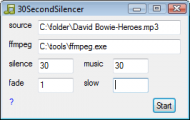
But the duration of the silence and music segments can be customized. For example you can add 10s silence every 55s in the mp3 file. Optional fade in/out.
Download binary and source here
http://www.dcmembers.com/nod5/download/30secondsilencer/
Requirements:
ffmpeg.exe and ffprobe.exe from latest version of ffmpeg-master-latest-win64-gpl-shared.zip at https://github.com/BtbN/FFmpeg-Builds/releases/
If you want to compile from source: Autohotkey
changelog
v180222
changed ffmpeg concatenate code to avoid file errors
updated helpfile
code cleanup
v160113
first version with GUI
now uses windows temp folder as workdir (can be changed in source)
now outputs C:\<inputfolder>\<inputfilename>_30ss.mp3
v160109
first version, no GUI (pm if you want the old source)
Thanks to Attronarch (and mom!) for test driving the script, and for coming up with the use case.
post edit 2022-01-09: new URL to ffmpeg dependency
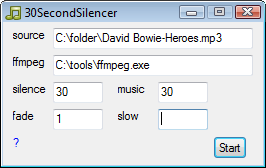
But the duration of the silence and music segments can be customized. For example you can add 10s silence every 55s in the mp3 file. Optional fade in/out.
Download binary and source here
http://www.dcmembers.com/nod5/download/30secondsilencer/
Requirements:
ffmpeg.exe and ffprobe.exe from latest version of ffmpeg-master-latest-win64-gpl-shared.zip at https://github.com/BtbN/FFmpeg-Builds/releases/
If you want to compile from source: Autohotkey
changelog
v180222
changed ffmpeg concatenate code to avoid file errors
updated helpfile
code cleanup
v160113
first version with GUI
now uses windows temp folder as workdir (can be changed in source)
now outputs C:\<inputfolder>\<inputfilename>_30ss.mp3
v160109
first version, no GUI (pm if you want the old source)
Thanks to Attronarch (and mom!) for test driving the script, and for coming up with the use case.
post edit 2022-01-09: new URL to ffmpeg dependency


