I know it says 1.7.6 but it's actually 1.7.7! 


 Topic: Release: sWeather (tray-based weather app) (Read 755,706 times)


They're actually icons but I tested with PNG files and got the same results. I can't win here.Ah, I remember now how the icons are created. Overly complicated IMHO. However, the Create_xxx_ico() functions look identical between 1.7.5 and 1.7.6+ so there must be some change in the way they are applied or somewhere else.
I really don't want to go back to extra loose files if I can help it.
Reminder: date/time still dissapears from titlebar when in TooWindow mode. The tray click is the trigger.
-Drugwash (23 January 2019, 15:05:37)
Still working on this. Sometimes it goes away, sometimes it stays. There's really no rhyme or reason to it.




Sorry, all. As you found out, there was a typo in the changelog and I forgot to update the version number on the webpage. For now, I've recompiled it, without any changes, to v1.7.7.2. Changelog and webpage have been updated as well.
@Drugwash: I will fix both issues.
Hello,previously my sweather tray icon ...
Can you please tell me the woeid number for Philadelphia I can not seem to find it ?2471217. Follow link in options window for Instructions on finding woeids
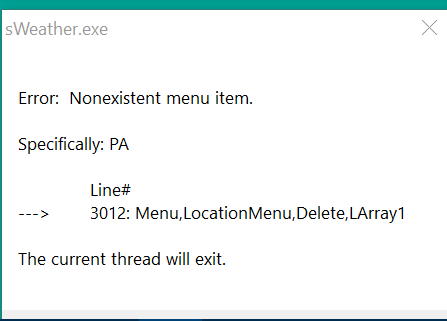 says above the fix is?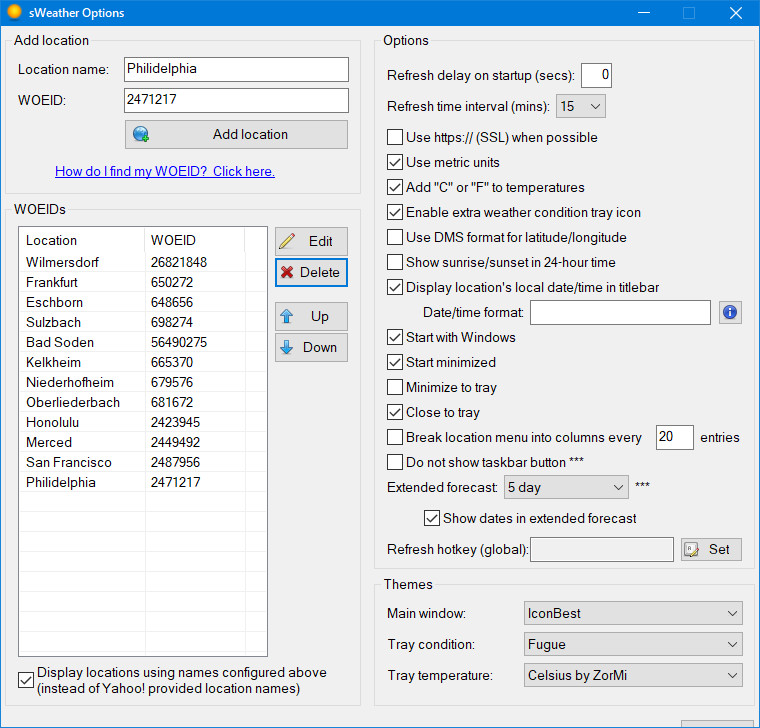
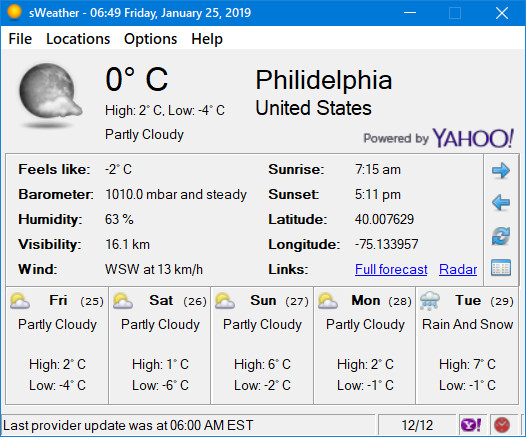
4. click the condition tray icon: the date/time dissapears from titlebar.
I'll look into the code, try to fix it locally and if I succeed I'll send/post the necessary patches. It'd be of great help if I had the original sources including separate libraries instead of a single bulk file but I can manage with that too if needed - it'll just take (much) more time.
Hello, previously my sweather tray icon would show a weather condition icon such as clouds, sun rain, etc. depending on the weather for my location. Now I only see a square box with the temperature in it. Is there a way to show the nicer weather icons instead and not the temperature?
I see now there's a checkbox for the weather condition icon that can be enabled/disabled, but how do I hide the temperature icon? I don't need both (need the space). The drop-down in the settings for temperature doesn't include none and there's no enable/disable checkbox for the temperature.The hover info for the condition icon doesn't show the same info (less) as the temp icon
Also the settings GUI button is chopped off at the bottom when using a dpi setting of 125%.
Thanks for getting sWeather working again.
Which Windows version are you using?
 I'm still not sure what the benefits of adding additional tray icons are and if even necessary.
I tested this in a VM at 125% DPI and it displays correctly. On a hunch, what is your screen resolution?
@Drugwash, let me know if this fixes the icon display issue, please.Yes, v1.7.8 is confirmed to work correctly in regard to GUI icons and titlebar date/time. Thank you very much!

#Persistent
CoordMode, Mouse, Screen
DetectHiddenWindows, On
SetFormat, Integer, H
Menu, Tray, Tip, %A_Space%
Gui, -Caption +ToolWindow +Border +AlwaysOnTop
Gui, Color, White, White
Gui, Add, Text,, This is just a test
Gui, Add, Text, w110 h130 vdbg,
Gui, +LastFound
Gui, Show, Hide
hMain := WinExist()
hCursM := DllCall("LoadCursor", "Ptr", NULL, "Int", 32646, "Ptr")	; IDC_SIZEALL
OnMessage(0x201, "winmove")	; WM_LBUTTONDOWN
OnMessage(0x404, "test")
Return
;================================================================
GuiContextMenu:
guioff:
Gui, Hide
Return
;================================================================
test(wP, lP, msg, hwnd)
;================================================================
{
Global hMain, custompos
SetFormat, Integer, D
MouseGetPos, x, y
SysGet, m, MonitorPrimary
SysGet, mon, Monitor, m
screenW := monRight-monLeft, screenH := monBottom-monTop
; ahk_class TrayNotifyWnd1
; calculate optimal position
WinGetPos,,, gw, gh, ahk_id %hMain%
WinGetPos,,, w, h, ahk_class Shell_TrayWnd
if (w<h)
	z:=w, w:=h, h:=z
 if (x<h)			; taskbar vertical-left
	{
	gx := h+10, gy := y+gh>screenH ? screenH-gh-10 : y-8
	pos=taskbar vertical-left
	}
 else if (y<h)	; taskbar horiz-up
	{
	gx := x+gw>screenW ? screenW-gw-10 : x-8, gy := h+10
	pos=taskbar horiz-up
	}
 else if ((x>h) and y>(screenH-h)) ; taskbar horiz-down
	{
	gx := x+gw>screenW ? screenW-gw-10 : x-8, gy := screenH-gh-h-10
	pos=taskbar horiz-down
	}
 else				; taskbar-vert-right
	{
	gx := screenW-h-gw-10, gy := y+gh>screenH ? screenH-gh-10 : y-8
	pos=taskbar-vert-right
	}
GuiControl,, dbg,
(
wP=%wP%
lP=%lP%
msg=%msg%
hwnd=%hwnd%

mouse at x%x% y%y%
taskbar w%w% h%h%
screen w%screenW% h%screenH%
%pos%
GUI at x%gx% y%gy%
)
if lP=0x201
	custompos:=0
if custompos
	Gui, Show
else Gui, Show, x%gx% y%gy%
SetTimer, guioff, -3500
}
;================================================================
winmove(wP, lP, msg, hwnd)		; WM_LBUTTONDOWN
;================================================================
{
Global
SetTimer, guioff, off
custompos:=1
DllCall("SetCursor", "Ptr", hCursM)
PostMessage, 0xA1, 2,,, ahk_id %hMain%		; WM_NCLBUTTONDOWN
}Uploaded v1.7.8:
Website & Download
v1.7.8
+ New metric windspeed option to use meters per second instead of the kilometers per hour default. (Thanks, BG)
* Rearranged the Options dialog a bit.
! Hopefully made the menu and button icons work properly in both Windows XP and Windows 7+. 32-bit colour must be enabled in your Windows display options. (Thanks, Drugwash)
! Fixed the titlebar not always displaying the time. (Thanks, Drugwash)
@Drugwash, let me know if this fixes the icon display issue, please.
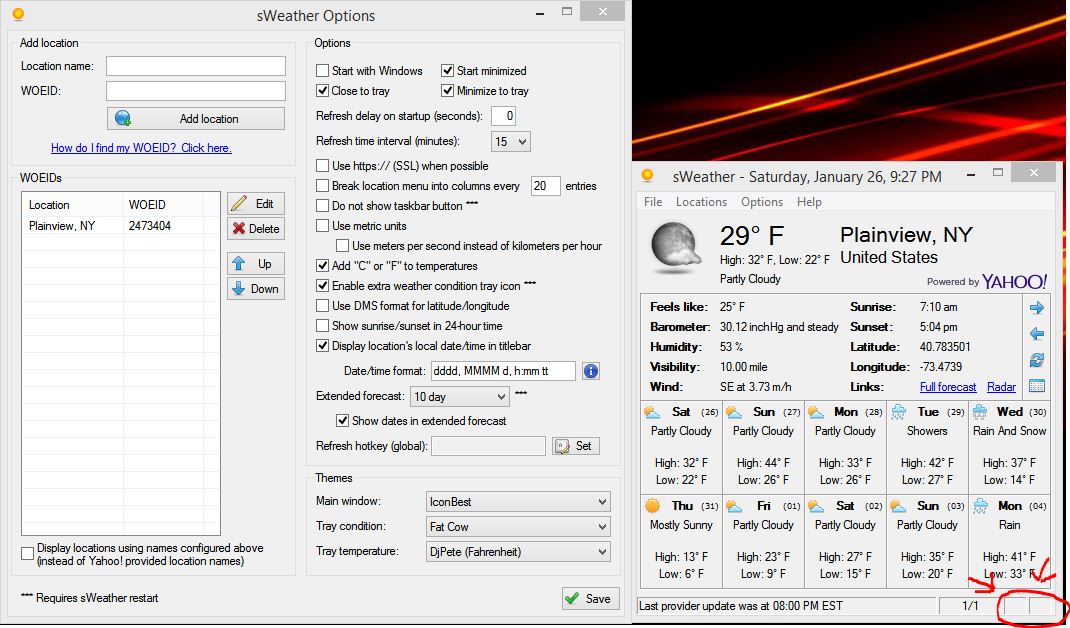
[…] EXCEPT I noticed the icons in the lower right (for linking to the yahoo website) no longer appear.Ah, you're right, they're missing here too, and their tooltips are also missing! I was so eager to check the other icons in menus, About box etc that I completely overlooked the statusbar icons. Shame on me.

For me everything seems fine EXCEPT I noticed the icons in the lower right (for linking to the yahoo website) no longer appear.


Can you please tell me how to set the temperature display only in Celsius?
From the main sWeather window, choose Options > Configure from the menu. In the Options window, enable the "Use metric units" option and, optionally, enable the "Add 'C' or 'F' to temperatures" option.
For me everything seems fine EXCEPT I noticed the icons in the lower right (for linking to the yahoo website) no longer appear.
Good eye.
Website & Download
v1.7.9 - 2019-01-28
! Statusbar icons were missing. (Thanks, Mboxer511)
Everything looks great now! Haven't come across any issues on Windows 8.1. Works just like it did before the change in the API.
On tip I wanted to mention is if anyone is updating the software, if you save the files "config.ini" and "locations.lst" then all your settings will carry over to the new update. So just make a back up of those files, then use them to overwrite the new ones when you install an updated version.
Original address: https://www.donationcoder.com/forum/index.php?topic=25940.0