

Have a suggestion?
Click here to suggest a blog item.
Newsletters Archive
Catch up with DonationCoder by browsing our past newsletters, which collect the most interesting discussions on our site: here.
Editorial Integrity
DonationCoder does not accept paid promotions. We have a strict policy of not accepting gifts of any kind in exchange for placing content in our blogs or newsletters, or on our forum. The content and recommendations you see on our site reflect our genuine personal interests and nothing more.

Latest News
July 2, 2024
Server Migrations Coming
- Donationcoder server migration is slowly proceeding, expect some hiccups as we get all our ducks in a row..
July 19, 2022
Software Update
Jan 3, 2022
Event Results
May 13, 2020
Software Updates
Mar 24, 2020
Mini Newsletter
Dec 30, 2019
Software Updates
Jan 22, 2020
Software Updates
Jan 12, 2020
Newsletter
Jan 3, 2020
Event Results
Jan 2, 2020
Software Updates
Dec 30, 2019
Software Updates
- Automatic Screenshotter v1.16
- Screenshot Captor v4.35 beta
- Find and Run Robot v2.238 beta
- Clipboard Help and Spell v2.46.01
- LaunchBar Commander v1.157
- Mousers Media Browser v2.0
- MultiPhoto Quotes v2.09.1
- DiscussionList for Android v1.08
April 27, 2019
Software Updates
Feb 26, 2019
Software Updates
Feb 23, 2019
Software Updates
Feb 14, 2019
Software Updates
Jan 6, 2019
Event Results
Dec 2, 2018
Software Updates
Nov 13, 2018
Software Releases
July 30, 2018
Software Updates
June 24, 2018
Software Updates
June 6, 2018
Software Updates
Apr 2, 2018
Fundraiser Celebration
Apr 2, 2018
Software Updates
Feb 24, 2018
Software Updates
Jan 14, 2018
Major Site News
Jan 10, 2018
Event Results
Latest Forum Posts
May we recommend..
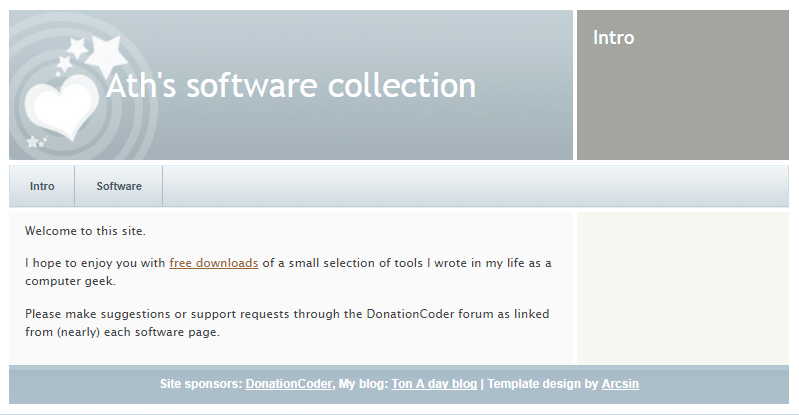
Ath's Software is where DC Member Ath keeps the software he has written and shared.
- Number of programs available: 10+
- Last updated: 2018
- Visit Ath's Software page: http://www.dcmembers.com/ath.
Our daily Blog
This page spotlights the most interesting posts collected from our forum every day.
Astyle: A Free Visual CSS EditorI know everyone is wild about CSS.  If you DO want to make it easier though, give Astyle a try. If you DO want to make it easier though, give Astyle a try.Astyle is a visual CSS editor. http://www.athlab.com/Astyle/ |
||

FlashForge Screensaver Maker - Now FreeFlashForge is a program that creates screensavers from flash files and, as stated above, is now free. FlashForge, the well known and popular screensaver creator, converts Adobe/Macromedia Flash files into a screensaver plus an installer. http://www.goldshell.../flashforge/main.htm |
||
Desktop Tower Defense: Flash Game of the DayWe have posted a few tower defense games previously. Here's another fun one to add to the list. A live action puzzle game written for fun in flash. You have to stop your enemies, or 'creeps', from travelling all the way across the screen. Tower pieces can be purchased and placed on the map to kill the creeps before they make it across. Inspired by a Warcraft 3 tower defense map called Autumn Crossing and a few other TD Warcraft III maps. http://www.handdrawngames.com/DesktopTD/ |
||
TextPad updated to 5.0 After two years or so, my favorite editor has been updated, just when I was about to give up hope: www.textpad.com The list of new features isn't all that impressive, but the author says it is the first in a series of new releases to come. The update is free to registered users of TextPad 4.x. Enhancements: While TextPad didn't do too well in DC's Best Text Editor review, it's still my favorite editor. It has served me fantastically well over the years, and it's unmatched in manipulating huge files, 50 MB upwards. Within the last year I've evaluated plenty of other editors, including some over the $100 mark; I've purchased EmEditor (I needed an editor that handles *all* Unicode files correctly; otherwise it still has a long way to go) and EditPad Pro (for its general neatness, but the more I use it, the more it disappoints me). TextPad remains the fastest, leanest, most streamlined in my daily use. It has only one annoycance that I can think of - the tab navigation scheme. Otherwise, of all the editors I've seen, TextPad is the one that never gets in my way and is by far the most productive. |
||
Browning's 20 top tips for surviving life in the workplaceIf only I'd known while I was still part of the corporate world... 1 Never offer to make coffee http://www.guardian....y/0,,1924681,00.html |
||
The limits of attentionHere's an interesting article that discusses the impact of increasing amounts of information on attention. It is no secret that we live in an information overload age. The explosion of new types of information online is a double-edged sword. We both enjoy and drown in news, blogs, podcasts, photos, videos and cool MySpace pages. And the problem is only going to get worse, as more and more people discover the new web. Consider the two charts below, illustrating the growth of the Blogosphere at large... http://www.readwrite...economy_overview.php |
||

