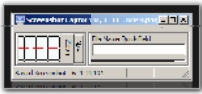
Screenshot Captor Splice Tool
« on: June 01, 2010, 06:33 PM »


 Topic: Screenshot Captor Splice Tool (Read 107,475 times)


Great little feature.You already can, I do stuff like this all the time with SC. You just move the pic to the screenshot folder (or open SC and navigate your screenshot folder to where the file is), and then edit it. That said, it also explains why I requested an Open file option that I think Mouser probably just forgot to add...
Why don't you release that as a standalone application? I would use it just for that. Basically let me open an image, perform splices and then resave out.

just a reminder, SC will let you drag and drop images into and out of it's thumbnail panel.
and i think you can pass a filename on commandline when calling SC to have it switch to that image file's directory and load that image -- so that does what you asked for veign, i think.
also, dont forget to use the Save+ button, to save the image with an incremented filename -- useful for preserving originals.





lol patent it.. there is nothing complicated or clever about it.. i'd be surprised if it wasn't already in photoshop somewhere.


you people and your hotkey shortcuts!I think Alt-X followed by an appropriate number of arrow key presses (1 or 2) and then Enter is doable, so the current state of things seems fine.
).


So where is the link where I can download the tool?
Original address: https://www.donationcoder.com/forum/index.php?topic=22923.0