
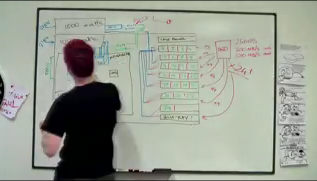
A viral video picked up by Ghacks.
[attachimg=#]
Somehow, not as impressive as I expected it to be.
Edit: Image links to the video.
[attachimg=#]
Somehow, not as impressive as I expected it to be.
Edit: Image links to the video.


 Topic: Samsung's 24 x 220MB/s SSD RAID (Read 28,506 times)


I thought having 53 programs opened and fully loaded in a matter of seconds was fairly impressive...

I can start the four Office (2003) apps together in under a second on my system.
access.lnk
powerpoint.lnk
word.lnk
excel.lnk

 I also wound up with a second instance of Outlook open...
I went to Dopus and navigated to my start menu and simply highlighted the four shortcuts to Word, Excel, Powerpoint, and Access and hit ENTER.


[...]
I use SSDs for my (both) development systems--the first was for the work system, and after seeing the improvements I decided I would never use spinning-platter technology again.
The biggest performance gains are in my IDE (IntelliJ). My "normal" sized projects tend to link to hundreds of megs of JAR files, and the IDE is constantly performing inspections to validate the code is correct. No matter how fast the processor, you quickly become IO-bound as the computer struggles to parse through tens of thousands of classes. After upgrading to SSD, I no longer find the IDE struggling to keep up.
[...]
 ) for disk-intensive stuff (you don't want to wear out your SSD erase cycles too fast) - coupled with a large amount of storage on a gigabit fileserver... that'd be awesome. I'm currently missing the SSD part, waiting for SSDs to become good enough, and cheap as well.
 - carpe noctem

I can start the four Office (2003) apps together in under a second on my system. I was hoping to see Windows starting up (post BIOS) in a couple of seconds or so.
Of course if you build a super computer it's going to be fast. I'd like to know how SSD drives work in your average consumer PC to see if it's worth all the hype to get one.
 Yeah, pretty much what I was trying to say. Fail.
Of course if you build a super computer it's going to be fast. I'd like to know how SSD drives work in your average consumer PC to see if it's worth all the hype to get one.
Additionally, who cares if it can access it super fast if it can only access it 500 times before the drive is dead. How does an SSD compare with an HDD when it comes to durability and the number of times data can be written to the disk?
Additionally, who cares if it can access it super fast if it can only access it 500 times before the drive is dead. How does an SSD compare with an HDD when it comes to durability and the number of times data can be written to the disk?
That's simply a non-issue with moderns SSD (acutally, it wasn't anymore by sometimes).


my own quantum computer did all that in the video 50 times over in less time - so fast, in fact, it finished before i had even started the whole process with the batch command.Well, my quantum computer functions only in quantum leap years, so it finishes 4 years earlier on every pass.

my quantum computer functions only in quantum leap years, so it finishes 4 years earlier on every pass.


I just put these lines in a batch file that I ran from the same folder in the start menu as the shortcutsHow do you get it to do all four at once? I have tried BAT and CMD files but it loads the first app and only opens the second app when you close the first app window etc. ?Quoteaccess.lnk
powerpoint.lnk
word.lnk
excel.lnk
Original address: https://www.donationcoder.com/forum/index.php?topic=17381.0
 Online TrID file identifier
 SeqBox