Since 2007 we have held an annual event that we call NANY (New Apps for the New Year), where we ask the coders who hang out on DonationCoder to create some new piece of free software and share it with the world on January 1st of the new year.
NANY is one of the most fun things we do on this site, and it's one of the few times we can all play together. There are no winners or losers, it's simply a celebration of programming and creating new software and sharing it with the world. You can target any operating system (desktop or mobile) or even make a web-based tool. It can be a game, utility, large application, whatever. DC takes makes no claim on your software, it's just an event to encourage you to share a creation with others. Best of all, everyone who participates gets a free commemorative coffee mug.
Thank you everyone who participated for a wonderful event!!! We had some really interesting entries this year. Some of the entries are polished professional caliber apps, and many are just hobby creations not quite ready for public use. Read on for the full list..
Mousers Media Browser v2 by mouser
There are lots of utilities for browsing collections of images/photos. Mouser's Media Browser is one such tool, but one with a very unique and cool feature. In addition to browsing the recursive contents of directories, MMB scans your files and creates a virtual date hierarchy, organized by year, date, and optionally day of the month. This lets you scan a huge collection of photos and easily explore them by date. MMB is very flexible in how the images are displayed, and comes with some very easy to use filters based on filename patterns and file ages. Watch the video for a look at how it works..

Youtube video:
https://youtu.be/eOkTmL8aSAgDiscussionList (Android App) by mouser
DiscussionList is an android app that allows you to manage and contemplate a large collection of questions to inspire meaningful discussions. I use it with my wife when we go on walks, to spur conversation and have meaningful discussions. It comes with a large collection of questions, but you can add your own and download additional sets. View questions in a distraction-free interface or widget. Watch the video for a look at how it works..

Youtube video:
https://youtu.be/QmCkyeEghncISMONISM - search Start Menu (or any folder) for 'missing' entries by Winkie
This is a super-clever little utility, which can scan a set of user-configurable folders, looking for executables that do not have an entry in your Windows Start Menu. It has features to search the web for discovered executables, or even create new shortcuts to them in your own Start Menu sub-folder. This utility can be extremely useful for creating start menu entries for portable files, for discovering orphaned programs left after an uninstall, or just exploring and discovering unexpected executables that are part of some installation. Very very cool.
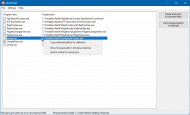 Systemus
 by BGM
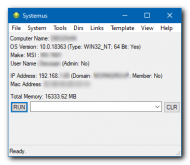
The author, BGM, describes Systemus as follows: "I wrote this program because I often have to set up computers for other people, or I have to do maintenance or fixes. It seems I always end up using a whole bunch of programs to do things - a folder full of tools, and I can't remember or find the ones I want, sometimes. With Systemus, I have a single program that I can use as a launcher. It also tells me the most basic system information that I want, such as ipaddress and mac address, Windows version and what model of computer I'm working on."
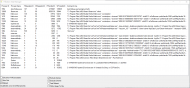
 Filtration: A Task Manager
 by camerb
A program which can be used to monitor processes and tasks to see what might be bogging down your system, with some clever filtering abilities. Breaks down the HDD/SSD utilization into four categories: Read/Write, and Operation Count as well as an amount of data Tranferred (Transfer Count). This can help you get a quick understanding of whether or not the pesky culprit process is making lots of little read/write operations, or if the culprit is making one or two large transfers that involve large files.
 KeepWatch system monitor
 by mat2016
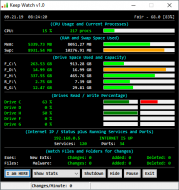
KeepWatch displays standard statistics: CPU Busy %, CPU Processes, RAM, Swap Memory, Fixed and Removable Drives, Disk Read/Write. It can be set to monitor your local weather. It also monitors every drive in your system for file read/write/delete activity. If it detects a large number of file changes per minute, it will display a message and optionally send users an email or a text message. If the user is going to be away for a while, they can set the program to Away mode and in additional to sending an email it will shutdown the computer.
 1 Key Browsing
 by mat2016
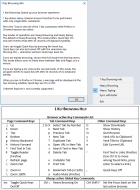
Allows many common Firefox and Chrome browser functions to be performed with only single letter commands.
 Mass JSON Editor
 by wraith808
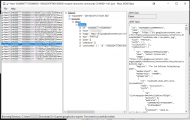
This is a revamp of a NANY 2020 entry, Mass JSON Viewer. In addition to browsing a directory and loading/validating JSON files that exist there, this one allows you to actually edit the JSON files, and save them as a new file or to the same file.
 sDictionary
 by skwire
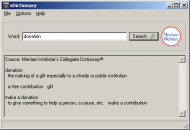
Minimalist desktop dictionary lookup app that retrieves definitions from Merriam-Webster online disctionary.
 Ducky (A Simple Dock)
 by SwanKnight
A simple desktop dock. Drag and drop any executable or shortcut on the main window and it will be added as a button which you can use to launch it later.
 Random Sounds App
 by publicdomain
Simple desktop application created to play random sounds at an interval (which can even be randomized!) from a specified directory.
 IrfanView Panorama (IVP)
 by lanux128
A front end for the image viewer IrfanView's 'Create Panorama image' feature to allow the user to add, sort or remove the image files that the user wants to stitch together before invoking the feature.
 Xaya Name Utility
 by Renegade
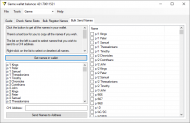
Facilitates transferring and registering Xaya Names in a Xaya wallet in bulk, removing much of the tedium of the process.
 Portable Application Updater
 by hamradio
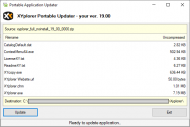
A utility that let's you check for updates to portable software, so that you can invoke update checks and have the new versions downloaded and installed.
 Solar Date Calculator
 by dmytron
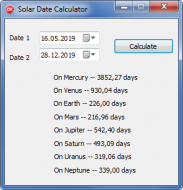
Simple proof-of-concept utility that reports the number of days between two dates, as experienced on different planets.
 Simple Budget
 by relipse
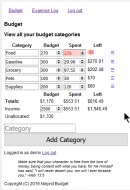
This is a simple web app based upon Dr. Darryl Sturghill's idea of keeping track of a monthly budget using different categories, allotments, and amount spent. It is a mobile first web application that allows a user to create expenses and add them to the Spent category, to allow the user to easily see what is Left Over at the end of the month, at which time the remainder can be carried over to the next month.
 Polyglot Zobrist Key Generator
 by shinkarom
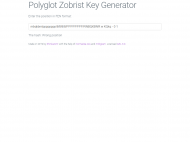
This is a web application with a singular purpose - to allow the user to encode a Zobrist hash from a FEN chess opening position. This might be useful if writing a chess engine.
 Chat LAN Client
 by KodeZwerg
A proof-of-concept desktop application that allows you to chat with others on your LAN.
 Apps You Forgot
 by anandcoral
Apps (Programs) You Forgot, shows you the program (exe) files which are in your program folder but are NOT in your start menu (similar to ISMONISM above). It also shows programs which you are not using for a long time i.e. you forgot about them
 quick generator peek
 by Tuxman
Chrome extension. Some software, like certain HTML editors and weblog software like WordPress, adds an information to your site's source code that says which software was used to generate it. This Chrome extension will read this information and display it as a pop-up.
Unping all the links by Tuxman
Chrome extension that removes hyperlink trackers right from the HTML code.
birdcries by Tuxman
Web service. Replace twitter.com in any Twitter status link by birdcries.net to get a less shitty read-only view of the tweet which is faster and will respect your privacy.
scss-loop-template-processor by Ath
Commandline tool for developers using css preprocessor; Process a template with a set of numeric-postfixed constants to replace @for loops by @each loops intended as scss preprocessing, to reduce the number of generated css classes.


 Recent Posts
 Love it