17February2011
How about a command line un/pause option to go with the start/stop options?
How about a command line un/pause option to go with the start/stop options?


 Topic: Request: /pause & /unpause switches (Read 40,386 times)


How about a command line un/pause option to go with the start/stop options?

If Trout is paused, sending another /play will unpause it. Is that doable?I stand by my request ...


does not respond to custom Trout hotkeys when an AHK script sends the hotkeys (at least not for me ...)!Are you sending the hotkeys to the right window/exe? or is this about global hotkeys? In the latter case it's probably that your 'secondary' AHK script-engine is re-grabbing the global hotkey chain, interrupting the original setup of Trout.
If you could easily add a PAUSE command line option that would be GREAT!
Trout, with a GUI written in AHK, does not respond to custom Trout hotkeys when an AHK script sends the hotkeys (at least not for me ...)!
WinActivate, Trout ahk_class Winamp v1.x
Run, Trout.exe /play, %PF%\Trout
SLEEP, %Sls%
Run, Trout.exe /pause, %PF%\TroutNo ... I've never seen (and still not found) anything listing built-in Trout hotkeys! What/where are they?
I already have 10536. I see nothing in the changelog about pause commandline ...
Does Trout now have pause commandline?
I have always wondered why Trout was made with the WinAmp ahk_class?
Certainly complicated my AHK scripts ...
It doesn't matter how I send the local or global hotkeys.
WinActivate, Trout ahk_class Winamp v1.x
Send c
does not pause Trout.
Send ^#c
does not pause Trout.
It doesn't matter whether I do ^#x or ^#v or ... Trout never responds.
Version: 1.0.5 build 36 (2011-02-19)but the portable download is indeed 10539 ...


I don't feel any need to explain/justify anything.
It also seems to me that the question is obtuse ...
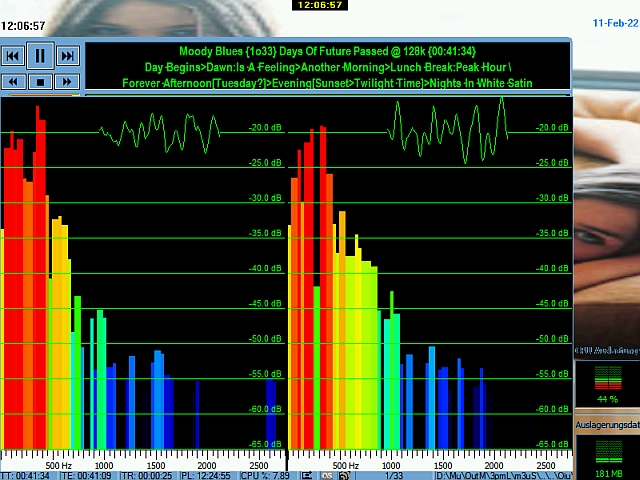
Another item I submit for your consideration (maybe you might consider it an enhancement) is what if Trout users could hide or fold in/out the buttons? to increase the width of the tag & etc display.Here's a screenshot of Trout with SpecLab on my PII ...
In my posting at your website last summer I also asked about being able to open the options with a global hotkey - would like to ask again now!
What about setting the default path where Trout should look for playlist files? I don't see/know how to do that now. Is/Would that be possible?
Another item I submit for your consideration (maybe you might consider it an enhancement) is what if Trout users could hide or fold in/out the buttons? to increase the width of the tag & etc display.
The tag display for many of my mp3s is bursting at the seams, so I thought it would be great if Trout users could hide the buttoms (which I now no longer need) to increase the width of the tag display
I could NOT post the previous post with an attachment in Firefox.
I had to switch to Opera. Anyone know why that might have been the case?
I imagine tweaking the GUI/buttons would not be a lunchtime effort but I will hope that maybe sometime this century you might change your mindThe tag display for many of my mp3s is bursting at the seams, so I thought it would be great if Trout users could hide the buttoms (which I now no longer need) to increase the width of the tag displayNo, thanks.

What about setting the default path where Trout should look for playlist files? I don't see/know how to do that now. Is/Would that be possible?It seems Trout's default location to look for playlists is the Trout "install" directory. I put a shortcut/link to my playlist folder (which is on a different volume) there ... Sometimes (but not always) when I select load playlist, Trout defaults to my playlist folder - usually after I have loaded a playlist from there recently. I have four different config.ini files. My AHK "launch Trout" script lets me choose which one I want to be the config.ini that Trout will load. Trout never remembers where my playlist directory was after I switch config.ini files. I am wondering what it is that causes/allows Trout to forget/remember where the playlist directory is? I do not see any entry in any config.ini file that seems to do that ... Is it XP specific?
Now that I have Trout to use with SpecLab and don't need to find a way to configure foobar to play with SpecLabI never thought I'd see the day when I could post and say that
the same problem I posted previously/elsewhere about running foobar with SpecLab. foobar+PM/SL will be running fine at around 50%±10% for a while; then for some unknown reason at some unknown time, CPU usage will spike to 100% - and I'll have to kill foobar+ ... I still would like to find out why that happens.but I seem to have found how to kill off the CPU usage spike to 100% ...
The Peak Meter (PM) seems to use the most CPU usage of the threeThe VU meter seem to use less CPU usage than the Peak Meter when NOT running SpecLab,

What is the technical difference between the VU & Peak meters?
 I find that it is better to use WinAmp with the Classic Spectrum Analyzer for low bitrate mp3s (less than 96/32) because there just isn't enough frequencies for a nice display in SpecLab ... I can also run a slideshow while WA plays audio ...
Version: 1.0.5 build 78 (2011-02-25)
What about setting the default path where Trout should look for playlist files?
I don't see/know how to do that now. Is/Would that be possible?
Original address: https://www.donationcoder.com/forum/index.php?topic=25804.0