topbanner_forum
  *

avatar image

Welcome, Guest. Please login or register.
Did you miss your activation email?

Login with username, password and session length
  • Wednesday December 17, 2025, 2:41 pm
  • Proudly celebrating 15+ years online.
  • Donate now to become a lifetime supporting member of the site and get a non-expiring license key for all of our programs.
  • donate

Recent Posts

Pages: prev1 ... 446 447 448 449 450 [451] 452 453 454next
11251
The Getting Organized Experiment of 2006 / Re: i'd like to buy some discipline please.
« Last post by tomos on September 19, 2006, 05:35 AM »
something else I'm trying this week is to plan my day (in great detail)

Its unsucsessful so far for the whole day, so I'm starting to break the day down into blocks of 2hrs & plan them one at a time (I'm on a break now so will shortly plan the next 2hrs)

One side of the page I have things I want to do today (including 4 x 30min blocks of the "Boringstuff"), also when I want to finish.
Other side I do the planning. I'm finding this good (the 2hr thing) cause it keeps things fresh.

I find in general I'm doing more things that are at least work-related (I mean as opposed to idle surfing or trying out that new whatever)

The most important is to have work method.
That one still needs a bit of "work" :)
11252
The Getting Organized Experiment of 2006 / Re: i'd like to buy some discipline please.
« Last post by tomos on September 19, 2006, 02:30 AM »
I'm finding I'm now posting here instead of finishing my plan for the day which i should have done last night ...*

BUT,
I do notice, the more I put into effect, well, I am getting more disciplined - slowly, but i notice it.
I think its a bit like programming ourselves to work in a different way to previously.
Again,
BUT,
maybe we first have to do a bit of deprogramming to help us on our way?

To that end I have a "chuck it in the bin" list on my desk - mainly ideas re work:
I need to do this
I cant do that

The other idea i came across (& have also just started), is to write in a journal/notebook when you're struggling with anything. Have already found it helpful but have to add it to the system yet (will i ever read it again - with that I'm not even sure its necessary)

*so maybe I'm not qualified to talk?! Dont think I have enough discipline to sell any on at any rate :)
Anyways, just thought I'd throw those ideas out here anyway
11253
General Review Discussion / Re: Mini review: toDoList
« Last post by tomos on September 19, 2006, 01:39 AM »
thanks f0dder.

I got response from db:
Search tasks over priority
Cntrl-F 
Its all there. just pick your find values

Priority Value
- Preferences>Tasks>Attributes>'Display tasks priority as being the highest of sub tasks'

and posted about this in GOE
11254
I'm struggling a bit with practicalities of indexing/filing/structure.
I want to post about that but have to try & get an overview of it all first!  :D

I have a query re todolist (Abstract Spoon one) in the ToDo mini-review
I would also be very curious how other people are using this programme:
so far I just have the following TaskLists:

Action/To do list
Ideas list
GOE list
Texts List

but I'm unsure would i be better having all in one list - so  I can prioritize stuff*. At the moment if something from the Texts Lists needs to be done soon I add it to the Action list.
This isn't very efficient - I know/believe you can make links between tasks - is that a recommended route ?

I'm using paper for my daily-will-do list but like the coherency of this programme & am looking at combining both.

*Interesting possibility would be if one could see a list showing all tasks over a certain priority from all lists.
I think you can use reminders as well but at the moment I'm happy/prefer listing stuff by Priority and working my way through things.

So my query at this stage is really how people are using the programme, especially in regards to GOE
11255
The Getting Organized Experiment of 2006 / Re: What Needs to Get Done (WNTGD)
« Last post by tomos on September 18, 2006, 02:09 PM »
Since I'm really familiar with the ideas, I can do a review for week 4 or 5, if people think it would be helpful -- along with ways I think it could tie in with the other methods we have been trying.

that sounds good to me.
I'm amazed so far how much what I've read (& the little I've implemented) have influenced/affected ... my awareness, I guess, of how I am & what I'm doing, what I want to do, etc.

I would like to take that a step further so would love to hear more about these ideas
11256
General Review Discussion / Re: Mini review: toDoList
« Last post by tomos on September 18, 2006, 02:04 PM »
I would also be very curious how other people are using this programme:
so far I just have the following TaskLists:

Action/To do list
Ideas list
GOE list
Texts List

but I'm unsure would i be better having all in one list - so  I can prioritize stuff*. At the moment if something from the Texts Lists needs to be done soon I add it to the Action list.
This isn't very efficient - I know/believe you can make links between tasks - is that a recommended route ?

I'm using paper for my daily-will-do list but like the coherency of this programme & am looking at combining both.

*Interesting possibility would be if one could see a list showing all tasks over a certain priority from all lists.
I think you can use reminders as well but at the moment I'm happy/prefer listing stuff by Priority and working my way through things.
One thing I do find though: a Task can have a priority of 5, while one of its subtasks has a priority of 10 - in this case I make the txt colour red to be sure i dont miss it (cause it stays down with the "fives")
11257
General Review Discussion / Re: Mini review: toDoList
« Last post by tomos on September 18, 2006, 01:51 PM »
I've started using this (in a very basic way so far) in association with the GOExperiment here.

I've been trying to print off a copy of my "Action List":
If you just print it off it's pretty much unreadable.
It prints in html format.  I did get a style sheet here but have no control over the size of print, so, what is visible on screen (say a list of 20 tasks - including subtasks needs 3 A4 pages or 4 A5 pages)

You can export the list to plain text or spreadsheet which might be nearer to what i want - simple to read but time consuming.
Does anyone know if there is an easy way to print out the list in a list-like manner for reference.

I did read something somewhere about a forum but couldnt find it on home page...
11258
Mini-Reviews by Members / Re: Disclib - a library of your CD/DVD contents
« Last post by tomos on September 15, 2006, 07:24 AM »
Hadn't heard of that one - plugin viewer for Total Commander as well.
Free for non commercial use but looks like it would be worth the $29

Damn, reviewed the wrong programme!
 :)
I'll add it to the similar apps section soon
tom
11259
I really liked Forster's ideas about getting around the resistance of the reactive primitive part of our brains, and the interpretation of this part of the brain as reacting to a task as a "threat" or as an obstacle to be avoided.

I like the idea of "tricking" this part of your mind in various ways to get the momentum going, since I find that his description fits some of the problems I have in working on bigger projects - once you get started it's ok, but sometimes just getting started can be incredibly hard.

I've only started his book (DIT) & gotten as far as this idea.
I suppose the "Next action" idea in GTD makes a project less daunting/big and reduces it to the First or Next Step.

I'd like to hear more about his thoughts on these techniques, and any other tricks he has tried or is thinking about, which ones work, which ones don't.
I'm a slow reader so I'll be very happy to hear what he says these days :)
I wonder does he still think of the mind in this way.
11260
Post New Requests Here / Re: IDEA: (10+2)*5 Timer
« Last post by tomos on September 13, 2006, 12:45 PM »
I use instantboss in combination with Titlelog, which keeps a log of the active windows - ie what youre doing.

If you have been away from your computer for more than a set period of time, when you return, Titlelog will ask what you've been doing. I'm starting to also summarise what i was doing prior to the break which seems more important.

I do it to help me be realistic about what I'm doing &/or not doing :) & it can help for the next "sitting"
11261
What's the Best? / Re: Anti-Virus Package
« Last post by tomos on September 13, 2006, 11:12 AM »
I notice AOL Active Virus Shield is no. 2 on that list
Anyone know is there a catch to that being free ?? (well, AOL ...)
11262
Clipboard Help+Spell / Text "size"/font in ClipHelp+Spell
« Last post by tomos on September 13, 2006, 06:16 AM »
I'm just getting to know Clipboard Help+Spell
&
enjoying the experience!

I guess its not meant as a text editor, but it is very handy to be able to reread something & edit it.
One thing I find a bit difficult is the size/visibility/readability of the text (monitor is set at 1024 x 768, I have no problem reading text in Editpad for example.)
I couldn't find anyway to modify the text in any way to this end. I know theres the "Modify/Format case" button - but that doesent affect spacing/leading/kerning & I know its just "text" so maybe its just a different font I'm looking for. Actually the font in the Modify/Format window is much easier to read (the "fixed font") but you cant edit the clip here.
Can it be changed? (Font)

and
if not

Could it be changed? :) (Font or possibility of editing in Modify window, or an "Edit" window?)
11263
1.  In a system, like GTD, that focuses so much on random thoughts put into a "TODO" format, what do you recommend a person do to make sure he/she is concentrating enough time and energy on the things that are really important for quality of life?

A variation on No. 1

1.  In a system, like GTD, that focuses so much on random thoughts put into a "TODO" format, what do you recommend a person do to make sure he/she is concentrating enough time and energy on the really important work things -
i.e.
you're getting the "little" things done, but you're not spending enough time on that (boring) WORK* that you're actually getting paid for.

*in my case "drawing" - it's not always boring but by god is it really boring when it is! - it could be anything, but when you're getting paid for that "Thing" & you're not getting it done you're in trouble.
I guess I'm thinking along the lines of self-motivation/discipline .... 
11264
General Software Discussion / Re: keeping/saving cloned files
« Last post by tomos on September 13, 2006, 03:13 AM »
I uninstalled NTFS Links (because life is too short!)
going to try later - un&re-install, but its down the list (to do list!)

as I said for explorer:
you copy your file,
then right click on destination folder & select "paste as hard link"
but
realised this option "paste as hard link" also shows up in Dopus (in folder contextmenu, after copying a file) with "the regular explorer context menu items enabled."

so the framework is there... :) as i say, will try again later
11265
Found Deals and Discounts / Re: SOCKShell 74% Off! - Great context menu tool!
« Last post by tomos on September 13, 2006, 02:23 AM »
anyone tried this out -

I only got to see this in latest posts today although I checked them yesterday too.
maybe I got to look at RSS ...
11266
General Software Discussion / Re: keeping/saving cloned files
« Last post by tomos on September 12, 2006, 09:23 AM »
you copy your file,
then right click on destination folder & select "paste as hard link"
this pastes a copy of the file in the selected folder.
When I modify it it doesnt modify the original i.e. it's only a copy  :(

P.S. jgpaiva, are you still having trouble getting through here, or is it only me?
It looks like the author's site (the first 2 results on the google search) is down.
11267
Mini-Reviews by Members / Re: Disclib - a library of your CD/DVD contents
« Last post by tomos on September 12, 2006, 05:47 AM »
there you go - (Post number 2)

a poorman's backup guide :)
11268
Mini-Reviews by Members / Re: Disclib - a richman's/poorman's backup accessory
« Last post by tomos on September 12, 2006, 05:01 AM »
 Disclib makes a great backup accessory for anyone.

But, for those of us who can't afford new external drives,
& whose harddrives are rapidly filling up,
you can consider deleting stuff from your hdrive after backing it up a couple of times (I usually keep one disc copy at home & one at the in-law's)

Theres always the danger of discs degrading,
but if you use good quality discs, hopefully you can afford a new drive or even a new system before that!
At that stage you can either copy the discs onto the new drive, or use Daemon tools to copy the disc and mount it as a drive.

On a related note, but in a slightly different direction - my drive is filling up with photos.
What I've done is to firstly back them up twice,
then,
using the tiny & wonderful Resize (recommended by Zaine I think; it's free & doesn't need installation) I convert the images (jpegs) from previous years to a smaller size, say 640 pixels maximum dimension and save @ 50% quality. (Resize can preserve the exif data as well.)

My average photo-folder size goes from a few hundred to a few megabytes.

I generally save my photos in dated folders sometimes with additional info appended
Now I put those folders in a folder named by the year & disc number,  e.g.  2004-001 so I know everything in that folder is on disc of same name.
Picassa then generates thumbnails & I can also get to see a reasonable sized copy of image
and it's easy to track the original down if I need it.
(I dont actually use Disclib for my fotos anymore cause there's no great need with this system)
11269
Mini-Reviews by Members / Disclib - a library of your CD/DVD contents
« Last post by tomos on September 12, 2006, 04:59 AM »
Basic Info

App NameDisclib
App URLhttp://lyrasoftware.com/disclib/
http://lyrasoftware.com/
App Version ReviewedVersion 2 Build 50
Test System SpecsBasic! XP, 512MB RAM
Supported OSesPlatform - MS Windows (2K,XP tested)
Support Methodsforum: http://groups.google.com/group/disclib/ 

email:
Q&A: Stamen Delikostov:   [email protected]
or                                  [email protected]
WareFreeware
Author Donation LinkCouldnt see any at their webpage


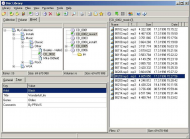
Disclib0.jpg


Intro:

Platform - MS Windows (2K,XP tested)
Add filenames from any folder tree (CD, DVD, HDD, floppy, any windows folder tree) to the catalog
Categorizing
Search, specify categories in search
Customizable exporting (reporting)
Parallel tree - better categorizing
Tags
Multilanguage (Customizable) [current available: English, Italian, Bulgarian, Russian, French, Galego, Polish, Spanish, Portuguese(Brasil), Portuguese(europeu),Danish, Swedish, Catalan, German, Czech, Hungarian, Korean, Romanian and Chinese Languages]
Free

Disclib is a CD collection organizer program. It may be used as a catalogue of CDs. After creating the catalogue, disclib stores file and folder names and tree, allows user to categorize folders and files, and allows searching all the files from the collection CDs without need to place them in CD reader. Disclib may place in the catalogue any windows folder not only folders on CDs. Disclib has a customizable Multilanguage functionality. The program also extracts mp3 info.

Basically, it scans your CDs & DVDs and saves a "Table of contents" in a database or databases.

Each database can be organised into different "collections".   
For example I have a database for general backup, which is divided into different collections by project/job.
I use a second database for photos.

The database is simply an alphabetical list of contents.
You can simultaneously view database ("Volume") list and "Collection" tree.


Then there's "Categories" whose main advantage seems to be that you can search just one.
"You can automate your searching in database by creating special list of categories"

There is what seems to be a reasonably good search facility - so far I've only done general searchs of the whole database, but you can search by category, date - I cant figure out if or how you can search by collection.
(I can't say I find the search intuitive, but to be honest I rarely use search facilities & am usually a bit daunted by them)


Who is this app designed for:

Anyone who wants to keep track of their discs, be they backup, music, photos ...


The Good

Easy to use - you simply dive in without too much reading/studying of help etc.
It's able to read contents of zip files


The needs improvement section

I am quite happy with it so far, but I haven't been using it that long & I have been using it in a fairly limited way - I dont use my computer for music so I have no idea how it works with mp3s etc.
".. does support mp3 tag information and more ...  The program also extracts mp3 info."

I'm struggling a bit with search - don't know if its me or the programme!
Definitely the help fails here (for searching)

What would be nice would be if it could make thumbnails of images (see How does it compare to similar apps below)


Why I think you should use this product

why not :P
... your inner senses will tell you if this would be of use to you ... :-\


How does it compare to similar apps

This month CD Bank Cataloguer is among the great Donation Coder discounted software list
(September discounts for members).
CD Bank Catalogue does seem like a better application
and @50% off for DC members...
Storing files and folders list (name, size, date)
Calculation of all folders size
Multipage search results browsing
File previews and thumbnails creation:
For text files, for descriptions files like "file_id.diz", "descript.ion", "files.bbs"
For HTML and RTF files (extracting text)
For MP3 (reading author, album, genre, MPEG and other tags). Read more...
For pictures (creating the small preview for .bmp, .jpg, .jpeg, .gif, .pcx, .png, .tif, .tiff, .tga, .ppm, .pgm, .pbm, .psd image formats)
For ZIP and RAR files (reading archive contents)
For executable files (reading version information)
Program: CD Bank Cataloguer
Website and Info: http://www.qunom.com/
Discount Amount: 50%
Expires: 30th Sept 2006


Conclusions

I like it, its a great poor man's backup accessory (see also next post)


Links to other reviews of this application

Couldn't find any!
I heard about this programme in a newsletter from Gizmo:
http://www.techsupportalert.com
11270
didn't want to be a disappointment to myself, and those that know me, by quitting....and being the first to quit.
i reckon that prize is long gone :)


Then take a really good look at them and start making some 'Not ToDo' lists.

i love it! (i could even list: stop thinking i cant do things ...)


And use the 'Not ToDo' lists to help me learn how to say 'No'.

i think thats a big one for lots of people (I'm learning myself!)
good luck with it all
11271
Post New Requests Here / Re: IDEA: Very simple timeclock utility
« Last post by tomos on September 11, 2006, 02:26 PM »
I love the way it asks what I was doing while I was away from the computer

drinking tea, making lunch ....  :)

@Tomos, can filter just opera, but will still display full title,

not fully sure what you mean - if I filter Opera, its just gone from display, innit? (leaving blank space)
(no need to respond if i understood correctly)
11272
General Software Discussion / Re: keeping/saving cloned files
« Last post by tomos on September 11, 2006, 02:18 PM »
I tried his v.briefly, but it seems to create links only from virtual folders - also to manage them (delete without deleting the actual folder/file)
I'm quoting meself now ... & correcting:

the context menu for folders (only) shows the option to "create a virtual folder that links to this folder"  courtesy of SHJunction from Jeremy Collake.


I've now installed the AlaxinfoNFTSLinksSetup:

Shell Extensions
1)   Shell user interface extension
a)   New item to directory context menus to accept dropped directories as soft links
b)   New item to directory context menus to paste copied to clipboard directories as soft links
c)   New item to directory context menus to accept dropped files as hard links
d)   New item to directory context menus to paste copied to clipboard files as hard links
e)   New directory column to display soft linked directory’s link target directory
f)   New directory column to display file’s number of hard links
g)   New info tip item to soft linked directories to display link target
h)   New info tip item to display file’s number of hard links
i)   Icon overlay to display soft linked directories with a shortcut image
2)   Shell operation changes
a)   An option to create move a soft link when a soft linked directory is being moved
b)   An option to create a soft link when a directory is being copied
c)   An option to copy a soft link when a soft linked directory is being copied
d)   An option to delete link when a soft linked directory is being deleted

unfortunately it doesent seem to work so well with opus - doesent show up on the context menus
& I cant seem to figure out Explorer version either, saw soft link once & hard link once - think it will all have to wait for another day, & maybe another computer so i can connect to that home page ....


think i have it now:

you copy your file,
then right click on destination folder & select "paste as hard link"

(jesus, its such a pain to use explorer!! :sick:  I'll have to see does it work in Xplorer2)
11273
General Software Discussion / Re: keeping/saving cloned files
« Last post by tomos on September 11, 2006, 11:19 AM »
thanks housetier,
got that one no problem :)
were you able to download this today?
du bist irgendwo in deutschland, oder?

I hope you can at least download attachments from donationcoder.com
yeah, i downloaded some stuff today from a couple of other sites as well,
but tried those links from a couple of browsers, and no go.

many thanks anyways, I can go try it out now ... :)

11274
General Software Discussion / Re: keeping/saving cloned files
« Last post by tomos on September 11, 2006, 09:41 AM »
odd ... :-\

its not working in this part of the world (germany) - via your link, jgpaiva's or the links on the google search page
11275
General Software Discussion / Re: keeping/saving cloned files
« Last post by tomos on September 11, 2006, 05:12 AM »
found that thread about soft & hard links:

https://www.donation...dex.php?topic=4024.0

unfortunately still cant download Alax's NFTS links from any sites - they prob all link to the authors site ....

Jeremy Collake also wrote some stuff that you might want to check ou
In thread above, Jeremy says he stopped developing when he discovered the currently "undownloadable one"  :huh:

I tried his v.briefly, but it seems to create links only from virtual folders - also to manage them (delete without deleting the actual folder/file)
Pages: prev1 ... 446 447 448 449 450 [451] 452 453 454next