topbanner_forum
  *

avatar image

Welcome, Guest. Please login or register.
Did you miss your activation email?

Login with username, password and session length
  • Saturday April 18, 2026, 2:29 am
  • Proudly celebrating 15+ years online.
  • Donate now to become a lifetime supporting member of the site and get a non-expiring license key for all of our programs.
  • donate

Recent Posts

Pages: prev1 ... 51 52 53 54 55 [56] 57 58 59 60 61 ... 251next
1376
Found Deals and Discounts / Process Lasso Pro at GAOTD (May 21, 2010)
« Last post by lanux128 on May 21, 2010, 03:47 AM »
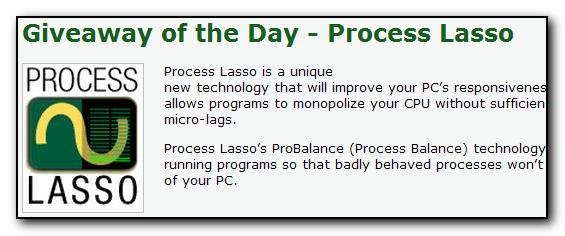
today's giveaway is a commercial app similar to mouser's Process Tamer.
processlasso_21_05_2010_(001).png
http://www.giveawayoftheday.com/
1377
Hi lanux thank. That's my first time successfully designing something over wordpress. I'll add a menu. In the meantime you can move your button in the address bar. I think I did that.

thanks for the suggestion, ecaradec..
1378
Find And Run Robot / Re: Make web search in current opened browser
« Last post by lanux128 on May 21, 2010, 02:45 AM »
Edit: Forgot to say that I started using this tool a while back, Browser Chooser, but it involves one more mouse click and quite some attention.

Browser Chooser was also discussed here as an alternative but somehow it didn't work


The main priority should be: is it opened (only 1)? use it!

If none opened: use A.
If 2 opened: if A and B or C or D - use A
                    if B and C or D - use B
                    if C and D - use C
If 3 opened: if A and any 2 other - use A
                    if B and C and D - use B
If all opened - use A.

the logic looks nice.. i'll work out something along these lines. :)

• BrowserA = Opera
• BrowserB = Chrome5
• BrowserC = Iron4
• BrowserD = Firefox3
1379
Find And Run Robot / Re: Make web search in current opened browser
« Last post by lanux128 on May 21, 2010, 02:23 AM »
??? I see no mention about chrome in your script and yet, it works with it, too.???

you only need to specify the path in the INI file for the browsers to work. in case the paths do not exist, then the script will look to Internet Explorer (which is available in all versions of Windows) as a fail-safe instead of showing an error message. that's why earlier you had the links opening in IE8. btw, what were the browser paths in win7x64?
1380
Find And Run Robot / Re: Make web search in current opened browser
« Last post by lanux128 on May 21, 2010, 02:14 AM »
Hey...I played around a bit with the paths like you suggested and IT WORKS (even with the portable launchers)!
Brilliant!
Thank you so much!

The trick is not to put the default browser in the first spot (BrowserA - Opera in my case).

Can BrowserC , BrowserD etc. be added?

glad to see it working. yes, BrowserA gives way to BrowserB if BrowserB is already open. think A as the default heavyweight slugger while B is the nimble-footed sprinter. :)

as for BrowserC , BrowserD can you give an example of how they would be prioritised? like an order of how and when they should be opened.
1381
Find And Run Robot / Re: Make web search in current opened browser
« Last post by lanux128 on May 21, 2010, 01:40 AM »
In my case (win7x64) it only works if BrowserB is IE8 (and it always opens a new window instead of a new tab in the already opened instance).
Not FF nor Chrome works, but I guess it is because I use the portable versions (NSIS launchers).

It is pretty amazing what you did here!  :Thmbsup:
Thanks!

i see that you're using win7x64.. in that case, you have to edit the INI file (%FarrDir%\Scripts\Farr_Browser_Launcher.ini) and change the path to your browser accordingly. you can refer to the image below.

Farr_Browser_Launcher_ini_file_21_05_2010_(001).png

btw, you're welcome and let me know if the change works as i have no win7 to test..  :)
1382
thanks for the inclusion of hotkeys, now it's really quick and fast and also the hotkey prefix idea is a good one. :up:
1383
Found Deals and Discounts / Re: Vipre Antivirus: -10.00 USD
« Last post by lanux128 on May 20, 2010, 10:16 PM »
@ha14: your link leads to blank page. posting the offer's front page below..

http://www.vipreanti...summer2010/index.htm
1384
Find And Run Robot / Re: Make web search in current opened browser
« Last post by lanux128 on May 20, 2010, 07:31 AM »
even though Firefox is my default, when Firefox is not open i prefer to open any quick queries launched from Farr in K-Meleon (which is less resource intensive). so for that purpose, i wrote a small AHK script to do just that.

• Farr_Browser_Launcher (FBL4)
to use it, just copy the file into a folder of your choice and refer to that path in your Farr's custom browser option. (see pic)

FindAndRunRobot.exe-20_05_2010-001.png

please give it a try and let me know if it works or otherwise.. also thanks to ewemoa for his valuable suggestions. :)


Edit: new version uploaded, please give this a try. hopefully the "space" bug have been fixed.
i also shortened the program's name to FBL4 (the 4 stands for the number of supported browsers). :)
1385
i had been looking at this Epson model but deferred for the time being since i couldn't find it in the local stores. if only there was a laserjet printer with similar features. you know any good ones for medium-range home use, Stoic? :)
1386
this freeware ZBar, has support for one wallpaper image per screen. other handy features include a taskbar on the second monitor, with an optional clock.

zbar_wallpaper.png
http://www.zhornsoft...o.uk/zbar/index.html
1387
what about this? Image Tip, a popup thumbnail shell extension. (found in this thread, credits to Wepver).

ImageTip.gif
http://www.codeproje...ell/ImcImageTip.aspx
1388
PCWorld's reviews came in quite handy when i was hunting for an AIO printer recently.

http://www.pcworld.com/reviews.html
1389
nice work with the blog.. also a feature request: in Firefox, is it possible to add a SwiffOut menu item in the 'Tools' menu? i use minimal Firefox UI and i've hidden the navigation toolbar.
1390
Living Room / Re: Free ALZip 8.0 License
« Last post by lanux128 on May 20, 2010, 12:51 AM »
thanks for the info, Renegade. i still have AlZip on my PC, thanks to the gratis license from your time at the company.. 8)
1391
Living Room / Re: Simple way to connect two computers (both XP) ?
« Last post by lanux128 on May 19, 2010, 07:30 AM »
the direct connection sounds more complicated cause neither PC has a network card

hmm.. you mentioned that "Each PC has one network socket" so it shouldn't be a problem..
1392
Living Room / Re: Simple way to connect two computers (both XP) ?
« Last post by lanux128 on May 19, 2010, 07:05 AM »
if you can find a crossover cable, then you can connect the 2 PCs directly..

http://www.home-netw...p.com/crossover.html
1393
How do I get .Net Framwork v4.0.20926?

DC member Markham also has an offline installer of Net Framework v4 on his page.

http://markham.dcmem...x40_Full_x86_x64.exe
1394
Screenshot Captor / Re: Problem with autoscroll capture
« Last post by lanux128 on May 18, 2010, 07:16 AM »
Yes, I am looking very much forward to this as well, thanks for bringing it up, And TIA Mouser!  What Add-Ons do you speek of for Firefox? Or Maxthon?

for Firefox, there is Screengrab! or Fireshot.
1395
One thing I should mention -- I'm not sure about how that all pans out and whether or not I should simply get rid of the RETRY/CANCEL prompt as it really doesn't add much. Any advice?

hmm.. i haven't seen the retry prompt yet, so i can't say if that annoys me or not.. however i'd like to request that the text be shaded in another color if the tweet was successfully sent. right now there is a message in the status bar but i can't recall if since then i had typed another message but haven't sent yet (i'm getting old, i know). :)
1396
ok, just tried out the stand-alone version. i noticed that the check-mark for "echo" is off in the tray menu when starting, though the echo itself works. also tweeted some suggestions. :)

Ah... I'll double check on the echo there. I meant for it to be 'opt-in', so it should be OFF when you first use it. Is that what you meant? The stand-alone and the installed versions do not share the same settings, so setting one will not change the other.

hmm.. that seems the case. i must have confused with the two versions. no wonder the standalone version asked for permission once again. sorry about that.. ;D
1397
ok, just tried out the stand-alone version. i noticed that the check-mark for "echo" is off in the tray menu when starting, though the echo itself works. also tweeted some suggestions. :)

@nite_monkey: the bit.ly shortener works here. this is how i did it, i copied the url, then pressed the 'Bit.ly' button and the shortened url is inserted at the caret's position. in your case, maybe the url has a space in front or at the end?
1398
lol, i just installed the msi installer. first impressions, looks spiffy and works as exactly as it said. that's good and the permission notice was nice. i'll also opt-in for the "echo" tweets option, so that it helps while testing this client.

btw thanks to this client, my computer has the updated version of dotnet framework (version 4). a hint would have been nice, though.. :)

Twittle Twiddle Tweeter for Twitter_installer_sshot_17_05_2010_(001).png

lanux128 is off to try RC2 as well.
1399
I didn't do a non-install version as it uses a DLL, so it's kind of messy like that. I'll see if I can get one done that isn't all messy and icky (it wasn't very high on my priority list, and there are a couple time-consuming complications because of that).

For the character count, it's in the title bar.

no worries, i'll try out the installer then. nice touch with the character count, quite brilliant! :)
1400
i noticed this too on a installer dialog (can't remember if it was InstallShield or NSIS). they do not seem identify the backslash as a delimiter, unlike the way windows explorer does. i believe this is the default in most text editors and word processors. i'll let you know if i find out anything. :)
Pages: prev1 ... 51 52 53 54 55 [56] 57 58 59 60 61 ... 251next