I was going through my "Looking Back - Memories" thing on Facebook which shows you what you posted "On this day in previous years" and I came across this link from 2011.
http://camerasim.com...ps/camera-simulator/Evidently, the site is still active and it still looks pretty cool!
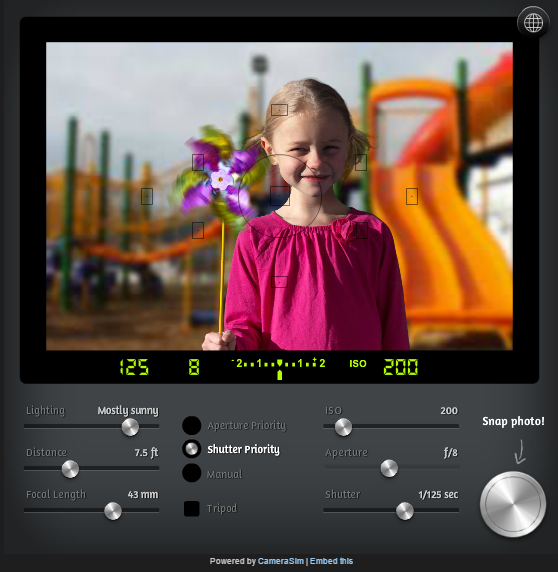
I would embed the actual thing here but since I can't use HTML tags, I can't

Certainly worth a look if you want to know more about what sort of functions each option does

- They give you some snippets of info on each control:
DSLR sim controls:
Lighting
Lighting is the single biggest determinant of how your camera needs to be set. With only a few exceptions, you can never have too much light. Use this slider to experiment with different indoor and outdoor lighting conditions.
Distance
Use this slider to simulate how close or far you are in relation to the subject.
Focal length
Moving this slider is the same as zooming in and out with your lens. A wide, zoomed out setting creates the greatest depth of field (more things are in focus) while zooming in creates a shallower depth-of-field (typically just the subject will be in focus).
Mode
The exposure modes of an SLR let you control one setting while the camera automatically adjusts the others. In Shutter Priority mode, you to set the shutter speed while the camera sets the aperture/f-stop. In Aperture Priority mode, you set the aperture/f-stop while the camera sets the shutter speed. Manual mode is fully manual—you’re on your own! Refer to the camera’s light meter to help get the proper exposure. Although every real SLR camera has a “fully automatic” mode, there is not one here—what’s the fun in that?


 Recent Posts

 )
)