topbanner_forum
  *

avatar image

Welcome, Guest. Please login or register.
Did you miss your activation email?

Login with username, password and session length
  • Friday December 12, 2025, 10:11 am
  • Proudly celebrating 15+ years online.
  • Donate now to become a lifetime supporting member of the site and get a non-expiring license key for all of our programs.
  • donate

Recent Posts

Pages: prev1 2 [3] 4 5 6 7 8 ... 101next
51
Makes sense. (As I said, this is a debug build. The final version will get rid of the intermediate .ps file and/or won’t try to build a .pdf file, probably to be released tomorrow.)

Thank you and sorry for being slow today - you helped me a lot!
52
The message is wrong, indeed. Of course, it’s .bat, not .exe.

What I just tested was:
  • Install Ghostscript from scoop (which tries to add ps2pdf to the PATH, it seems),
  • then run ps2pdf (no extension…  ;D) from inside groffstudio.

Worked for me…

So the message should probably rather be: “ps2pdf could not be found, please install Ghostscript and make sure that the folder that contains the ps2pdf command is in your PATH” AFAICS?

(I’m actually at work, sorry for being somewhat distracted here.)
53
How's this?
edit: Yes, it always tries to make a PDF file. This is only for testing. :)

edit: replaced
54
Probably. The goal of groffstudio is to have one button right on the editor though.  ;D
Anyway: I found a Windows machine and I'll see what I can do... :) thanks for the report.
55
That’s unfortunate. I mean, my implementation of running the groff tools is not exactly fail-safe yet.

But as you already have Ghostscript, I see a potential positive outcome for me…  ;D

edit: See below...
56
That sounds like a problem indeed. Do you have a ps2pdf.exe somewhere in your path? I might have to change the build process for Windows...
... turns out native pdfroff just isn't.  :(

(n.b.: 0.13.2 is released, but that won't fix the problem at hand.)
57
0.13.1 is there. Replaced the new loading window by a threaded process.
58
Changelog for the upcoming 0.13.0 release, to be uploaded some time between "in four hours" and "in twelve hours":

[Feature] Support for hdtbl.
[Changed] Build extras and build preprocessors are now listed in a multi-select box.
[Improved] If no error has occurred, the log file will contain a success message.
[Improved] The default font looked gross on macOS. This should be better now.
[Bugfix] Calling troff over the system default shell now, potentially finding more paths.
[Improved] BuildDocument uses a simpler execution approach now.
[Feature] macOS Cmd+X/C/V are supported now.
[Feature] Added a loading window so you won't think groffstudio would procrastinate.
59
DC Member Programs and Projects / Re: GroffStudio under Windows 10?
« Last post by Tuxman on January 11, 2024, 03:46 AM »
I can't reproduce the paste problem. Copying any text to groffstudio works for me on Windows 10.  :huh:
60
DC Member Programs and Projects / Re: GroffStudio under Windows 10?
« Last post by Tuxman on January 10, 2024, 02:00 PM »
Also, the window not appearing onscreen has been resolved!

I did not address that.  :-[
61
DC Member Programs and Projects / Re: GroffStudio under Windows 10?
« Last post by Tuxman on January 10, 2024, 01:59 PM »
Don't do that.  :D

No, seriously, I'll investigate. Built with "nightly" FPC/Lazarus, so there is a huge variety of possible issues hidden within.
When it's fixed, I'll post here. :) (If my day job lets me check that tomorrow.)

Thank you for testing, this is really bleeding edge code. I appreciate that.
62
DC Member Programs and Projects / Re: GroffStudio under Windows 10?
« Last post by Tuxman on January 10, 2024, 05:14 AM »
The "build problem" message was a missing check. Please ignore it. (Fixed in 0.13, to be released when your file works.)  :P

Creating a PDF file has another potential (Windows-only) problem which I'll hunt next. But let's first see if I can do something about your "-me is ignored" problem.
How does this version work for you?

(Yes, there are UI changes. Not sure whether they're final.)
63
DC Member Programs and Projects / Re: GroffStudio under Windows 10?
« Last post by Tuxman on January 09, 2024, 09:04 PM »
Ah, now I have an idea what might be wrong. It's not your file!
I'll take a look at it soon and report back. (Not on Windows right now, but fixed a few unrelated issues while I was at it. Not yours yet.)
64
DC Member Programs and Projects / Re: GroffStudio under Windows 10?
« Last post by Tuxman on January 09, 2024, 06:44 PM »
One idea is that TProcess doesn't catch your PATH (which would be weird).
Just curious: copy groffstudio to C:\ProgramData\Chocolatey\Bin and see if it works from there. If it does, I might have to reset a thing or two.
65
DC Member Programs and Projects / Re: GroffStudio under Windows 10?
« Last post by Tuxman on January 08, 2024, 04:43 PM »
Does any error occur or does nothing happen at all?  :huh:
66
DC Member Programs and Projects / Re: GroffStudio under Windows 10?
« Last post by Tuxman on January 07, 2024, 07:45 PM »
groffstudio does not really care about where your macros are. In theory, all it does is call cmd /c groff -<options>, at least on Windows.
Where did you install groff?
68
Living Room / Winter Solstice 2023
« Last post by Tuxman on November 30, 2023, 04:49 AM »
In the third of sunwait we light
The candle of Thurisaz so bright
When the force of winter upon us lies
May the return of spring in it rise


23 days and three more candles until the celebration left.

46047351_2043129022374817_2809974454963142656_n.jpg
69
N.A.N.Y. 2021 / Re: N.A.N.Y. 2021: ClipURLCleaner - Clean URLs in your clipboard
« Last post by Tuxman on September 18, 2023, 08:31 PM »
FWIW, iOS 17 has a similar feature built-in. Next time I’ll just wait until someone else does the work for me…

https://www.macrumor...tracking-protection/
70
N.A.N.Y. 2024 / Re: [Pre-Release] Reddit Image Downloader
« Last post by Tuxman on August 31, 2023, 05:34 PM »
71
N.A.N.Y. 2024 / Re: NANY 2024 - WordStar to Markdown converter
« Last post by Tuxman on August 28, 2023, 10:05 AM »
72
N.A.N.Y. 2024 / Re: [Pre-Release] Reddit Image Downloader
« Last post by Tuxman on August 26, 2023, 06:59 PM »
What can this tool do that Hydrus Network can't?
73
N.A.N.Y. 2024 / Re: NANY 2024 - WordStar to Markdown converter
« Last post by Tuxman on August 26, 2023, 04:41 AM »
Pandoc does not support WordStar and I’m not interested in learning Haskell; for everything else, it is a pretty good tool. :)
74
N.A.N.Y. 2024 / NANY 2024 - WordStar to Markdown converter
« Last post by Tuxman on August 25, 2023, 08:47 PM »
While mouser plays games, I learned how to write a parser.

NANY 2024 Entry Information

Application Name ws2markdown
Version 0.2.0
Short Description Converts .ws into .md (= WordStar into Markdown).
Supported OSes  :tellme:
Download Link See "Installation"
Version History
  • 0.2.0: A few quality improvements for a better first start experience.
  • 0.1.0: First version. Could actually work. (Tried with ws2markdown's README.)
Author  :-*

Description
This is a small utility that converts WordStar (.ws) into Markdown (.md) files. I wrote it because the WordPress input field sucks, so now I can write my blog posts in a real text processing software, then convert them into Markdown and upload them with one of the gazillion Markdown-to-WordPress converters. There is no good Markdown editor either, I'm afraid.

Features
Can convert (basic) WordStar files into Markdown.

Planned Features
A couple of (non-Markdown-compliant) dot commands are not supported (= detected as dot commands) yet. Maybe I'll push an update. Or I'll just wait for contributions.

Screenshots
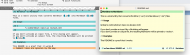
2023-08-26_03-33.png

Usage
Installation

% cargo install ws2markdown

Using the Application
Usage: ws2markdown [inputfile.ws] [outputfile.md]
If inputfile = empty, a file picker will appear.
If outputfile = empty, the output will be printed to stdout.

Uninstallation

% cargo uninstall ws2markdown

Tips
Yes, please.

Known Issues
Complex WordStar documents might still spawn dot commands in your text. See "Planned Features" for the reason.
Pages: prev1 2 [3] 4 5 6 7 8 ... 101next