RetroFloppy did an excellent job. They were super fast, they read the contents of the two floppies and made them available to download. Could not have asked for better. Highly recommended.
(thanks for the recommendation Mark0).
For those who are curious, the two floppies contained my "Adventure Development System (c) 1988" written in Borland's
Turbo C for the original IBM PC.
This was a hybrid adventure game creation system that i worked on for a couple of years in high school, ending in 1988. It was an attempt to build an all-in-one adventure creation system that would compete with infocom's text and brand new semi-graphic adventure games (these included static images and sometimes maps i think), and also add some real time rogue/dungeon exploring and combat elements. I actually sent this out to sierra online and a couple of other companies in an attempt to get hired out of high school but then quickly gave up on it. You could run my system in any number of modes from pure plain text adventure to pure real-time dungeon crawler with cursor key movement, etc., or any combination.
I think i did spend another year adding some 3d graphic elements which were pretty darn cool, but this was right before wolfenstein 3d and the point-and-click animated adventure games came out and marked the beginning of the end for text adventures and put my 3d stuff to shame.
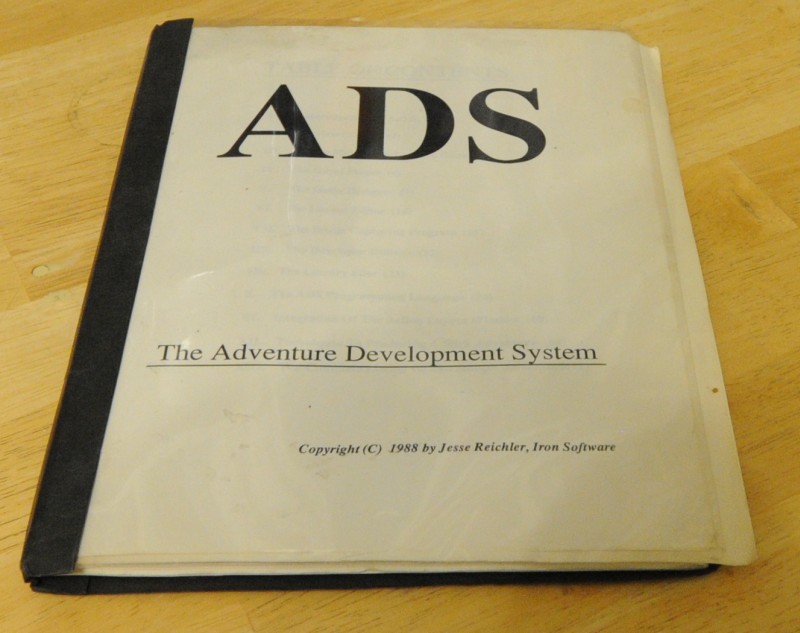
I was pretty proud of this and it was a huge undertaking with a 100 page manual. But just as I was finishing it I was burning out on it and wanted to go to college and forget it. It also came right at the end of the heyday of text adventures, so bad timing. If I had been able to finish it a few years earlier, who knows..
Screenshot of a *sample* game made with it:
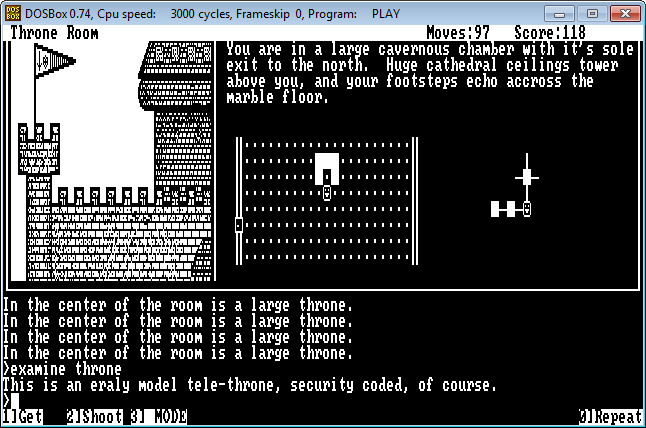
What you are seeing is the text adventure window on the bottom where you can type full text commands (a la infocom, zork, etc.); then in upper left is an image window showing a picture of current room; at top right is text room description (similar to i think some later infocom graphic adventure games; center is a real-time rogue-like ascii-based map that you can move around with and interact with npcs in real time, where areas are dark until you open doors and walk through hallways to reveal them; on the far right is one version of an auto-generated overview map; i think later infocom games had this too).
Photo of 107 page manual:
Screenshot take from running DosBox dos emulator on the extracted floppy files.


 Recent Posts


