So i was thinking about an issue that has come up a lot in the past regarding actions for FARR.
Right now you can search for a file, and then when you find one you can use the special action alias feature where you specify +ALIAS and alias refers to an action that takes a parameter, and FARR will then offer to perform the action on the found file (see screenshot).
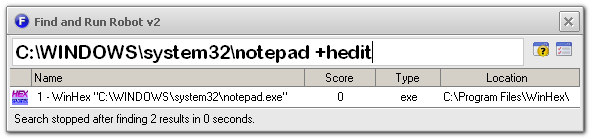
This actually works pretty well but it lacks 2 main features:
- It won't autocomplete and let you search for actions. In other words you have to know about +hedit, it won't autocomplete that as you type.
- There is no way to have FARR suggest a choice of actions based on the file you select (like certain actions for mp3 files).
What if we let you type a character (like the | separator character) that means, take the first result and get ready to perform an action on it, like you would type:
notepad.exe |
At that point, the editbox would clear and somewhere it would show some hint text saying "With notepad.exe do.."
And then the list results would show only actions that are configured to work with .exe files, and let you search within that action result list.
This could be leveraged for plugins as well, so if you used taichi's process lister plugin and then typed | you might then get a list of actions provided by the plugin like:
- terminate process
- restart process
- lookup process on the web
Thoughts?


 Recent Posts
