topbanner_forum
  *

avatar image

Welcome, Guest. Please login or register.
Did you miss your activation email?

Login with username, password and session length
  • Saturday December 6, 2025, 2:25 pm
  • Proudly celebrating 15+ years online.
  • Donate now to become a lifetime supporting member of the site and get a non-expiring license key for all of our programs.
  • donate

Recent Posts

Pages: prev1 ... 89 90 91 92 93 [94] 95 96 97 98 99 ... 146next
2326
Living Room / Re: Main hard drive in my PC died today suddenly
« Last post by Ath on February 04, 2012, 03:48 AM »
It runs very hot both the CPU and the HD.  And, it seems, the temperature confuses HDS Pro.  I am expecting the box to die because of the heat signature, but prolly not that soon  :P.
You might wanna clean the cooling on that laptop, just to keep it alive a bit longer. Should also end the false-reporting issues with HDS.
2327
Living Room / Re: silly humor - post 'em here! [warning some NSFW and adult content]
« Last post by Ath on February 03, 2012, 03:03 PM »
HAHAHAHA ;D ;D ;D
2328
Screenshot Captor / Re: Screenshot Captor v3 beta
« Last post by Ath on February 03, 2012, 02:44 PM »
running it under wrong user level (running as admin when shouldnt
Hm, what would be the risk with SSC running as administrator? Shouldn't be dangerous, IMHO.
2329
Screenshot Captor / Re: Screenshot Captor v3 beta
« Last post by Ath on February 03, 2012, 02:35 PM »
but i really worry about running it under wrong user level
Not many users start their installers using 'Run As Administrator' these days, and those who do, probably know what they are doing anyway.
Inno Setup triggers the UAC permission dialog at the expected/right moment, unless ofcourse UAC is turned off :o
I guess 95% of current Inno Setup scripts that has an executable that can be run right after installation, offers the option to do that.

(I'll again admit I'm an Inno Setup addict/fan/advocate/12+ year user, but have no other bindings to it than that, and I like installers to be done 'just right')
2330
General Software Discussion / Re: pdf context menu
« Last post by Ath on February 03, 2012, 02:28 PM »
add it to a File Type's context menu
NirSoft has ShellExView to ease the burden on that
2331
Screenshot Captor / Re: Screenshot Captor v3 beta
« Last post by Ath on February 03, 2012, 01:34 PM »
Do you intend to update the installer to offer the option of running ScreenShot Captor, after installing/updating, on Windows Vista and Windows 7? (Like we talked about in irc) Would be Really Nice To Have (r)
2332
Mini-Reviews by Members / Re: Hard Disk Sentinel PRO - Mini-Review
« Last post by Ath on February 03, 2012, 01:31 AM »
I think I win :)
 (see attachment in previous post)

That only depends on what you want to win :tellme:
2333
Post New Requests Here / Re: time/activity tracking tool
« Last post by Ath on February 02, 2012, 05:20 PM »
I've been running (that's different from using...) ManicTime Tracker, just to record what applications I've been using. I still have to get to the part where I analyze my day/week... :o

And today in some list I saw this Kapow Punch Clock mentioned. (Not really looked at yet, but it's GPL open source, so you can improve it yourself if you like)

Combining that data could get you on track, perhaps?
2334
Screenshot Captor / Re: Screenshot Captor v3 beta
« Last post by Ath on February 02, 2012, 03:56 PM »
That's even better :up:, but a tad more work I guess :-[
2335
Screenshot Captor / Re: Screenshot Captor v3 beta
« Last post by Ath on February 02, 2012, 03:52 PM »
3) Not important I guess: I have no idea what "Capture until max below" means...
My wild guess:
"Keep capturing until the set number of captures have been taken, without bothering to check if the end of the scrollable area has been reached"
 ;)


And now for a, relatively small, feature request:

I'm a user of skwire's sWeather to view how it's outside, as I'm unable to view through a window sitting in my attic workspot :o

I thought I'd make a nice screenshot of the current weather in the 4 locations I've set. sWeather can change the current page by using PgDn/PgUp keys, but has the strange habit of scrolling in the opposite direction, so PgDn (or mouse-scroll down) actually goes from page 1 to 4, then 3, and then 2. Another PgDn returns to page 1.
This makes me best use the 'By Pages (default)' and 'Simulate Keypresses (PgDn/PgUp)' Vertical Scrolling settings for doing a capture.
This results in this captured image: (I highlighted the page-numbers)
Screenshot - 02-02-2012 , 22_41_55.png

My feature request would be that the scroll action by keypres can be reverted from PgDn/PgUp to PgUp/PgDn.
And it could be quite easily added by another entry in the combobox, something like 'Reverse Keypresses (PgUp/PgDn) (rare)'. The (rare) I added to emphasize that only in rare situations it would be used.
And I feel this could also go for the Left/Right keypresses of the Horizontal scroll setting.
2336
Screenshot Captor / Re: Is 'scrolling capture' suitable for grabbing zoomable contents?
« Last post by Ath on February 02, 2012, 02:56 AM »
Would a manual scrolled capture be a feasible solution?
2337
Finished Programs / Re: IDEA: Shell extension to show total play time of media clips
« Last post by Ath on January 31, 2012, 04:39 PM »
Just tried on a clean install of XP-pro SP1. Dropped a few folders of music (mp3) and movies (mpg), and PlayTime (1.2.6.3) displayed it all without a hitch, and played the files I selected and that are supported by a plain XP install: mp3 and mpg are fine :)

Just for fun I dropped in an album by a quite famous (all over NL :D) singer :P
Screenshot - 31-01-2012 , 23_37_13.png


Must be some other issue bugging TT1 here :-\
2338
Finished Programs / Re: IDEA: Shell extension to show total play time of media clips
« Last post by Ath on January 31, 2012, 02:52 PM »
I can create a VM with XP-SP1 in it for testing, just have to download the iso from MSDN ;)
2339
 Got an e-mail today from the Chrystal Rich team:

We are happy to announce the new major release of USB Safely Remove 5.0! The new
version includes significantly improved device menu, unicode support, lots of
new options and bug fixes. Read more and download here:
  http://safelyremove....ove-5-0-final?emfree

!!! Special offer for owners of free licenses !!!
We are also pleased to offer you 30% off on purchasing an upgradeable license
for USB Safely Remove. Get the deal here:
  http://safelyremove....m/order.htm?30pofffu

 Hurry, the offer is time limited!


Sounds interesting :)
2340
Living Room / Re: When you make your 100'th Post
« Last post by Ath on January 31, 2012, 01:37 PM »
Lashiec pointed out in this thread that Deozaan just made his 5000th post. WOW!

Congrats :Thmbsup:

Screenshot - 31-01-2012 , 20_35_22.png
2341
General Software Discussion / Re: WEATHER or Not ?
« Last post by Ath on January 30, 2012, 07:04 AM »
I'm used to 'Install Wizards' and can't handle much less.   :(    Does sWeather use one?
Not for as far as I can see.

Normal steps for this 'portable install' would be:
- Download the zip-file
- Unpack all files to a directory of choice
- Create a shortcut to a handy place, like the desktop (right-click-drag from Windows Explorer to desktop, release, choose Create shortcut here, optionally rename the shortcut)

You could PM Skwire, and ask if he can provide an installer, if needed I can assist with some Inno Setup knowledge.
2342
General Software Discussion / Re: WEATHER or Not ?
« Last post by Ath on January 30, 2012, 05:27 AM »
I've been very happy using sWeather by long time DC member Skwire.

Doesn't have an alarm setting, but that can be a feature request away, if you ask nicely :D (though detecting 'nasty weather' could be an issue)
2343
Screenshot Captor / Re: Scrolling Capture Deluxe Thread
« Last post by Ath on January 28, 2012, 07:07 AM »
I've uploaded a new version with some more elaborate functionality when you press the "TEST WINDOW" before beginning a scrolling capture.  That button will engage a process that will try to guess the best settings to capture the window.

Essentially it tries to figure out the optimal way to do a LINE-based scroll (as opposed to a page-based scroll) which can be more reliably overlapped (since page-based scrolling sometimes yields 0 overlap between pages).
Just tried this updated version on Visual Studio again, and the all new and improved "Super Scrolling Capture" is finally beginning to make sense on VS2010. :)

Did the AutoDetect for the best capture method (the texts after testing mentions a Re-Test button I couldn't find when focus wasn't inside the main code area) and it suggested to also horizontally scroll.

After making such capture it shows that that's not a good idea, as VS adds too much extras in the left margin:
Screenshot - 28-01-2012 , 13_44_59-margin1.png and because of my plugins, on the right margin: Screenshot - 28-01-2012 , 13_44_59-margin2.png
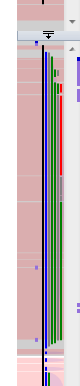
The left margin stuff is also on the second column of captures, so an overlap-merge isn't going to work here anyway, and the right-margin I also want to keep, so either I have to scale down the view, or format my code into a single-column view :tellme:
The Guess Overlaps does work quite correct to all pages except for the End Overlap, this way.

This time (compared to my previous attempt, 2 days ago) I got a perfect capture, though I had to tweak the margins a bit after having them guessed by SSC, and it couldn't guess the overlap (no horizontal scroll, gave a messagebox telling me so), so I did that by hand.

I'm getting happier with every update :Thmbsup: :-*
2344
General Software Discussion / Re: ZOOM setting reminder ?
« Last post by Ath on January 28, 2012, 05:59 AM »
why would someone choose to continue using an older version of IE?
Because of the silly/stupid behavior of the 'security system' warning me about every download I want to do "This might be unsafe". Usually I just say/cry F.I., I know what I'm doing, don't bother me with that. That's the main reason I use Firefox. It just works. :up:
Older versions (currently IE8) also don't have so much trouble handling the OCX-ridden page I have to use at work for hours-spent registration. Though it seems to work with IE9, as others are forced on IE9 with their new laptops.

IE9 treats me like a child/no-brainer, and that's what I don't accept, with 27+ years in the IT business ;D
2345
Circle Dock / Re: Want same setup on PC and notebook w/out memory stick (via network)
« Last post by Ath on January 28, 2012, 04:15 AM »
Dropbox? What's zat?
hahahahahahahahahaha ;D
2346
You know Bada is also a Telephone OS owned by Samsung? And that is already making inroads around the world, so I'd pick another short-name if I where you ;)
2347
Living Room / Re: When you make your 100'th Post
« Last post by Ath on January 27, 2012, 03:39 PM »
If I'd been a bit more awake and not been drinking, I'd have caught 40hz' 5500'th post. Dang!

Congrats!  :Thmbsup:
Screenshot - 27-01-2012 , 22_37_30.png
2348
General Software Discussion / Re: How to force "Register DLL"?
« Last post by Ath on January 26, 2012, 05:54 PM »
Could also be a 32 vs 64 bit issue.

Shouldn't be, Curt's trying to install on a 32bit system ...
I missed that from the original message :-[

Perhaps try changing the Owner of the install file before running it elevated?
That's not going to change anything, just running it elevated forcibly should solve it. This issue also exists for installers on Server 2008, that are not UAC/Vista+ aware, or recognized by the OS as being an installer. The last situation is most likely the case here.
2349
Screenshot Captor / Re: Scrolling Capture Deluxe Thread
« Last post by Ath on January 26, 2012, 05:42 PM »
Just found another though cookie to scroll-crack: Visual Studio 2010. It's WPF based to start with, and when scrolling it tries to keep the last line as the first line of the next page :(

I did an 'autodetect' for the scrolling method, and the default seemed just fine, setting the number of pages correct (after a test-scroll) does definitely improve the steps of guessing margins and overlap, but I can't get it to do the actual overlap correct: the overlap is not correctly guessed, and manually changing something only corrects the one that you're looking at.
I made a few snippets after making a code screenshot:
Seam of page 1 and 2:
Screenshot - 27-01-2012 , 00_21_05-page1.png
The seam is a bit too wide, the red boxes are copies of the same size, the green box is about the diff
Seam of page 2 and 3
Screenshot - 27-01-2012 , 00_21_05-page2.png
There is some overlap to be resolved, as there is actually only one line saying that, not 2
Seam of page 3 and 4
Screenshot - 27-01-2012 , 00_21_05-page3.png
More of the overlap is resolved, but still no sigar.

If I manually adjust so the third overlap is correct, only about half of the second overlap is covered. The first overlap is quite hard to view/correct.

Tomorrow or Monday (don't know when/if I have enough time to be playing with this) at work I'll try to scroll-capture another WPF application, to see if that is working somewhat better.
2350
See this: https://www.donation...ex.php?topic=29643.0 Works only for 2 languages though.
Pages: prev1 ... 89 90 91 92 93 [94] 95 96 97 98 99 ... 146next