bsterner says he got it fixed, though I'm not sure what he changed to fix it..
However, if this problem is affecting other people, it may call for a workaround.
Jay, are you seeing the same behavior, where you are getting alternating captures of the same window, one black and one correct? Could you attach a sample screenshot of the black window?
If the problem is AS capturing windows while they are refreshing, and there isn't a good official proper way to avoid that, I could code a workaround that basically checked if the client area (not including the tilebar and border) of a window was all black, and skip capturing if so.. But I'd like to hear more about the problem before I do.
Perhaps what bsterner was saying was that disabling the option to capture when the active window changes solved his problem:
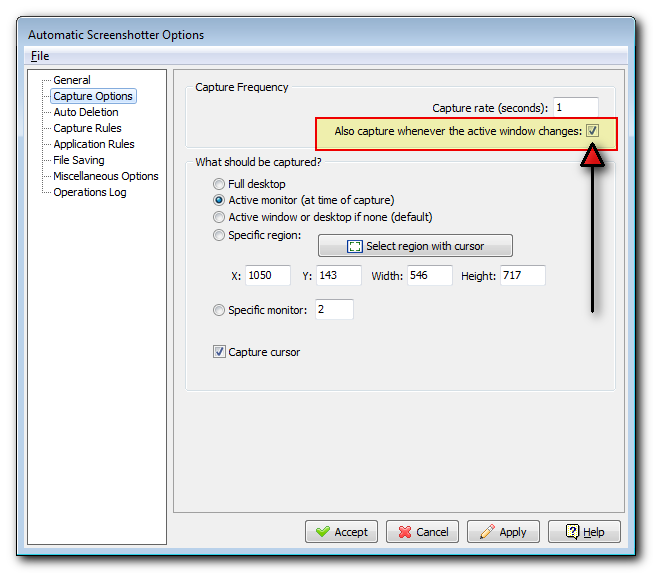
And so perhaps the problem is that AS is trying to capture right away in this scenario, and the app is in the process of redrawing.. In which case an easier fix would simply be to make it so for this option there is a slight delay on capturing the newly focused active window. This seems the easiest and most promising path.
But again, what I need to hear from people is if this matches their experience -- is this black window thing happening only when the user is switching back to this window making it newly active/foreground/etc? Or is the problem randomly happening even if the window is always staying the active foreground window?


 Recent Posts

