

Mini-reviews on the forum
This page collects various reviews that have been posted by users on our forum. They represent the views of the poster and not necessarily the views of the site administrators. To browse a more complete and up-to-date collection of mini-reviews, check out the mini-review section of our forum here.
Editorial Integrity
DonationCoder does not accept paid promotions. We have a strict policy of not accepting gifts of any kind in exchange for placing content in our blogs or newsletters, or on our forum. The content and recommendations you see on our site reflect our genuine personal interests and nothing more.
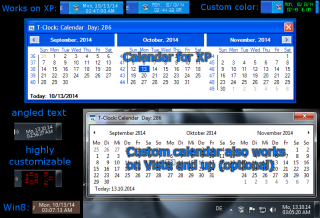
TClock is an open source replacement for the windows system tray clock.
Development and maintenance of TClock has been continued by a series of coders on the DonationCoder forum.
- Last updated: 2017
- Visit the TClock github page to download the latest version here: https://github.com/White-Tiger/T-Clock.
- Visit the TClock section on our forum: here.
Mini-reviews on the forum
This page collects various reviews that have been posted by users on our forum. To browse a more complete and up-to-date collection of mini-reviews, check out the mini-review section of our forum here.
You are viewing a specific blog item. Click here to return to the main blog page.
Board Game Micro-review: Wits and WagersToday's board game microreview is for "Wits and Wagers". Wits and Wagers is a very clever mixture of trivia, betting, and social interaction. It's fast to play, super easy for anyone, and easily supports 7 players or more with teams. Gameplay works essentially like this: On each round a trivia question is read that has a numerical answer. All players (teams) write down their answer on a dry erase card, and then all answers are laid out in numerical order. At this point, everyone can bet on which answers are correct. In this way, even if you have no idea what the answer is, you have a chance to bet on the answers from people who you think might know. The social element of seeing what answers others gave, and how confident they are, and the range of answers -- is all quite fun. And the strategy and risk taking of betting your accumulated chips is very fun. I've played this twice now with large groups -- the first time was fun but not magical; the second time -- playing with people i didn't know well, was extremely fun. Highly recommended if you have a large group of adults. There are special editions for families and kids (though i think it works better with adults). |
||


