

Mini-reviews on the forum
This page collects various reviews that have been posted by users on our forum. They represent the views of the poster and not necessarily the views of the site administrators. To browse a more complete and up-to-date collection of mini-reviews, check out the mini-review section of our forum here.
Editorial Integrity
DonationCoder does not accept paid promotions. We have a strict policy of not accepting gifts of any kind in exchange for placing content in our blogs or newsletters, or on our forum. The content and recommendations you see on our site reflect our genuine personal interests and nothing more.
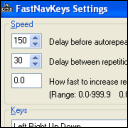
It's safe to say that mysterious and reclusive DC member Skrommel single-handedly built the Coding Snacks section of the DonationCoder forum, where people request small custom applications. Coding in the Autohotkey scripting language, Skrommel is also one of the fastest coders we've seen -- when he is on the prowl it's not uncommon for him to finish coding a request before most of us have had time to even read it. He also typically shares his source code along with the compiled utility, which makes it possible for others to extend and customize his tools.
- Number of programs available: 80+
- Last updated: 2017
- Visit skrommel's page to browse his apps and download them here: http://www.dcmembers.com/skrommel.
- Visit skrommel's section on our forum: here.
Mini-reviews on the forum
This page collects various reviews that have been posted by users on our forum. To browse a more complete and up-to-date collection of mini-reviews, check out the mini-review section of our forum here.
You are viewing a specific blog item. Click here to return to the main blog page.
Bookmark Docs - MiniReviewI found out about Bookmark Docs through a thread here.
From the site: Bookmark Docs lets you precisely "bookmark" any places in various documents and then quickly return to them whenever you need, and do all that in a unified manner. Add bookmarks and hyperlinks to Microsoft Office Word, Excel, PowerPoint, PDF, CHM, and MSDN documents, and to Web pages. I've seen many bookmark managers over the years (and have bought more than a few), and haven't found anything that really satisfied my needs, so the idea was interesting to me. The installation was professional and seamless, though you will want to pay attention to the options at the end; Bookmark Docs by default does not put an icon on the desktop, but does want to run at startup, so set your options accordingly. ... I foresee that this will become one of those applications that I come to rely on heavily. Though there are a few niggling areas that could be enhanced, it does what it sets out to do, and really is a timesaver. I give it my recommendation. |
||


