LATEST OFFICIAL RELEASE:
 Download v1.35.01
- May 31, 2010 - XP/VISTA/Win7
HOME USERS:
 Get a free license key
 Donate to author
COMMERCIAL USERS:
 Learn about our commercial / site licenses
HELP AND ASSISTANCE:
 View help/changelog
 Discuss on forum
Find and Run Robot was my clear winnerFor this week's Freeware Frenzy, I have rounded up four of the big name launchers to see which reigns supreme.. For what Find and Run Robot lacks in an imaginative name, it makes up for in pure functionality. F&RR uses the "Break" key by default, as well as a system tray icon. I'll pause while you scan for the Break key, its ok; I needed a second to find mine as well. What sets F&RR apart from the pack is the simple yet effective suggestion box tweak. Each of the suggestions are numbered, so you don't need the mouse at all when your desired app is not the first selected. Just punch the number to launch whatever you like. Note that this applies to the numbers on the number pad, not the top row. There are a plethora of options to tweak F&RR, much more then any of the other programs here. As usual, you can add skins, new folders to index and edit hotkeys. You can also save search history to avoid common searches. Via the suggestion box, you can right click on results to create search rules, copy the shortcut path, explore the folder or check properties. This was the first of the group to load web pages without any weirdness. Of the four programs included in this roundup, Find and Run Robot was my clear winner. It simply did it all without any hiccups.

Little Voice Commander is a toy program for young toddlers who are just learning to start to speak.
The program runs full screen (across multiple monitors if present) and listens for a child to speak or press a key.
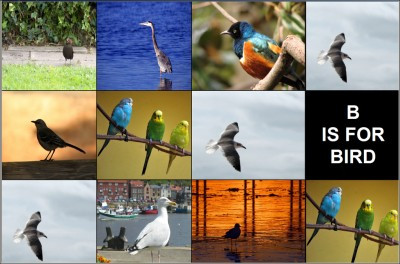
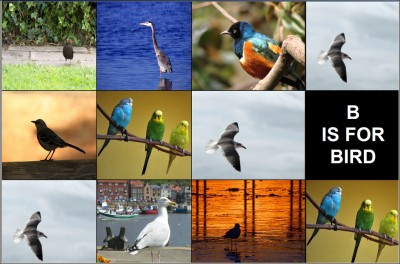
If the program detects something being spoken, it finds the best match for a word it has photos for, and displays some random photos for that word, as well as the word text. If a key on the keyboard is pressed, a word beginning with the pressed key is displayed, along with some photos for that word. It will also speak the name of the image shown using recorded speech files (in mp3 or wav format).
Over 100 sample images and spoken word files are provided in the installation, but perhaps the best part of the program is how easily users can add their own photos (and speech files). So you can customize it with pictures of mom, dad, sister, brother, dog, cat, house, etc., and with your own voice announceing them. It will scan labeled photos on startup and add those words to its vocabulary.
It uses the microsoft speech recognition engine, which is ok but not ideal. I wouldn't expect to be able to use this to teach any kid how to pronounce words -- it's more to encourage very young kids to babble and give them the experience of having what they speak affect what it shown in a semi-consistent manner. The software may also be used to teach older children how frustrating voice recognition software can be.
I hope people will help by making some additional image packs for the program from royalty free photo sources. Thanks to DC member App103 (and http://www.freestockphotos.biz) for collecting the initial set of royalty free images, DC member Renegade for providing the initial spoken voice files, and to Stoic Joker for the program name suggestion.
Note: This program is based on my more grown up MultiPhotoQuotes screensaver engine.