LATEST OFFICIAL RELEASE:
 Download v1.00.00
- (or get the portable zip)
- Mar 25, 2013 - 2k/XP/VISTA/Win7/Win8
HOME USERS:
 Get a free license key
 Donate to author
COMMERCIAL USERS:
 Learn about our commercial / site licenses
HELP AND ASSISTANCE:
 View help/changelog
 Discuss on forum
Find and Run Robot was my clear winnerFor this week's Freeware Frenzy, I have rounded up four of the big name launchers to see which reigns supreme.. For what Find and Run Robot lacks in an imaginative name, it makes up for in pure functionality. F&RR uses the "Break" key by default, as well as a system tray icon. I'll pause while you scan for the Break key, its ok; I needed a second to find mine as well. What sets F&RR apart from the pack is the simple yet effective suggestion box tweak. Each of the suggestions are numbered, so you don't need the mouse at all when your desired app is not the first selected. Just punch the number to launch whatever you like. Note that this applies to the numbers on the number pad, not the top row. There are a plethora of options to tweak F&RR, much more then any of the other programs here. As usual, you can add skins, new folders to index and edit hotkeys. You can also save search history to avoid common searches. Via the suggestion box, you can right click on results to create search rules, copy the shortcut path, explore the folder or check properties. This was the first of the group to load web pages without any weirdness. Of the four programs included in this roundup, Find and Run Robot was my clear winner. It simply did it all without any hiccups.

DesktopCoral is an unusual program designed to "reserve" some portion of your desktop which is shielded from maximized applications..
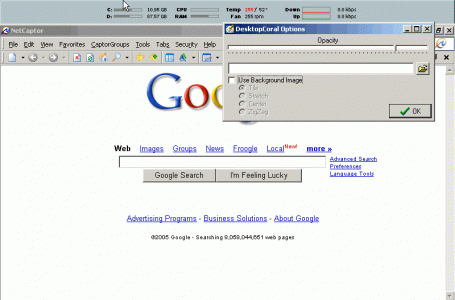
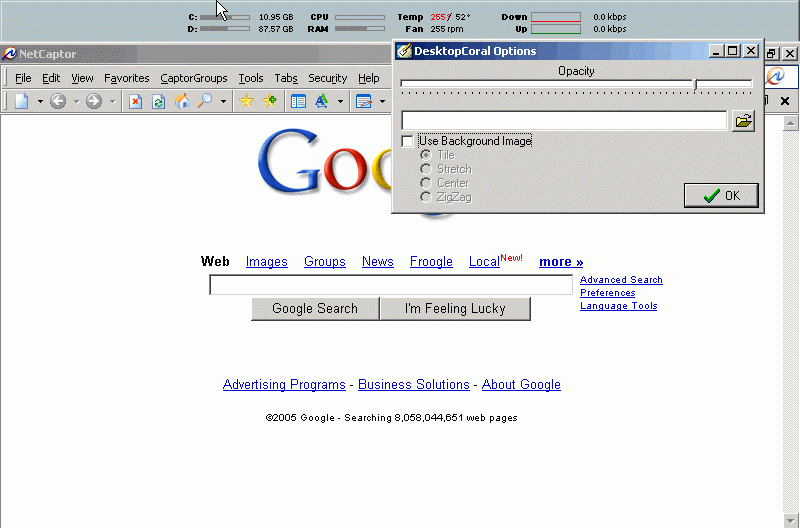
Essentially, it acts like an invisible resizeable docking bar, which can be docked to any side of your desktop. This invisible dock acts as a barrier to maximized applications and essentially shields this area of your desktop from other applications.
Within this shielded area you might put certain application windows that you want to be always visible, or you might put one of the many desktop tools like a calendar or system information component.
Why would you need a tool like DesktopCoral?
DesktopCoral was requested by someone who uses the Samurize desktop system information utility. This fun utility and others like it draw text and graphics on top of your desktop. But when working with other programs, this information can be covered by these other windows. DesktopCoral solves this problem by reserving an area of your desktop where normal programs will not be expanded into.