LATEST OFFICIAL RELEASE:
 Download v2.11.01
- (or get the portable zip)
- Jan. 14, 2014 - 2K/XP/VISTA/Win7/Win8/Win10
HOME USERS:
 Get a free license key
 Donate to author
COMMERCIAL USERS:
 Learn about our commercial / site licenses
HELP AND ASSISTANCE:
 View help/changelog
 Discuss on forum
IF YOU LIKE THIS TOOL, SEE:
I don't contribute in order to get a license to your software so much as to support your effort and to express my admiration of and appreciation for your work.Also, I really admire your dedication and the posts of your regular contributors. I wish there were more sites like DC: just good, honest discussions of software and matters of interest to serious (and, in my case, not really sophisticated or programming-capable) PC users.T. Whitman

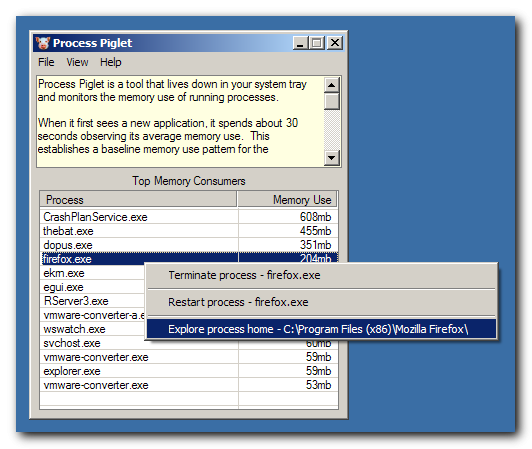
Process Piglet is a tool that lives down in your system tray and monitors the memory use of running processes.
When it first sees a new application, it spends about 30 seconds observing its average memory use. This establishes a baseline memory use pattern for the application.
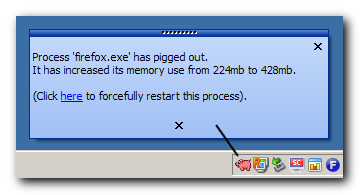
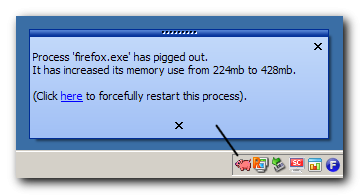
After that, Process Piglet will alert you if/when the application starts to consume large amounts of additional memory.
Frequently such behavior indicates a problem with the application, such as a memory leak.
When such an alert is shown you may ignore it -- you will be alerted later if memory usage continues to increase. Or you may ask Process Piglet to forcibly terminate and restart the application.
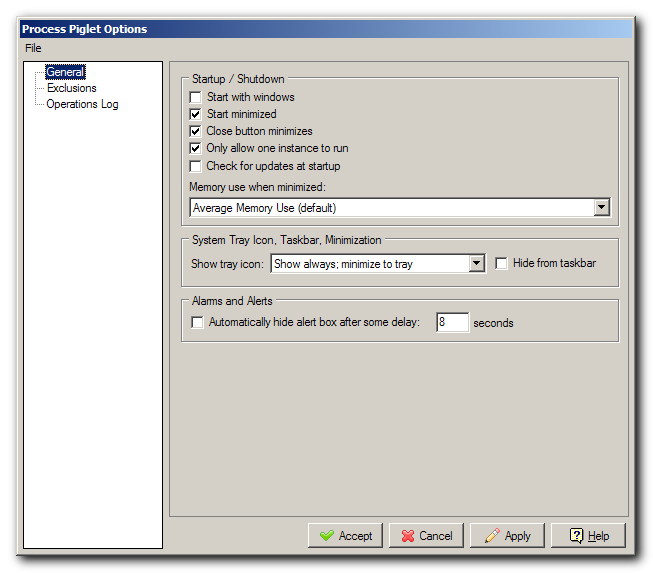
At this stage, Process Piglet has few options and nothing to tune and adjust.
Just run it and forget it -- it doesn't make any changes to your pc or do anything other than monitor memory use of other applications andl pop up and alert you if it detects a process misbehaving.
What motivated the coding of Process Piglet?
Every so ofter i notice my browser and often my entire computer is slowing getting less responsive and grinding to a halt.
When this happen I open up the task manager, and inevitably I discover that some application, almost always the Firefox web browser, os starting to consume GIGABYTES of memory.
Now I like Firefox quite a bit, and i'm not ready to give up on it -- but i need an easy way of getting some advance notice when it's going to shit the bed and start leaking memory, and an easy way to restart it when it does.
That's the kind of situation Process Piglet is for -- it should help give you an early warning when an application is starting to leak memory or otherwise get out of control in terms of memory consumption.
Where Process Tamer was designed to detect applications that were using high amounts of CPU, Process Piglet is designed to find applications that go crazy with memory use.
One important thing to understand is that Process Piglet does *NOT* have an absolute notion of high memory use -- it only cares about when applications start to consume increasingly large amounts of memory -- so it won't detect an application that immediately reserves a ton of memory, and it won't detect an application that barely uses any memory and leaks a tiny bit. It's much more focused on catching the sneaky perpetrators that gradually use up all your memory without you noticing until it's too late.