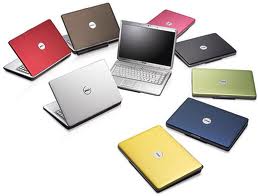
How to choose the best Linux distro for laptops
« on: January 03, 2011, 11:23 PM »


 Topic: How to choose the best Linux distro for laptops (Read 28,381 times)


I'll keep building my own little desktops on the cheap.


 pretty well, so it's not about distro.


@Deozaan:
You might consider Jolicloud:
http://www.jolicloud.com/
or if you want something slightly more robust, perhaps Arch Linux:
http://www.archlinux.org/

Here's a comparison with a bunch of links:
http://en.wikipedia.org/wiki/Comparison_of_netbook-oriented_Linux_distributions


Nope, I do too - for the entire family. Same reason too....I'll keep building my own little desktops on the cheap.
+1
And all this time I thought I was alone doing that.


To be fair, a Netbook is by design a rather limited machine, and the various distros targeted for the platform are doing their best to fit in the smaller package, and so some things do end up more or less missing.
Actually, this post says Debian proper works pretty well, and then you'll have the benefit of the APT package management system and the vast Debian repositories:
http://duopetalflower.blogspot.com/2010/02/debian-squeeze-on-netbook-uses-less.html
 ) (I would not try this with any of redhat, suse or fedora as I have never had any luck getting any of these to give me what i would consider a minimal install)
xPUD: I ran it from USB thumb drive which was fast and easy but I couldn't figure out how to get my wifi to work. It also seemed to forget everything when I rebooted, losing all settings and customization.
xPUD: I ran it from USB thumb drive which was fast and easy but I couldn't figure out how to get my wifi to work. It also seemed to forget everything when I rebooted, losing all settings and customization.
Regarding xPUD, it is not designed to be a full always used OS, it's designed to be an 'instant on' OS, (as you find, eg. in ASUS BIOS'), for netbooks for when you're travelling and you don't want to boot into the full OS.
As such there's really no need to store WiFi settings as they're going to be changing as you move around.
Actually, this post says Debian proper works pretty well, and then you'll have the benefit of the APT package management system and the vast Debian repositories:
http://duopetalflower.blogspot.com/2010/02/debian-squeeze-on-netbook-uses-less.html

It's a silly question I know but....other than being a 'netbook', exactly what is it?
...
Though the download pages for Debian confuse me. Do I really need to download/burn 52 CDs to install it? Does it seriously require 8 DVDs?

...I too ran slackware for a few years and learned much from the experience, but hand-installing lib after lib just to get one application that wasn't pre-installed running grated on my nerves.
If you know a distribution well, then just about any distribution that allows you to build up from a minimal install will work, and is a worthy approach since you already know the distro and the community. Gentoo, arch, Debian, Slackware (being a contrarian that is what I tend to use
The big challenge with that approach is figuring outWhich is why I like the APT system of Ubuntu/Debian.
- the windowing/desktop environment
- a good mix of apps that fit well together and with the libraries of your chosen environment (qt, gtk, etc.)
that is a lot of research and figuring out (and I always end up giving up after I realise I have just messed up the mix by picking an app that has added half of KDE or Gnome or both!)
This is where I think that slitaz, pclinux0S and salix, for example, have "pre-made" a set of choices. Salix has access to everything in slackbuilds, and pclinuxos has a very large repository. Slitaz has "recipes" for a lot less, but it is easy to create one for a lot of software (even I managed) once you understand the process.+1 for Slitaz, although it looks as if the website is down: http://www.downforeveryoneorjustme.com/slitaz.org ;
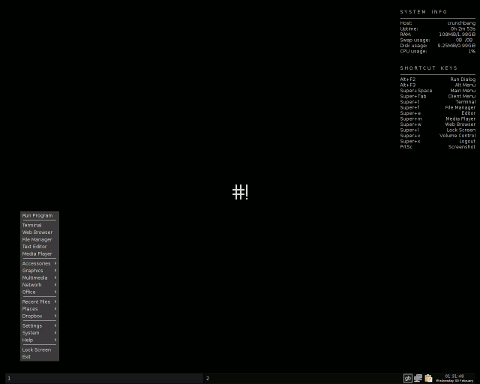 crunchbang-small.png
(9.5 KB, 480x384 - viewed 2096 times.)
crunchbang-small.png
(9.5 KB, 480x384 - viewed 2096 times.)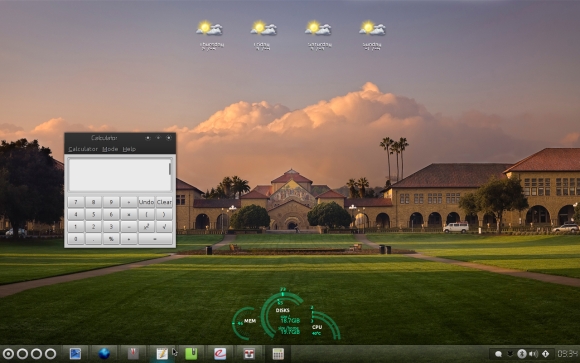 cbang2.jpg
(146.3 KB, 580x363 - viewed 3289 times.)
cbang2.jpg
(146.3 KB, 580x363 - viewed 3289 times.)Original address: https://www.donationcoder.com/forum/index.php?topic=25110.0