topbanner_forum
  *

avatar image

Welcome, Guest. Please login or register.
Did you miss your activation email?

Login with username, password and session length
  • Sunday September 20, 2026, 9:18 pm
  • Proudly celebrating 15+ years online.
  • Donate now to become a lifetime supporting member of the site and get a non-expiring license key for all of our programs.
  • donate

Recent Posts

Pages: prev1 ... 235 236 237 238 239 [240] 241 242 243 244 245 ... 1515next
5976
Today's micro-review is of my favorite new 2-player card game, which can be had for as little as $10-$12: Star Realms.
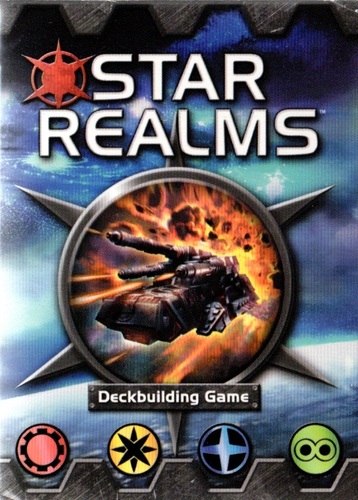
starrealms.jpg

Star Realms is actually a "deck-builder", which means that over time each player buys and adds cards to their own personal deck which is continuously re-used (Dominion is one of the more popular "deck builders").

I can't think of a better introduction to deck building -- it's a fun, quick game with simple rules but plenty of strategy.

The theme is Sci Fi and the art is wonderful.

Really fantastic little game, could not recommend it more highly.

The creators of Star Realms look like they are using the same engine to make a similar card game set in fantasty theme, currently kickstarting here: https://www.kickstar...-game?ref=nav_search
5977
Some other remarks:

I normally avoid (and warn people to stay away from) the System Restore stuff in Windows except as a very last resort -- I just don't trust it not to result in having some things restored to one version, and other files out of sync.
So I almost *ALWAYS* do a full system restore when I have a mystery situtation like this.
I may still do a full system restore -- but in this case it seemed like restoring just the User Profile to a point 2 days ago was pretty harmless, at least as a first try.
I may go back and try to figure out which file(s) got corrupted, if i can figure out how, using some file comparison tools.

Fyi here is my general recovery procedure when i encounter serious problems like this:
First, make sure you don't make situation WORSE, by making a full image of the BAD CORRUPT drive, if at all possible.  Put this someplace safe.
Second, if I am going to do a system restore from drive image / backup, do so on a NEW hd -- if you don't have a new hd you can use as your new hard drive, buy one.  If the restore is successful, this will be your new hd drive, and the suspicious one can go on the shelf marked as an untrustworthy backup.
5978
This morning I had a scary experience -- when i woke up and sat down to start work, my pc was at the login screen and when i tried to log in as my normal user, my desktop layout was completely changed, none of my startup apps ran, etc.  Then I saw an innocuous message in the system tray saying that my user profile could not be loaded and so a temp profile was created and loaded instead.

While this may sound like no big deal, what windows is really saying is: Something went badly wrong with your user files/registry and they are now corrupt and i don't even know how to let you start working..  It's better than a complete hd crash, but not much more informative.

After trying a few fixes found on the web along these lines: http://www.techsuppo...rofile-in-windows-7/

None worked, and I had to RESTORE my last known good user profile from a restore point.

Thankfully:
  • The last good restore point was only a couple of days old.
  • Since I just got back into town i have worked on the pc very very little since then.
  • I also had a full backup before my trip out of town that I could (still can) restore from if need be.
  • None of my important documents are actually in my C drive user profile so not end of world.
  • I have online backup of my user profile stuff (crashplan).

But this reminds me:
  • A severe HD crash and/or loss of data can happen at ANY TIME with NO WARNING.  Backup, and do it redundantly.

And:
  • I still have no idea why this happened -- that scares me.  Normally I replace the hd on first hint of HD corruption, but this is an expensive SSD and i still don't know if this was an HD issue or not.

Anyway, just a warning.. I've never seen this error before and I hope to never see it again.
5979
Android Apps / Re: WhenLast (Android app) - v2.01 Beta - Sep 30, 2016
« Last post by mouser on June 07, 2015, 09:28 AM »
Does Dropbox normally sync the files so that they appear in all the relevant apps automatically, as they do when I sync files in WhenLast?  If so, then I probably set things up wrong in Dropbox when I tried to add JotterPadX.  However, if this happens in WhenLast only because you created it that way and it doesn't normally happen in Dropbox, then I think you'd have lots of opportunities either to collaborate with developers of existing apps that would benefit from what you did in WhenLast, or to create apps similar to some that already exist but that lack the sync mechanism you've created for WhenLast.


The SYNC feature between machines is specifically coded in WhenLast and is definitely non-trivial.  It is *not* a generic feature of dropbox integration.

What dropbox gets you is the ability to save and load files to your online account.  If an app installed on multiple devices wants to keep sync'd between multiple devices, it has to write some real code to merge changes and keep files synchronized, etc.
5980
Found Deals and Discounts / Re: 365 day trial of AVG AntiVirus 2015
« Last post by mouser on June 07, 2015, 09:21 AM »
Thank you very much for this, i am a purchased owner of AVG on 2 pc but this will come in handy for my htpc which i just installed avg on.
I have been quite happy with AVG since switching over from an unstable ESET installation.
5981
Welcome!  :Thmbsup:
5982
Android Apps / Re: WhenLast (Android app) - v2.01 Beta - Sep 30, 2016
« Last post by mouser on June 05, 2015, 04:14 PM »
It might soon be time for another round of work on WhenLast.  Any (other) feature requests?
5984
The addon is an amazing feat of work written by another coder, but it just never worked reliably enough to be usable.
Part of the problem from a coder's standpoint was that it had to keep trying to hit a moving target, with all the new versions of directx, etc.
5985
you can just ignore the suggestion about %file%, that's just if you want to let your node be able to receive a dropped file and use it in the argument.

what about trying:
-profile "%APPDRIVE%/Key Apps/FirefoxPortable/Data/profile"
5986
That looks like a correct use of %APPDRIVE%.

LBC expects the arguments to be specified in a separate edit box though -- see if that helps.
5987
General Software Discussion / Re: Awesome software for kids
« Last post by mouser on June 04, 2015, 08:02 AM »
Finding good software for kids is important -- i hope this thread gets back on track and can make some good recommendations!
5988
Clipboard Help+Spell / Re: Width of Quick Paste Pop-Menu - how to change it
« Last post by mouser on June 04, 2015, 07:39 AM »
im back in town this weekend and ill give it a look.
5989
Welcome to the forum, franstam.
5990
Although I'm not a user of the program, I wanted to say thank you for the update -- very good information to know  :up:
5991
DC Gamer Club / Re: Steam Introduces Refunds.
« Last post by mouser on June 03, 2015, 07:34 PM »
The change is fantastic news.. There have been occasions where i bought a game that wouldn't install and this would make getting refunds on such things painless.  :up:
5992
tomos has it exactly right -- im on the road and didn't update the pages properly.
but as he says -- if you are being offered it as an update it is an official non-beta release.
5993
Living Room / Re: DSLR Camera Simulator
« Last post by mouser on June 03, 2015, 06:38 AM »
Very useful  :up:
5994
Living Room / Re: 2014-2015: Best tablet specs for ebook reading
« Last post by mouser on June 02, 2015, 02:03 PM »
please tell us how it is when you get it!
5995
Screenshot Captor / Re: Spelling error
« Last post by mouser on June 02, 2015, 07:54 AM »
thank you! i will fix.
5996
Clipboard Help+Spell / Re: Writing custom script...?
« Last post by mouser on June 01, 2015, 09:37 AM »
ahk is a good general purpose windows solution.. though for heavy text manipulation, perl wouldn't be a bad idea either (as much as i hate perl).

now this jumps out at me:

What's more, I don't believe Clipboard Help+Spell's default mechanism of exchanging information with a custom script by passing the custom script an input and output file is going to work here... unless perhaps the script is called multiple times for each word parsed from the current clipboard entry.  Because... I don't believe there's any way to tell Clipboard Help+Spell that the output file contents aren't supposed to all be all one clipboard entry?  So, I decided it'd probably be best to have the script itself read the current clipboard entry and, of course, paste back separate clipboard entries for each word parsed from the current clipboard entry.

that's an interesting dilemma.

you are right that CHS is going to take whatever you output and make it as one clip.

your proposed workaround, of having your tool send multiple clips to the clipboard directly may not work.. that's because CHS probably (i dont exactly remember) disables clipboard monitoring while it runs a clip processing script.

now what i CAN do is put in place a way for the output format to specify multiple clips -- like by using an agreed upon separator like "@@@@CHS:NEWCLIP@@@@" and have CHS auto separate clips into multiple clips when processing.

5997
Clipboard Help+Spell / Re: How to use spellcheck
« Last post by mouser on May 31, 2015, 09:49 AM »
makes sense.
the only thing i would advise is that for a text editor, if the one you use doesn't have a good live spell feature, ween yourself off it and move to a different text editor.  for other apps something like tinyspell might be worth getting.
5998
Clipboard Help+Spell / Re: How to use spellcheck
« Last post by mouser on May 31, 2015, 09:07 AM »
Hotkeys is the second tab of options.
5999
Clipboard Help+Spell / Re: How to use spellcheck
« Last post by mouser on May 31, 2015, 07:01 AM »
Hey Paul.
You are basically right -- although there was a feature added to CHS to let it check some external windows edit boxes directly.
It's in the Hotkey options under "Spell Windows Object".
Set a hotkey and trigger the hotkey when you are in the other program's text edit box, and see what happens.
Let me know if you can get it to do anything in different programs -- some may work and others not -- it's not a feature i've used in many years.
6000
That does look aweful.. no reason it should look so bad, i'll have another look when i get back into town in a week or so.
Pages: prev1 ... 235 236 237 238 239 [240] 241 242 243 244 245 ... 1515next