topbanner_forum
  *

avatar image

Welcome, Guest. Please login or register.
Did you miss your activation email?

Login with username, password and session length
  • Sunday April 5, 2026, 1:07 pm
  • Proudly celebrating 15+ years online.
  • Donate now to become a lifetime supporting member of the site and get a non-expiring license key for all of our programs.
  • donate

Recent Posts

Pages: prev1 ... 16 17 18 19 20 [21] 22 23 24 25next
501
Screenshot Captor / Re: Interface Options?
« Last post by kunkel321 on February 17, 2012, 11:37 AM »
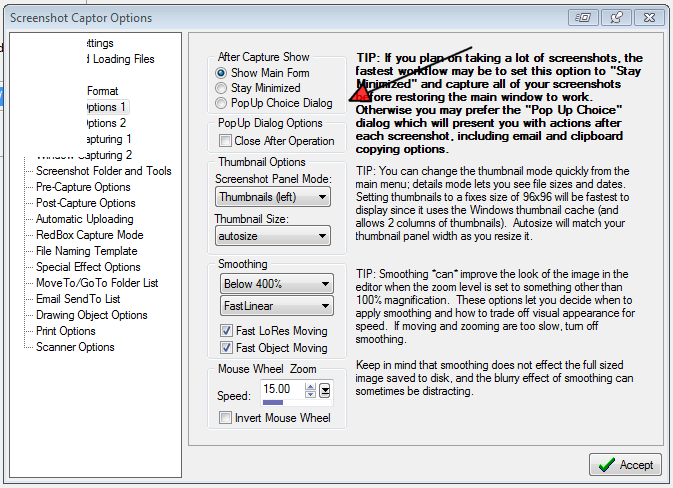
Is it this option?
Screenshot - 2_17_2012 , 9_35_04 AM.png
502
I'll agree with everything Anand posted.  Especially how annoying the adds are that camouflage themselves as site content.
Also I'll add that it annoys me when sites have "paid premium" memberships that are add free--just bugs the heck out of me..
503
Screenshot Captor / Re: Append my top feature request
« Last post by kunkel321 on February 16, 2012, 10:41 AM »
Do you mean like adding an image at the end of another image?
504
Screenshot Captor / Re: "Hands Holding" mask/frame combo...
« Last post by kunkel321 on February 14, 2012, 05:22 PM »
Here, I'll try to post the handsholding.png and handsholding.png.mask.jpg in a zip file. 
Try these and see if they work.  Also remember to turn the Opacity all the way up...
505
Screenshot Captor / Re: "Hands Holding" mask/frame combo...
« Last post by kunkel321 on February 14, 2012, 03:07 PM »
Here's a challenge for you...
guy holding sign.png
Preserves the perimeter of the screenshot AND accommodates necessary rotation/skewing/perspective...    ;)

Incidently, the above image doesn't have the "perspective" part (where the further away parts are smaller), that's why the right side of the Chrome window looks taller :)
506
Screenshot Captor / Re: "Hands Holding" mask/frame combo...
« Last post by kunkel321 on February 14, 2012, 02:40 PM »
Sorry about that.  The idea never comes to me until I click "Post"  ;)
The key is to save HandsFrame.png as a regular png for the fram, but then save the mask portion as HandsFrame.jpg, then change it's file type (not just rename it) into HandsFrame.png.mask...
Screenshot - 2_14_2012 , 12_15_10 PM.png
507
Screenshot Captor / Re: "Hands Holding" mask/frame combo...
« Last post by kunkel321 on February 14, 2012, 02:37 PM »
Nope nope nope...   I got it to work!
508
Screenshot Captor / Re: "Hands Holding" mask/frame combo...
« Last post by kunkel321 on February 14, 2012, 02:32 PM »
ah yes, so i think if you just named your frame like: "HandsFrame.png"
and then named your mask: "HandsFrame.png.mask"

and put them both in Frames directory, they should get applied both at the same time.
Okay, so I tried and tried, and I'm pretty sure they don't work like this. 
For transparency to be applied, the image has to be a .jpg, and it has to be in the Masks folder.
Using the HandsFrame example, they show up as separate files frames and don't get (and can't be) applied at the same time.       Right now am working on Win 7.  Tried on Vista too though.  Maybe if have a pref options that needs to be set(??)  IDK.
509
Screenshot Captor / Re: Can SC capture user defined multiple objects ?
« Last post by kunkel321 on February 14, 2012, 11:10 AM »
...So if I simply added an additional key that captured the object under the red box and immediately let you stay in the red box mode to capture more objects, that would do what you want?
I vote 'yes' for this feature.
510
Screenshot Captor / Re: "Hands Holding" mask/frame combo...
« Last post by kunkel321 on February 14, 2012, 09:49 AM »
ah yes, so i think if you just named your frame like: "HandsFrame.png"
and then named your mask: "HandsFrame.png.mask"
and put them both in Frames directory, they should get applied both at the same time.
  I tried but couldn't get it to work.  Will try again later.  I think I have a funky installation, because I have the portable version in Dropbox and am running it from two different PCs.
511
Screenshot Captor / Re: "Hands Holding" mask/frame combo...
« Last post by kunkel321 on February 13, 2012, 08:50 PM »
Thanks :)
I noticed your RaggedBR2.png and RaggedBR2.png.mask...  Just couldn't figure out how to use them...

EDIT:  Obviously, for the hands thing, you have to account for part of the screenshot getting cut off the ends.  Also, if the dimensions aren't close, the hands get stretched/squished.  Lastly, they could stand to be cleaned up, so they look more accurate...  I'll do that later some time. 
512
Screenshot Captor / "Hands Holding" mask/frame combo...
« Last post by kunkel321 on February 13, 2012, 08:41 PM »
Here we go:
hands holding small.png
It might not be immediately useful, but it's fun!
Save this: http://i.imgur.com/OXZ5N.jpg in your SSC/Frames/Masks folder.
Then save this: http://i.imgur.com/BEXuF.png in your SSC/Frames/Frames folder.

Be sure to click the "Rescan Dirs" button.  Then apply the mask and save the image, then apply the frame (i.e. hands).
 :)


MODERATOR EDIT: See further down on page for post by mouser of NEW download and modified instructions for this that works on Screenshot Captor v4.
513
I think I'm seeing the effect--though it's not as distinct as what you're seeing...
objectmode on and off.png
I think it's the same issue as in the above discussion.
Regarding the 'Auto fit,' that only seems to make a difference if you are editing a large image...  All it does (I think) is set whatever zoom level is needed for the image to fit in the SC work area.
In the picture, top is during editing and shows the glitch.  Bottom is "Object off" mode, and looks better.  I think the saved image file will always look like  the bottom one because SC has to "flatten" the image in order to save it to file.  

Also, it occurs to me that having a font below 10 or so is irrelevant, because that's too small so make out the text on any computer screen anyway...  (The above image uses 20)  Are you planning to print a manual?  Do a Powerpoint Presentation?
514
Ah yes, turning off object mode does help.  Still some letters being cut off.  For example capital "A" at 12 point Arial.
Also, I see that the 'Full Text Justification' does work, but you have to use it on a full paragraph box, not just a single line box.
515
On the character-spacing thing; I see that Left, Right, and Center Justification all work as expected, but Full-Width Justification doesn't seem to 'stretch' the line as one might expect.  Maybe this is a related problem(?)

Cosmetic note for Mouser:  Looks like the three style buttons B I U might be overlapping their Label...
516
Hmmm...   At first I thought it might be an affect of anti-alias vs non-anti-alias, but upon further examination, I'm not sure. 
Screenshot - 2_13_2012 , 9_10_56 AM.png
It seems like There needs to be an option to increase the space between characters.  In the screen pic above, it's 11 point Arial font, and most of the characters are 6 pixels-wide, but SC is only allowing 5 pixels per character, so the right side of each is getting chopped off.  I'm not sure about the issue of the first letter missing....  I couldn't replicate that effect.

RE Help file:  I image Mouser will want to work out all the bugs and such before redoing the manual.  I did see in the "Current Changes" log where blending was introduced a couple months ago...

517
Actually I'm surprised Mouser doesn't already have a "Difference" blend mode.  It gives a "negative" effect, which allows you to make out the image, but ensures that the object contrasts with it.  See image that I edited in a high-end graphics app:
Screenshot - 2_12_2012 , 7_55_36 PM.png
518
Try changing the Blend Mode (bottom).
"Normal" should do the trick.
Clip.png
519
Site/Forum Features / Re: Stop notifications for a given thread?
« Last post by kunkel321 on February 11, 2012, 02:55 PM »
Yup...  'Ignore Topic' is the one I wanted.  Thanks All!   :Thmbsup:
520
Screenshot Captor / Mouser, have you thought about "skinnable buttons?"
« Last post by kunkel321 on February 11, 2012, 01:39 PM »
What I mean, is to have the menu, toolbar, and dialog icons in SC all reference portions of an external "buttons.png" image.   That way users could create and contribute different icon sets.  I think there is a lot of room for improvement (visually speaking).  For example different images for the different types of "Grabs" on the Capture menu, or the different types of Borders on the main toolbar. 
Given the high number of items, I imagine you'd want more than one group of images.  Maybe "MeniItemImages.png," "ToolbarItemImages.png," and "DialogItemImages.png." The dimensions of the pngs would be 16 pix high* (16* number of items) wide.  Here is an image of my work space for the skin I made for xplorer2 http://i.imgur.com/aCC4F.png  If this is something you're interested in, I'll volunteer to put your current images into groups.  Those groups would be part of the download package for SC, and then folks can create custom versions at their leisure. 
521
Site/Forum Features / Stop notifications for a given thread?
« Last post by kunkel321 on February 11, 2012, 01:13 PM »
Near the top of the screen is a link to "Show new replies to your posts."  I like to use that feature, but I'd also like to stop watching certain forum threads.  Is that possible?  I can't find the option for it.
522
Screenshot Captor / Imgur Uploader for Chrome only, pretty cool.
« Last post by kunkel321 on February 10, 2012, 08:10 PM »
If you're a Google Chrome user (the browser, I mean) and use Imgur for your image hosting, you might try it.  It's more light weight than ZUploader.
Google search "Chrome Web Store," once there, search for "Imgur Uploader."

It stays in the "Send to" area of your context menu for image files. 

Since SC utilizes an actual file browser on the left of the main window, you can right-click one of the images and access the 'Send to' menu from right inside the SC main work area :)
Also it works from within Windows Explorer, xplorer2, etc.
523
Screenshot Captor / Re: Bevel Frames
« Last post by kunkel321 on February 10, 2012, 07:48 PM »
Yea, same here actually.  I do use them when making icons and such though. 
Thanks for testing  :)
524
Screenshot Captor / Bevel Frames
« Last post by kunkel321 on February 10, 2012, 01:54 PM »
Here are a couple "bevel frames" I made:
http://i.imgur.com/UEDam.png
http://i.imgur.com/fnjKW.png
http://i.imgur.com/0QFf1.png

Put them in your C:\...\ScreenshotCaptor\Frames\Frames folder, then press "Rescan Dirs." in SC for them to shop up.

I recommend using 1/3 to 1/2 opacity, for them to look good. 
Somebody please try them and post if they work correctly. 
525
Screenshot Captor / Re: Hotkey to 'Restore Main Window?'
« Last post by kunkel321 on February 10, 2012, 09:24 AM »
Thanks :)
Pages: prev1 ... 16 17 18 19 20 [21] 22 23 24 25next