topbanner_forum
  *

avatar image

Welcome, Guest. Please login or register.
Did you miss your activation email?

Login with username, password and session length
  • Thursday December 4, 2025, 5:26 am
  • Proudly celebrating 15+ years online.
  • Donate now to become a lifetime supporting member of the site and get a non-expiring license key for all of our programs.
  • donate

Recent Posts

Pages: prev1 ... 195 196 197 198 199 [200] 201 202 203 204 205 ... 1514next
4976
Developer's Corner / Re: Dice analyzer machine project
« Last post by mouser on January 22, 2016, 04:09 PM »
Woo hoo!  My rotation and scale invariant recognizer code is working quite well (if the extraction of foreground is successful).
I think if i can get the foreground extraction fairly reliable, the recognizer code is going to behave quite robustly and be able to work with dice with arbitrary graphics.
4977
Developer's Corner / Re: Dice analyzer machine project
« Last post by mouser on January 22, 2016, 11:49 AM »
That image with the rotated shapes is just a little graphic i'm using to test my rotation and normalization function -- it's not meant to be instructive of anything, just a fun visual.


With regard to identifying dice faces, there are many alternatives, and different techniques needed for different dice.

Some examples:

For D6 dice with pips, the whole thing is quite trivial -- you can just COUNT the number of circular pips on the die face of a reasonable size, and as long as the die is reasonably centered under camera, the other faces don't interfere much.
In short, for D6 pip dice, the whole thing becomes relatively trivial.

Now for larger sided dice with labels, things get considerably more complicated because other faces (in addition to the face up on) are visible to camera, so that has to be dealt with.
This is a case where die geometry can help a lot -- and the more you can figure out the geometry of the front face the better you can isolate the front face from neighbors.  Unfortunately it's not an easy problem and the more the die is out of center the harder it is.  I can get pretty good results by identifying the CENTER of the die and then finding the graphic nearest the center..

In addition, there is no simple way to identify the face graphic identity as their is in counting blobs with pips.

In fact, the difference between a 6 and a 9 is often a tiny little dot.
However, for dice which are using numerical labels, you COULD train a learning algorithm (neural network, support-vector-machine, etc.) to identify numbers (from 1-20 let's say).  You might have to train several models based on different fonts, etc. but it's doable.

Now there are other kinds of dice which have CUSTOM graphics on each face (not numerical labels); for those, training a learning algorithm to do classification on a new kind of die would be much more painful for an end user.  it could be done but it would be INCREDIBLY time consuming for both man and computer doing initial training and hand LABELING.

The alternative with custom graphics is something like k-means clustering, where i tell you there are 6 custom die faces, and the computer can roll the die a few hundred times and try to separate all the front face graphics it sees into 6 "classes".  It doesnt know what the faces mean it just has some metric of similarity that will allow it to group them such that the same face is put into the same group reliably.

What i'm playing with in the image you see above with the ROTATED versions, is this latter idea -- of extracting foreground graphic and scoring it against previously seen graphics -- because this method is theoretically the most universal and requires no training.

So basically i try to identify foreground graphic, normalize it's size.  And then given any two captures, i will score their bitwise similarity (considering rotations).
4978
Developer's Corner / Re: Dice analyzer machine project
« Last post by mouser on January 22, 2016, 10:34 AM »
I definitely do need help with hardware -- both ideas and construction.
4979
Developer's Corner / Re: Dice analyzer machine project
« Last post by mouser on January 22, 2016, 10:20 AM »
Visualizing extracting foreground labels and rotating/scaling:
Screenshot - 1_22_2016 , 10_19_25 AM.png
4980
Screenshot Captor / Re: Latest version freezes in Scanner Options
« Last post by mouser on January 22, 2016, 07:04 AM »
How strange.. it must be some problem reading info about the cannars.
You say you have a number of scanner devices installed.  If you disconnect them does it open quickly? If so, maybe you can figure out which device is causing the slow down?
4981
Screenshot Captor / Re: Screenshots are delayed upon pressing 'Print Screen'
« Last post by mouser on January 22, 2016, 05:01 AM »
Is there a way to change the key for taking screenshots?
Of course, you'll find it on the Hotkeys and Shortcuts options tab.

The other thing to try is on the Startup Options tab select "Stay in Memory" for "Inactive Memory Use".

The other thing to pay attention to is whether every screenshot seems to be delayed (not normal) or just the first one after a long time of disuse (normal).
4982
Living Room / Re: An Exercise Reminder app (in Autohotkey)
« Last post by mouser on January 22, 2016, 04:57 AM »
Looks nice!  :up:
4983
Developer's Corner / Re: Dice analyzer machine project
« Last post by mouser on January 21, 2016, 10:01 AM »
Progress on code to extract and isolate the upright die face image:
Screenshot - 1_21_2016 , 10_09_23 AM.png
4984
Living Room / Re: Why GOD has not updated the world ?
« Last post by mouser on January 20, 2016, 12:21 PM »
Um...so... has Curt resigned or something? I'm not sure how to interpret his new forum signature.

 :(

I really hope this is not true.
4985
Screenshot Captor / Re: Wish List - Customize menus with Shortcut Keys
« Last post by mouser on January 20, 2016, 11:35 AM »
That's a ton of work for something SC *should* be able to do for you.

SC actually has 2 ways to capture aero transparency corner windows.

The first is automatically (enabled by default), which should work fine BUT will not work if the child window is on top of a parent window.  solution in your case might be to move the child window off the parent window into a blank area.  This is the option on the "Window Capturing 1" tab.

The second is that sc can be asked to automatically fixup round corner transparency by looking for the corner region -- essentially doing what i think you are describing above (check the "Window Capturing 2" tab).


Important -- you say you are on Windows 8 -- i thought win8 does not use aero transparency corners, and it could cause trouble, so by default SC won't try to do the corner transparency on windows 8.
BUT there is an option to tell it you want it to.  Go to the "Miscelaneous Tweaks" tab and enable this:

Screenshot - 1_20_2016 , 11_38_05 AM.png
4986
Developer's Corner / Re: Dice analyzer machine project
« Last post by mouser on January 20, 2016, 06:04 AM »
So, as a lark I have been working on software for this, using Python and OpenCv:
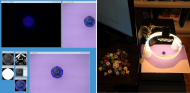
dicera1.jpg

It's not nearly as simple as it may seem, but lots of interesting machine vision issues to deal with.. I've learned more about the Stroke Width Transform and binary thresholding than I ever though possible.

The heart of the problem is getting something fully automatic and reliable, that does not need any human tuning based on the color of dice, etc., and dealing with different kinds of dice (pips, numbers, custom art).

Sometimes the difference between a 6 and a 9 is a tiny little dot present at the baseline.. otherwise known in machine vision as "noise"...


I have not spent much time thinking about the hardware.. that will come after..  I'm thinking Raspberry Pi with a nice touchscreen.
The two challenges with regard to the hardware are how to create a dice jumbler that can sufficiently randomize a die while looking like a nice piece of art, and the second is creating a sufficiently predictable background for the die (that is, ideally i'd like a die pretty well centered on a plain colored background with no shadows). 

One can consider two kinds of basic designs: Camera looking down vs camera from underneath.  Both have their own sets of difficulties, both in terms of hardware implementation and in terms of software vision processing.
4987
Screenshot Captor / Re: Crop ratios
« Last post by mouser on January 20, 2016, 05:24 AM »
Im going to try to add an option over the weekend, let's see if it helps.
4988
Living Room / Re: Why GOD has not updated the world ?
« Last post by mouser on January 19, 2016, 11:19 AM »
If it ain't broke, don't fix it.

if the code is too buggy, don't mess with it, it will only get worse.
4989
Screenshot Captor / Re: SC: Discussion of Scanning Functions
« Last post by mouser on January 19, 2016, 10:12 AM »
There is an OPTION for inverting colors when scanning:
Screenshot - 1_19_2016 , 10_12_08 AM.png
4990
Screenshot Captor / Re: Crop ratios
« Last post by mouser on January 19, 2016, 06:22 AM »
Thank you Erik..

I'm still not 100% sure which part of the workflow SC needs improvement on.

Am I correct that if the "Select Preset Region Size" had options like "Maximal 3:2 window"
which selected the largest, centered 3:2 aspect ratio area, that would be the feature you are missing?
4991
Screenshot Captor / Re: Crop ratios
« Last post by mouser on January 19, 2016, 04:14 AM »
Can you give me a specific example of what you'd like to be able to do and how?
4992
Screenshot Captor / Re: Crop ratios
« Last post by mouser on January 19, 2016, 03:14 AM »
So to clarify, right now if you found yourself often wanting 3:2 aspect ratio crops, you could add a 300x200 preset, select that and then hold ALT key to resize it to whatever dimension you want keeping the same 3:2 aspect ratio.
4993
Screenshot Captor / Re: Crop ratios
« Last post by mouser on January 19, 2016, 03:09 AM »
Glad to hear you are liking the program -- and thank you for the donation -- it's the donations of people like you that make it possible to keep improving the software.

I think the feature you want is already in the program.

You can select preset sizes from the Edit -> Select Preset Region Size menu:.

And you can CUSTOMIZE that menu on the "My Favorites" option tab:
Screenshot - 1_19_2016 , 3_04_03 AM.png

Note also that if you HOLD the ALT key when dragging to resize the selection region, it will preserve the aspect ratio (and if you drag from middle of the selection region it will move it).


If anyone has suggestions for other kinds of syntax to support different kinds of preset sizes/ratios I should add to the "My favorite preset sizes" let me know... I could for example add something that let you select the aspect ratio and told it to maximize the size of the selection area to cover the image..
4994
N.A.N.Y. 2016 / Re: NANY 2016 Release: Move Aside Please
« Last post by mouser on January 18, 2016, 03:33 PM »
4995
DesktopCoral / Re: Hi, Why can't i drag anything to the spllited area?
« Last post by mouser on January 18, 2016, 07:58 AM »
im afraid thats a limitation of windows -- it wont let you drag stuff into the reserved area.. you can use a tool like Samurize to draw info in the area but you cant drag normal desktop items into it.
4997
A main benefit of using a cms is that authors will be able to directly edit their articles in the CMS system, using Markdown (or Markup, etc etc)  formatting language and media/image manager, and the CMS includes a versioning system.
4998
N.A.N.Y. 2016 / Re: NANY 2016 Release: Text Overlay Tool
« Last post by mouser on January 15, 2016, 11:27 PM »
Spotted that Test Overlay Tool as written up today:
http://www.ilovefree...own-file-viewer.html

"The software has a straightforward interface and really good to read a text file or Markdown file. I really like the fact that I can always keep it on top and view contents of my files in its transparent window."
4999
You are probably right, i was thinking the same thing recently..
At the very lease the last checkbox.
5000
Living Room / Re: Does anyone here use Bitcoins?
« Last post by mouser on January 15, 2016, 11:09 AM »
That looks like a very interesting article -- thanks for sharing!
Pages: prev1 ... 195 196 197 198 199 [200] 201 202 203 204 205 ... 1514next