


 Recent Posts
3626
Find And Run Robot / Re: Any Chance of Making The Options Window Font Twice As Big?
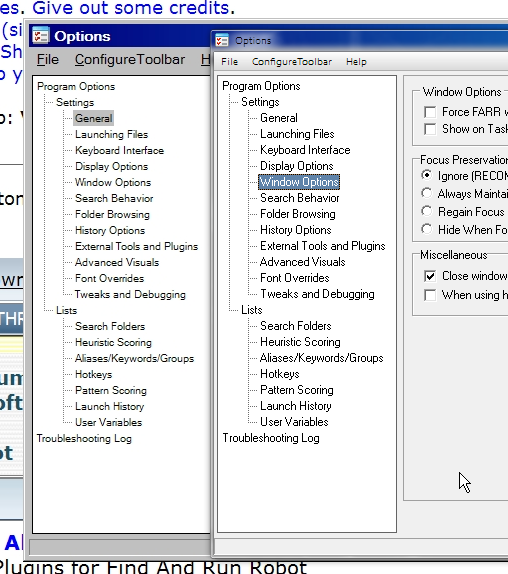
« Last post by tomos on May 27, 2014, 07:42 AM »I dont want to distract from your request PhuketGeek, but I notice my Options are *much* clearer - in spite of being the same size. This is due to the font. I'm not sure why that's different - maybe it's the Classic theme - I'm on aero (windows 7). Are you on XP or 7 ?
[edit] in both shots below, my options are shown on the right-hand-side, overlaid on yours [/edit]
My options overlaid on your shot, all @ 100%
=> detail of above @ 200%
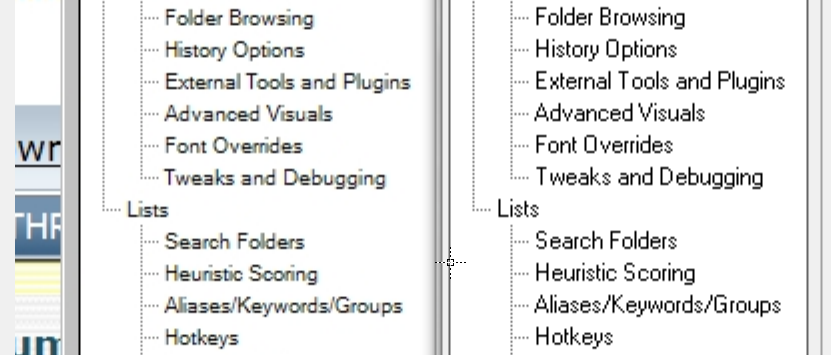
=> EDIT// I quickly tried Classic theme - my more readable font stays the same. So, I presume you're on XP (?)
[edit] in both shots below, my options are shown on the right-hand-side, overlaid on yours [/edit]
My options overlaid on your shot, all @ 100%
=> detail of above @ 200%
=> EDIT// I quickly tried Classic theme - my more readable font stays the same. So, I presume you're on XP (?)
 don't worry, the changed text is only stored in clipboard. in any case, you can press Ctrl+v to paste the new contents.
 - in fairness I was able to disable a lot of it's activities - but until I did, the machine was completely unusable - drove me batty trying to do anything on it ;-)


