topbanner_forum
  *

avatar image

Welcome, Guest. Please login or register.
Did you miss your activation email?

Login with username, password and session length
  • Friday January 16, 2026, 9:24 am
  • Proudly celebrating 15+ years online.
  • Donate now to become a lifetime supporting member of the site and get a non-expiring license key for all of our programs.
  • donate

Recent Posts

Pages: prev1 ... 7 8 9 10 11 [12] 13 14 15 16 17 ... 386next
276
DC Gamer Club / Re: Valve Announces Steam Deck: A Handheld PC
« Last post by Deozaan on August 03, 2022, 09:22 PM »
I just came across ShareDeck, which says it's "an unofficial site to find and share Steam Deck performance configurations."

Customizing the Steam Deck's sounds, boot video, and suspend video

That's not really my kind of thing, but it will be interesting to see what other people come up with.
277
DC Gamer Club / Re: Valve Announces Steam Deck: A Handheld PC
« Last post by Deozaan on July 30, 2022, 12:12 PM »
It's the same price as their full actual-dock which has more USB ports and ethernet and supports 4K@60Hz. The difference being that the actual JSAUX dock doesn't include a charger. But that charger is only 45W, just like the official Deck charger.

I don't think that's for me. On the other hand, I suppose it could be pretty nice to have when traveling, as a nice, compact way of keeping your options open.
279
Living Room / Re: Random M.2 SSD Disconnects
« Last post by Deozaan on July 28, 2022, 11:57 PM »
Hmm... I thought I had written a follow up response before, saying that 4wd's theory sounded likely to me, and reporting that I had actually shipped it off to be replaced via RMA.

Anyway, I got a replacement SSD through the warranty process today. I've got it back in the Sabrent USB 3.2 Tool-free enclosure for M.2 PCIe NVMe and SATA SSDs, and though I haven't done much with it yet, I've copied over about 75 GB worth of data just to test it out and it has done so without disconnecting or any other errors. So it looks like this is a good one.

Thanks to everyone for their feedback and for getting me to look into the RMA process. :Thmbsup:
280
DC Gamer Club / Re: Valve Announces Steam Deck: A Handheld PC
« Last post by Deozaan on July 28, 2022, 08:23 PM »
I tried UPlay and EAPlay with Bottles, but though they ran the first time, they didn't after that. Now I'm trying using the steam add non-steam game, but uplay is telling me that it can't authorize the game.

I've also heard of (but haven't tried) something called Heroic Launcher for getting non-Steam games installed and working on Deck or Linux in general. And there's another one that does something similar, but its name escapes me at the moment. If I remember it I'll come back and post its name here. But in the meantime, Heroic Launcher might be worth a shot if you want to try alternative methods to getting non-Steam games working.

EDIT: Yes, the other one I was thinking of was Lutris.
281
DC Gamer Club / Re: Valve Announces Steam Deck: A Handheld PC
« Last post by Deozaan on July 28, 2022, 08:18 PM »
The 512 arrived today after all.

They say that comparison is the enemy of joy. If I didn't have hands-on experience with two different Decks I never would have known any better and probably would have been perfectly happy with either one. But I've noticed a strong difference in how the trackpads function between the two devices. Especially when using them for dual-touch typing. On one of them, sliding my thumbs around causes the device to vibrate a lot. I can feel it under my thumbs at the trackpads themselves, and it's quite audible. Almost to the point where I'd describe it as rattling when I really get moving, or especially if both trackpads are going at once. And it's very easy to "press" the button. Just apply a small amount of pressure and it gives a satisfying "click" to let you know it has been pressed. Sometimes I click it and I think "that was a little too easy to click!" and it concerns me that it might click unintentionally at times. On the other Deck, the vibration is much more subtle while sliding my thumbs around. I can feel a light vibration in the palms of my hands at the back of the device, but not really under my thumbs at the trackpads. It's not audible to the same degree as the other one. If I put my ear a couple inches away from it then it sounds about as loud as the other one at normal/comfortable usage distance (about 2 feet). And pressing the trackpads in to "click" them requires significantly more pressure before they finally click. It's actually pretty uncomfortable having to press in so deliberately and so firmly, that I think I prefer typing the slow way with the d-pad and A button to select each letter. And when it clicks, the click is much more subtle and toned down compared to the other one.

Now I'm not fully satisfied with the trackpads of either one. It seems like one is far too sensitive and the haptics are too strong, and the other is far too insensitive and the haptics are too weak. It seems like the ideal is somewhere in the middle. Yet both devices have the same (default) settings as far as the trackpad sensitivity and haptics go.


For some less important comparisons, namely the carrying cases, I'm finding similar results. The 64 GB model (and I believe 256 GB model) carrying case is all black, with a grey logo outside, but also has a white strap inside to help pull the Deck out of the case without having to tip the case upside down or pry the Deck up by the joysticks.

photo_2022-07-28_18-22-15.jpg photo_2022-07-28_18-22-18.jpg photo_2022-07-28_18-22-21.jpg photo_2022-07-28_18-22-23.jpg photo_2022-07-28_18-22-25.jpg

The 512 GB model carrying case is black on the outside but the zipper pulls are white, has a colored logo, has a grey interior, and a black strap inside for pulling the Deck out. And the zipper itself is a whitish grey color.

photo_2022-07-28_18-22-26.jpg photo_2022-07-28_18-22-28.jpg photo_2022-07-28_18-22-29.jpg photo_2022-07-28_18-22-30.jpg photo_2022-07-28_18-22-31.jpg

I always thought the white strap inside the 64 GB case was a little weird and out of place (and not just because it's sewn in a little crooked), but other than that I've found it to be a perfectly fine functioning and looking thing. The "special" 512 case, on the other hand, is just ugly to me. I think the white zipper pulls are absolutely hideous. The grey zipper is weird and out of place. The grey interior fabric looks okay but I prefer the black fabric. Also I think that the grey fabric causes the black strap to look a little out of place, even though the black strap does look a little nicer on its own to me than the white one in the other case. And the colored logo on the outside is made of a different material. It feels like it's made of a kind of rubber or silicone, with a slightly sticky/grippy feeling. And it's much thicker, extruding from the surface of the case a few millimeters. Seems like it would easily catch on something and get torn off. Whereas the grey logo on the other one is completely flat, appearing to be a vinyl sticker or something similar.

All in all, I think I prefer the non-special carrying case over the special one. If it had a black strap instead of the pure white one inside it, it'd be perfect. I think I'll swap the carrying cases and keep the dark one for myself. :D

Additionally, the 512 GB Deck (and carrying case/accessories) smells awful. It smells like burnt/melted plastic and fried electronics. The 64 GB Deck didn't have a particularly strong/noticeable odor. I have recently developed (or noticed) a personal quirk where I "smell" things to see how hot they are, like when I pull food out of the microwave I give it a sniff to see if it is warm enough. It's probably not really about how it smells and more about my face being more sensitive to temperature than my fingertips, so it can more easily sense the heat rising from it, but since my nose is right there and it's something I usually do with food, I've gotten into the habit of giving it a sniff while I'm at it. Anyway, all that to say that I was trying to gauge how hot the air was coming out of the 64 GB Deck's exhaust vent and I gave it a little sniff while I was at it. And to me it doesn't smell unpleasant. It definitely smells like new materials. Maybe like new shoes, which have a distinct, but not unpleasant odor, in my opinion. But then again, it's possible that the 64 GB Deck was just as odiferous as the 512 GB Deck, but I might note have taken note of how smelly it was because I didn't think it was unpleasant. All I know is that right now I can't do anything with the 512 GB Deck (or its case) without noticing how awful it smells.


As for the two practical/intentional differences between the devices:

Storage: The internal storage partition for the 64 GB Deck is reported as being 46.5 GB. The internal storage partition for the 512GB Deck is reported as being 465.3 GB. It's a bit surprising to see that the 512 GB Deck has 10x the usable internal storage as the 64 GB Deck. I hadn't thought of it in those terms before. As for storage speeds, I installed a few games to the 512 GB Deck and didn't notice any slowdowns or related problems like I had when installing to the microSD card of the 64 GB Deck. I have inserted a microSD card into the 512 GB Deck as of yet because the largest microSD card I have is the 256 GB card and it's currently in the 64 GB Deck, and the 512 GB Deck still has more available storage than the combined total in the 64 GB Deck. But for the sake of completeness, I ought to swap the microSD card into the 512 GB Deck and see if I experience the same kind of slowdowns as I did when it was in the 64 GB Deck.

Screen: The 512 GB Deck has a special laser-etched anti-glare screen. They both show reflections. It's just that the regular glass shows a more perfect/clear reflection while the anti-glare glass has a less detailed or more blurred reflection. What I can say is that I find myself being self-conscious about capturing my own reflection in the regular screen, whereas with the anti-glare screen it blurs the details enough that I don't mind (so much) if my silhouette is reflected in the image.

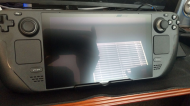
photo_2022-07-28_18-22-32.jpg photo_2022-07-28_18-22-34.jpg
photo_2022-07-28_18-37-51.jpg photo_2022-07-28_18-37-53.jpg

And for reference, I usually have the screen brightness turned down pretty low on both Decks. In the images above, I put it as low as it will go, and then up 3 notches. Here's how it looks with the brightness of both displays turned up to the max:

photo_2022-07-28_18-46-19.jpg photo_2022-07-28_18-46-18.jpg
282
DC Gamer Club / Re: Valve Announces Steam Deck: A Handheld PC
« Last post by Deozaan on July 28, 2022, 04:30 AM »
My package was due to be delivered by end of business today, but there is still no tracking update from FedEx since early Monday morning. Now the delivery has been changed to "Pending" with no specific estimated date of arrival, yet they insist that the package is still "on time" instead of lost in shipping purgatory.
Got two emails a few hours apart saying delivery is scheduled for Thursday. But when I check the site it says delivery is expected Friday.

FedEx is Worthless Part 4.png
283
DC Gamer Club / Re: Valve Announces Steam Deck: A Handheld PC
« Last post by Deozaan on July 26, 2022, 08:56 PM »
I gave Aperture Desk Job another shot today and this time it played through without issue. It was my first time using gyro aiming and I have to say it was a pretty smooth experience. I can see it being quite helpful in games where rapid precision aiming is needed.

FedEx is Worthless Part 3.png

My package was due to be delivered by end of business today, but there is still no tracking update from FedEx since early Monday morning. Now the delivery has been changed to "Pending" with no specific estimated date of arrival, yet they insist that the package is still "on time" instead of lost in shipping purgatory.

284
DC Gamer Club / Re: Valve Announces Steam Deck: A Handheld PC
« Last post by Deozaan on July 25, 2022, 03:37 PM »
I had a pre-paid credit card with terms that were about to change unfavorably, so I almost used the remaining funds on it to order that 100W charger, but ultimately I decided it was more important (and less expensive) to get this JSAUX Docking Station which has 3x USB-A 3.0, 4K@60Hz HDMI 2.0, Gigabit LAN, and a 100W PD USB-C port.

JSAUX DeckDock.jpg

I signed up for their mailing list or something and got 15% off the purchase, which left enough funds on the card to also get these little USB-C 90 degree adapters which I thought would be useful because I've been concerned about the power cord in the top of the Deck pulling or tugging on the USB port and damaging it, especially when connected to the short cable coming from the other hub I bought. As things are, I feel I have to elevate the hub to get it high enough to plug into the Deck while it's in a stand without pulling on the port.

USB C 90 Degree Adapter.jpg


I didn't see you mention this before Deo - https://steamdeckhq.com/

They have a lot of awesome resources there.

I don't think I've come across that before. Thanks! :Thmbsup:

While we're at it, here's a wiki with links to a bunch of Steam Deck resources:

https://www.sdeck.wiki/

As I understood (from a thread on the SlashDot website), FedEx is converting from having many aging parcel tracking servers on location to a centrally located server farm

I don't know what is wrong with FedEx. I've almost always received packages from UPS for the past two (or more) decades, but for some reason starting in 2021 a lot of the things I've ordered have been shipped via FedEx and I think only 1 of about 10-15 packages delivered by FedEx in the past ~1.5 years have arrived on time. With that lone exception, FedEx has been miserable to deal with every single time.

And this time is no different. FedEx did the same thing as with the last one, and didn't update the tracking information for two days. It finally updated today and apparently it's just been sitting in Chicago all weekend. It still claims it will be arriving tomorrow. It took a full day to travel the 30 miles from Carol Stream to Chicago and they expect me to believe it's gonna make it the remaining 1700+ miles in 36 hours? I guess maybe it will be shipped on an airplane, but I'll believe it when I see it.

FedEx Tracking Deux.png

And they have the gall to say it's still scheduled to arrive "early" because before they even received the package they put up an estimate that it would take a week to arrive. But as soon as they received the package they estimated it would arrive in 5 days and marked that as "early" instead. And now that it's delayed and expected to arrive in 6 days they can still pat themselves on the back and report to their managers that they're doing a great job because it's still "early" compared to the initial estimate of 7 days. >:(
285
DC Gamer Club / Re: Valve Announces Steam Deck: A Handheld PC
« Last post by Deozaan on July 23, 2022, 11:16 PM »
Why is FedEx so useless? >:( 😭

FedEx Tracking.png
286
Living Room / Re: Programming/Coder humor
« Last post by Deozaan on July 23, 2022, 05:58 PM »
Spiders are the only web developers that like to encounter bugs.
287
DC Gamer Club / Re: Valve Announces Steam Deck: A Handheld PC
« Last post by Deozaan on July 23, 2022, 04:20 AM »
Once again, FedEx has just updated shipping information to be a day later than anticipated. >:( At least this time they're telling me a few days in advance instead of just not updating the information until after the expected time of delivery.

Just to let you know- that adapter I got is AWESOME.

That's cool. I'm glad you're liking it. :Thmbsup:

I still don't have many USB-C devices that need regular charging throughout the day. I have a phone and a tablet, both of which I just plug in overnight and they're good to go. Other than that it's just my Switch which is in its dock most of the time and now the Steam Deck. So I'm not feeling the need to charge a variety of things throughout the day. But I can see it being really useful and will probably keep it in mind for some future, eventual purchase.
288
DC Gamer Club / Re: Valve Announces Steam Deck: A Handheld PC
« Last post by Deozaan on July 22, 2022, 11:19 AM »
Its crazy how versatile it is.

That looks fun. :)

There's apparently a ProtonGE that is more compatible than the one on the deck.

I mentioned Proton-GE in one of my earlier posts when I mentioned trying to get "Deck Unsupported" games to work. I only tried it on two games and it didn't help, but so far I haven't ventured far into Unknown territory or even Playable for that matter.
289
DC Gamer Club / Re: Valve Announces Steam Deck: A Handheld PC
« Last post by Deozaan on July 21, 2022, 02:36 PM »
The success is Deck Verified! ;)

I was correct about being able to plug in the microSD card and have everything there and ready to go. One nice bonus is that it even remembered which of the titles I installed on the microSD card that I had automatic updates disabled for. I didn't expect that! (I wish there was a global configuration to disable automatic updates, but that's been a complaint of mine about Steam for years.)

I've been spending time reinstalling and configuring things in Desktop Mode, but I realize now as I'm typing this up that I should just wait until the hub arrives and use a proper mouse and keyboard (and a larger display!) to make that process a lot smoother.
290
DC Gamer Club / Re: Valve Announces Steam Deck: A Handheld PC
« Last post by Deozaan on July 21, 2022, 03:04 AM »
I'm going to declare a tentative success. One of the options from the recovery image was to reinstall just Steam OS, keeping installed games and other user files. It seemed to stop rather suddenly with no notification that it had finished. Upon rebooting at that point, it told me there was no boot device found. I'm not sure if it just didn't work or if perhaps I didn't wait long enough for it to finish before rebooting or something else broke it along the way. So I booted back into the recovery image and told it to wipe the whole drive and flash it back to factory defaults. After doing that I was able to power it on without having the power cable attached, and I'm currently setting up language, WiFi, and timezone, etc., as I did the first time I turned it on. So it's looking like this Deck is back in action. 😌

I guess it's a good thing I had almost everything installed to the microSD card because I believe I can just pop that back in and it will all just work again right away. But it's late and I think I'm just going to go to bed once I get logged into my account. I can deal with re-installing games and other things tomorrow.
291
DC Gamer Club / Re: Valve Announces Steam Deck: A Handheld PC
« Last post by Deozaan on July 21, 2022, 02:22 AM »
I'm interested in hearing about how any/all the things you've gotten work out for you. I think that eventually I'd like to have 2-3 hubs/docks for ultimate convenience when moving the Deck from place to place around the house or on the go. But I really can't afford to go all out with accessories right now. It was already tight buying two Decks in such a short period of time, but then a couple days ago our pet started behaving strangely which resulted in an unplanned visit to the veterinarian that ended up costing as much as the 512 GB Deck. 😭 (The sobbing emoji is about the cost, not the pet. The pet is OK...ish... so far...)

So if/when I get the Deck working again and connected to the USB hub, and if the battery is not staying charged while connected to the hub, then I'll just have to disconnect the hub for a while so it can charge on its own. Because ~$80 for a power brick is too much right now.


Anyway, I came back here to report that after doing nothing else all day regarding trying to troubleshoot the Deck due to not having a hub and not yet receiving a response from Valve, I happened to be looking through a drawer at my desk and found a USB A to USB C adapter that came with an external M.2 enclosure I got last year. It seems I put it in my desk and promptly forgot about it because I didn't have any USB C devices besides Android devices, and I didn't want/need to connect an external drive to those.

I was worried that I was still going to need to wait for the hub because I figured it would either just power off immediately when I tried unplugging the power cord so that I could plug in the thumb drive, or that it wouldn't recognize that the thumb drive had been inserted after it had already booted into the BIOS without it. But it appears to be working, at least as far as successfully booting into the recovery image on the thumb drive.

But I'm actually having the opposite problem! After booting into the recovery OS, it's telling me that the battery is critically low (3%) and it shuts itself off (to sleep mode) after 60 seconds. And since it's running from the thumb drive I can't plug in the power cord without breaking things because it can no longer read from the thumb drive. So I'm going to let it charge for a while and try again.
292
DC Gamer Club / Re: Valve Announces Steam Deck: A Handheld PC
« Last post by Deozaan on July 20, 2022, 05:57 PM »
So not sure how what you did would have been so detrimental.

I had heard that there were problems if the Deck ran out of free space, but I thought it had about 5 GB of free space, which I also thought should have been enough. But maybe I was wrong about how much available storage the Deck had...

Anyway, I've contacted Valve Support and am awaiting a response. I've also gone ahead and ordered this Dockteck 7 port USB Hub (with 4K@60Hz HDMI, 1 Gig Ethernet, SD & microSD, 2x USB 3.0 A, and a USB C 100W PD port) because for one thing I've been wanting to use the Deck with a hub that has these features anyway, but more importantly I expect that one of the key troubleshooting steps to get the Deck working again without having to RMA it will be to re-flash the OS, and I can't do that with what I currently have. I saw a couple reviews that specifically mention that it works with the Deck, the only problem being that the Deck's power adapter doesn't provide enough power to keep the Deck charged while also powering the hub and other connected devices (the hub itself uses 8 watts!? That's more than a Raspberry Pi! What's that thing doing, mining cryptocurrency?). So I may need to buy a charger at some point, but for now I'll make do with the Deck's charger.

USB Hub.jpg
293
DC Gamer Club / Re: Valve Announces Steam Deck: A Handheld PC
« Last post by Deozaan on July 20, 2022, 11:48 AM »
I typed this up several hours ago but forgot to press submit.

I seem to have borked the Deck.

When I started my experiment installing a few games to the eMMC drive, it only had about 20 GB free. One of the games I installed was 15 GB. The others were around 250-500 MB each. When I was done, I moved the smaller ones to the microSD card but left the big one on the eMMC because I didn't want to wait for that amount of data to transfer, meaning there should have been around 5 GB free. Then I booted into Desktop Mode to configure an emulator.

At some point while in Desktop Mode, a bunch of Steam errors started popping up saying Steam was missing some 32-bit files and it asked me if I was out of disk space. I couldn't figure out how to see the free disk space on the internal storage from the file manager, so I tried rebooting back into Game Mode with the intention of moving the big game onto the microSD card to free up some space. But it never finished booting back into Game Mode. It showed the Steam Deck logo for several seconds, and then the screen went blank but was still powered. I left it for a few minutes and nothing else happened. If I held down the power button for a few seconds it would power off, but powering it back on resulted in the same behavior. I repeated that multiple times with no change.

Finally I attempted to access the Boot Manager by holding down VOL - and pressing the power button. That worked, but just gave me the option of continuing to attempt to boot from the internal storage, which just led to the same behavior of showing the Deck logo for a while and then going to a blank screen. So then I attempted to access the BIOS by holding down VOL + and pressing the power button, and that's when things appeared to go from bad to worse. At that point it stopped powering on at all. The power LED would blink 3 times when I pressed the power button, and that was it.

Eventually I found a post on Reddit about a similar situation where someone had opened up their system and installed a new SSD in it and it would no longer power on from the battery, but would power on when plugged in. So I tried plugging in the Deck and that got me back to the previous behavior of showing the logo for several seconds and then a blank screen. But it still won't finish booting. In that post someone else suggested enabling Battery Storage Mode from the BIOS to try to get it to disable the behavior where it required power before it would turn on. So I attempted that, and that's when things appeared to go from worse to "worser" (not worst because it's not totally bricked yet).

Now the power LED doesn't even blink when I press the power button if it's not plugged in. There's absolutely no response from the device if it's not plugged in. If I turn it on while plugged in, I can sometimes pull out the power cord and it will stay on. Other times it just shuts off immediately. But either way it appears to power down by itself after a few minutes, no matter if it's plugged in or not, with the LED blinking 3 times when it powers down. I found buried further down in the Reddit thread that the person who experienced a similar issue finally resolved it by just leaving it on the BIOS screen until the battery drained completely, and then fully charged it. That was something I had been intending on trying if the battery storage mode thing didn't work out, but the fact that it keeps shutting itself off and needs the power cord attached threw a wrench in those plans. I can't discharge the battery if it won't stay on and I have to keep plugging in the power cord to turn it on. >:(

The last troubleshooting step I'm aware of before RMA is re-flashing SteamOS onto it. But that requires a hub or USB-A -> USB-C adapter, which I don't have. So it looks like I will probably be getting a hub very soon.
294
DC Gamer Club / Re: Valve Announces Steam Deck: A Handheld PC
« Last post by Deozaan on July 20, 2022, 02:48 AM »
I have installed a few games, and I didn't see the slowdown that you reported Deo.

I set the default install location back to the eMMC drive and the UI is nice and speedy when downloading/installing games. So perhaps my microSD card just doesn't handle writes fast enough. I was under the impression that as long as the microSD card was at least UHS-I then it would be plenty fast enough. But maybe I conflated the fact that the Deck doesn't support UHS-III speeds with the idea that UHS-I speeds were all the same. I don't really know. As I said, I haven't been following all the latest advancements in microSD technology, so I'm not sure on the potential differences between them.
295
DC Gamer Club / Re: Valve Announces Steam Deck: A Handheld PC
« Last post by Deozaan on July 19, 2022, 09:48 PM »
Here's something I found that may be useful if you have access to a 3D printer. It's a little carrying case for the power cord, and even includes a few microSD card slots. The 3D-printed case goes in the little cavity behind the elastic strap of the Deck Carrying Case.

https://www.thingive...se.com/thing:5356412
296
DC Gamer Club / Re: Valve Announces Steam Deck: A Handheld PC
« Last post by Deozaan on July 19, 2022, 04:04 PM »
Holy carp the email came today!
... and were your experiences good enough that you confirmed your purchase?

Yes.

If I decide not to go through with my purchase, I assume there is no way for me to give my position in line to someone else?

I saw that it can be a gift when checking out... not sure what that entails.

You can have it shipped to anywhere you want (within your region). But you have to complete the purchase from your own account. Which means if you were to offer your position to someone else, they'd have to reimburse you for the cost of the Deck, or give you their payment details to use during checkout.

It just arrived- I have installed a few games, and I didn't see the slowdown that you reported Deo.

Woohoo! Good to know you're not seeing slowdown. I set the default install location to my microSD card. So maybe that's too slow. It's a Samsung EVO Select microSD XC I U3, which I thought was supposed to be pretty fast. But I haven't been following the latest advances in microSD technology. I'll try setting it back to internal storage to see if it runs any better during installs.

I see an ! beside Settings > System, and it says there are software updates, but the beta notes says it's for the beta channel, which I am not going to opt in for. Do I still need to apply the update?

I haven't used beta or preview updates, so I'm not exactly sure how they work. But I did see there was an update available when I first got my machine, so I applied it. And I haven't seen any notifications about newer updates since. So my guess is that there is a Stable update ready for you to install.

And if a game says unsupported, does that mean it's not tested? Or I shouldn't even try?

If it's listed as Unsupported (circle with a line through it) then Valve has tested it and something about it supposedly doesn't work. I've heard reports of a few games that are listed as Unsupported but appear to run just fine. But so far the couple of Unsupported games I've tried have not worked even when following guides that supposedly should get them working. Valve has somewhat strict rules about why they label a game as Unsupported. For example, if a game works perfectly with the exception that in-game videos don't play (and just get skipped), it gets marked as Unsupported. If you're in a tinkering mood, you can check out ProtonDB to see if it has useful information for you to get an Unsupported game working.

If a game's compatibility is listed as Unknown (dotted circle with a question mark inside it), then that means Valve has not tested how it works. It might work, it might not. If you feel like helping people out, you can try out Unknown games and then post your results to ProtonDB to give more data points to whether or not games work well.

I've only personally installed one Unknown "game" on Deck (RetroArch, which is a frontend for a variety of emulators), and it runs just fine. My family member who this 64 GB model is intended for also installed an Unknown game (My Riding Stables: Life with Horses). She says that it ran fine but since it was designed for mouse controls it felt awkward for her to use the trackpad to control certain aspects of the game.

Personally, I wouldn't be afraid to try games whose compatibility is listed as Unknown. Just don't make sure your mindset is of the "let's see if this thing even works" so you're not too disappointed or frustrated if/when it doesn't work. But for games listed as Unsupported I'd go into it expecting that it doesn't work at all, at least not without some (or a lot!) of tinkering.
297
DC Gamer Club / Re: Valve Announces Steam Deck: A Handheld PC
« Last post by Deozaan on July 18, 2022, 06:24 PM »
Okay, time to write up a bit more about my experience so far. (Once again, this post is being written from the Deck in Desktop Mode, with a crappy Bluetooth keyboard which often misses or repeats keystrokes. In other words, I may come back later to edit this post and make corrections or fill out more details from a better keyboard.)

I tried out another Deck Verified game, called Crash Drive 3. There wasn't really any question in my mind as to whether or not it would run decently since it's not a very demanding game. But it's noteworthy because I experienced a similar issue as Aperture Desk Job. Only this time the controls were broken from the very start. I used the Steam button to activate an OS menu and force-closed the game and restarted it (the game) at which point it worked perfectly. So it seems I should give Aperture Desk Job another go.

I've also found that the Deck becomes very sluggish and at times almost unresponsive when downloading/installing a game. If I try to queue up multiple games to download, it doesn't always work correctly. I don't know if that's due to the slowness of the eMMC in the 64 GB model, or maybe the microSD card I'm using isn't modern/fast enough, or if that's just how all Decks operate. I guess I'll find out soon enough when I get the 512 GB model.

Another thing I've heard from multiple sources is not to be afraid to try out games that aren't listed as Playable or Verified. I've heard that ProtonDB is a good source of info on how games run via Proton and by extension, on the Deck. I decided to try my luck getting Burnout Paradise Remastered, which is officially listed as Unsupported, to run, and ProtonDB seemed to indicate that after a bit of tinkering it was possible to get running. But I followed all the instructions from others who claim to have gotten it to work and it just doesn't work for me. Origin was an absolute pain to get running and configured but even after I finally got it running and configured as per instructions the game still just got stuck on a black screen almost immediately on startup.

Similarly, I checked ProtonDB for LEGO Lord of the Rings, which is also officially listed as Unsupported, and there were a couple of reports that the gme runs fine using a specific version of Proton-GE. So I installed it and configured it to use that specific version of Proton-GE and it just crashes immediately on startup. I tried various other versions of Proton and Proton-GE and nothing worked.

After two of two attempts getting an Unsupported game working by following info from ProtonDB failed to produce desirable results, I'm not really sure how useful ProtonDB is for the Deck after all. Maybe the advice to try out games was meant for the ones that are listed as "Unknown/Untested" rather than the "Unsupported" games.

And while I'm on a roll posting about negative stuff, now is as good a time as any to nitpick about the carrying case. It "feels" like it's upside down to me. It's designed so that when you are carrying it by the handle the logo is oriented properly. But when you unzip it while the logo is oriented properly, then it opens up to reveal an upside down Deck. If you orient the case so that it opens to an upside-up Deck, then the logo is upside down. I suppose it's like laptops that have a prominent branding logo on the backside of the screen. It appears upside down to the person using it so that when they open it up it's upside up to onlookers. But the case doesn't stay propped open like a laptop does. It's either closed or laying flat opened. I've also read others complain that the Deck sits in the case the wrong way as well, since the current orientation places the USB-C port of the Deck in the hinge rather than by the zipper, meaning you can't leave the Deck in the case with the zipper pulled back just far enough to sneak a charging cable in there. And one final preemptive nitpick about the case: The 512 GB model comes with a slightly different case, with a colored logo on the outside and I believe a light gray or tan coloring to the material inside. I personally prefer the black coloring of the case that came with the 64 GB model, but I also prefer the colored logo on the case that comes with the 512 GB model. It's all just aesthetics, so no big deal. Hence why I am calling these nitpicks.

In other, less negative news:

I played a bit of Hellpoint. But not for long. Everything appeared to be working perfectly. I just realized/remembered after I started playing it that I would really like to play it multiplayer with a friend who was not available to play at that time and that I didn't really want to get into it just solo at the time I was testing it out. But now that I have the Deck, it will be much easier to go have a "LAN" party with Hellpoint (or other games) instead of either being restricted to home with my desktop PC or having to unplug and haul it somewhere. So I'm still looking forward to more Hellpoint on the Deck.

I also went through my library, looking only at "Deck Verified" games, and installed a few smaller or somewhat esoteric or indie titles that I've never played so I can finally give them a shot. But a lot of them are multiplayer games that I'd want to play with others, and a handheld device with a 7" screen isn't really an ideal way to play shared/split-screen multiplayer games. So I'm really started to itch for a dock or hub that will allow me to connect the Deck to a larger screen. Not only that, but as I've mentioned, I'm considering the feasibility of using the Deck as a kind of Desktop PC replacement, so I'm trying to spend more time in Desktop Mode to get used to the kind of workflow that would entail. Hence my typing this post up from the Deck. But again, without a dock or hub, it's not an ideal experience, especially without a mouse or reliable (and full size!) keyboard.

I think I'll probably be getting a hub sooner than I thought even a couple days ago because so many of the things I imagined using the Deck for require connecting it to another display or having a keyboard and mouse combo connected that would be conducive to programming or whatever.

And for those who are curious, it has been a while since I posted about this. Check My Deck now says my library is:

34% Playable+
  • Verified: 120 games (13.07%)
  • Playable: 188 games (20.48%)
  • Unsupported: 93 games (10.13%)
  • Unknown: 517 games (56.32%)
298
DC Gamer Club / Re: Valve Announces Steam Deck: A Handheld PC
« Last post by Deozaan on July 18, 2022, 12:28 PM »
Holy carp the email came today!
299
DC Gamer Club / Re: Valve Announces Steam Deck: A Handheld PC
« Last post by Deozaan on July 18, 2022, 12:10 PM »
Awaiting the 512 GB email (which I'm not really expecting to receive today).

300
Living Room / Re: Animal Friends thread
« Last post by Deozaan on July 16, 2022, 11:40 PM »
this one cracked me up big time:
"Emmanuel Don't Do It"

:P

She (the woman) kind of reminds me of someone I know.
Pages: prev1 ... 7 8 9 10 11 [12] 13 14 15 16 17 ... 386next