About our Software
This is exclusive software developed by us in-house. None of our software contains spyware or adware of any kind.
Need a License Key?
Some of our larger programs require a license key for long-term use.

Commercial Users
 Click here to learn more about our Commercial/Site Licensing
Home Users
Join DonationCoder.com now with a one-time donation of any amount to get lots of special benefits.
When you make a donation, it is allocated back to you in the form of DonationCredits, which you can optionally distribute to the authors on our site as you wish.
Commitment To Integrity
None of our software contains toolbars, spyware, adware, or bundled software of any kind. We will refund any donation at any time with no questions asked. All donations are processed securely by trusted financial services; we do not receive your credit card or personal information when you donate, and we will not share your email address with anyone. For more information please read our Privacy Policy.
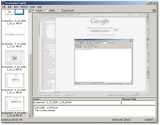
Screenshot Captor - The last word in screen grabbingWith the ability to capture any kind of window in any application, Screenshot Capture is the last word in screen grabbing. It possesses all the features found in commercial screen grab application such as SnagIt, and it's totally free--though the host asks for a suggested donation of any amount,