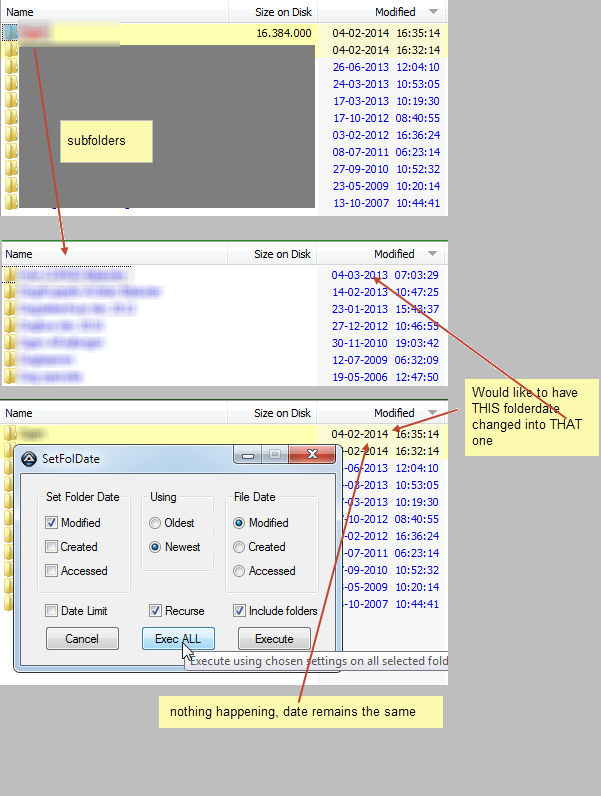
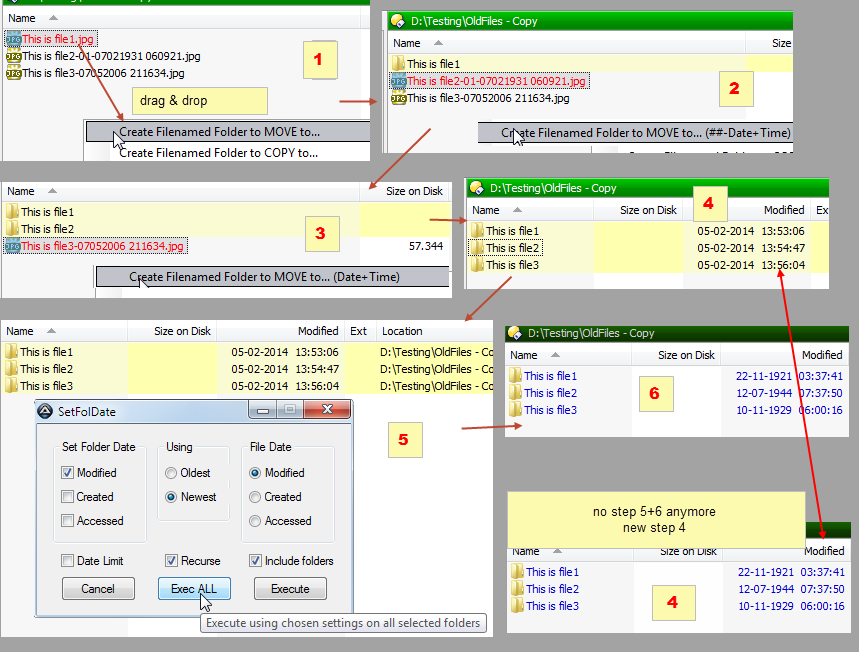
v0.3.1.2 - here
Re: DONE: Change (sub) folder(s) date based on newest/oldest file in the folder
« Reply #75 on: January 28, 2014, 03:25 AM »


 Topic: DONE: Change (sub) folder(s) date based on newest/oldest file in the folder (Read 187,587 times)


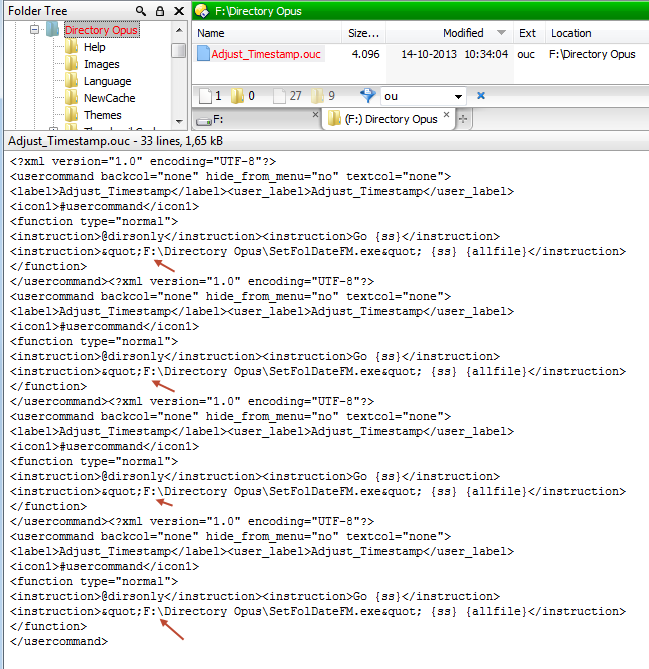

<?xml version="1.0" encoding="UTF-8"?>
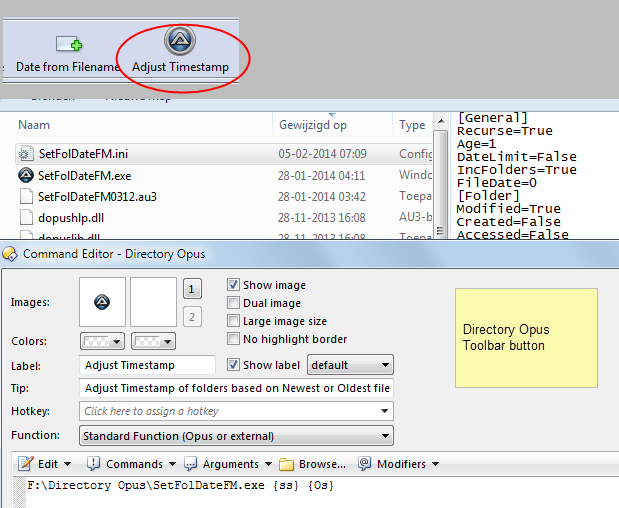
<usercommand backcol="none" hide_from_menu="no" textcol="none">
<label>Adjust_Timestamp_NG</label>
<user_label>Adjust_Timestamp_NG</user_label>
<icon1>#usercommand</icon1>
<function type="normal">
<instruction>@dirsonly</instruction>
<instruction>Go {ss}</instruction>
<instruction>"C:\SetFolDate2\SetFolDateFM.exe" /r {ss} {allfile}</instruction>
</function>
</usercommand>

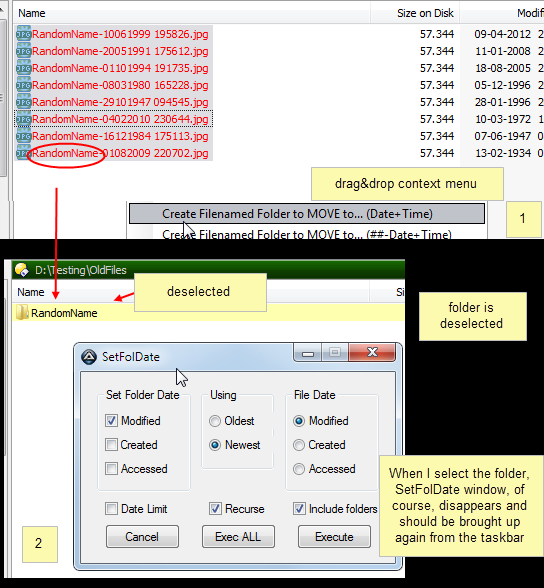 SnagIt-07022014 163528.png
(68.0 KB, 544x588 - viewed 2271 times.)
SnagIt-07022014 163528.png
(68.0 KB, 544x588 - viewed 2271 times.)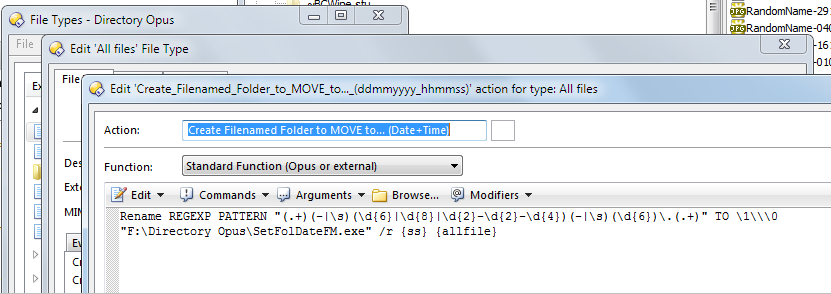 SnagIt-07022014 161950.png
(58.1 KB, 831x294 - viewed 612 times.)
SnagIt-07022014 161950.png
(58.1 KB, 831x294 - viewed 612 times.) SetFolDateWith p sourcepath-08022014 064538.wmv
(630.3 KB - downloaded 198 times.)
SetFolDateWith p sourcepath-08022014 064538.wmv
(630.3 KB - downloaded 198 times.) SnagIt-08022014 071642.png
(3.3 KB, 248x88 - viewed 499 times.)
SnagIt-08022014 071642.png
(3.3 KB, 248x88 - viewed 499 times.)"F:\Directory Opus\SetFolDateFM.exe" /r {ss} {allfile} /p {sourcepath}
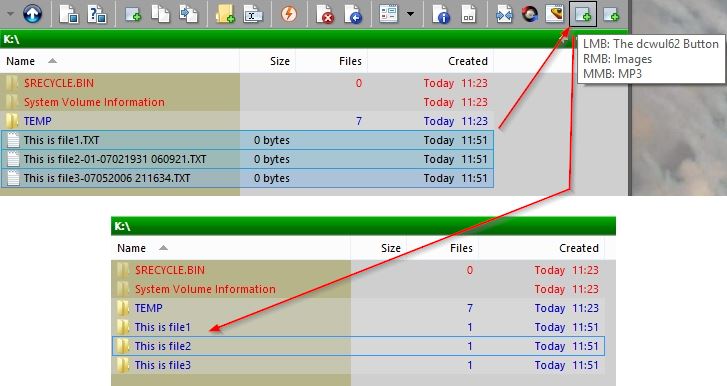
One way or the other it has some effect ...

 SetFolDate-Update-08-02-2014 17-14-30.mp4
(1.4 MB - downloaded 487 times.)
SetFolDate-Update-08-02-2014 17-14-30.mp4
(1.4 MB - downloaded 487 times.) @script vbscript
Option Explicit
Dim regex, file, folder, rencmd, sfdcmd, WshShell
Function OnClick(ByRef ClickData)
sfdcmd = "%programfiles%\GPSoftware\Directory Opus\SetFolDateFM.exe" ' Full path to SetFolDateFM.exe command
Set WshShell = CreateObject("WScript.Shell")
DOpus.OutputString "--- SetFolDate ---"
Set regex = New RegExp
With regex
.Pattern = "^([^\.-]+).*" ' Change the RegExp to what you want
.IgnoreCase = true
.Global = false
End With
sfdcmd = Q(sfdcmd) & " /r " & Q(ClickData.func.sourcetab.path)
For Each file In ClickData.func.sourcetab.selected_files
If Not file.is_dir Then
Set folder = regex.Execute(file.name)
If folder.Count = 1 Then
rencmd = "Rename " & Q(file.name) & " TO " & Q(folder.Item(0).Submatches(0) + "\" + file.name)
DOpus.OutputString file.name + "|" + folder.Item(0).Submatches(0)
DOpus.OutputString rencmd
DOpus.OutputString "--------"
ClickData.func.command.RunCommand rencmd
sfdcmd = sfdcmd & " " & Q(folder.Item(0).Submatches(0))
End If
End If
Next
DOpus.OutputString sfdcmd
WshShell.Run(sfdcmd)
End Function
Function Q(s)
Q = """" & s & """"
End Function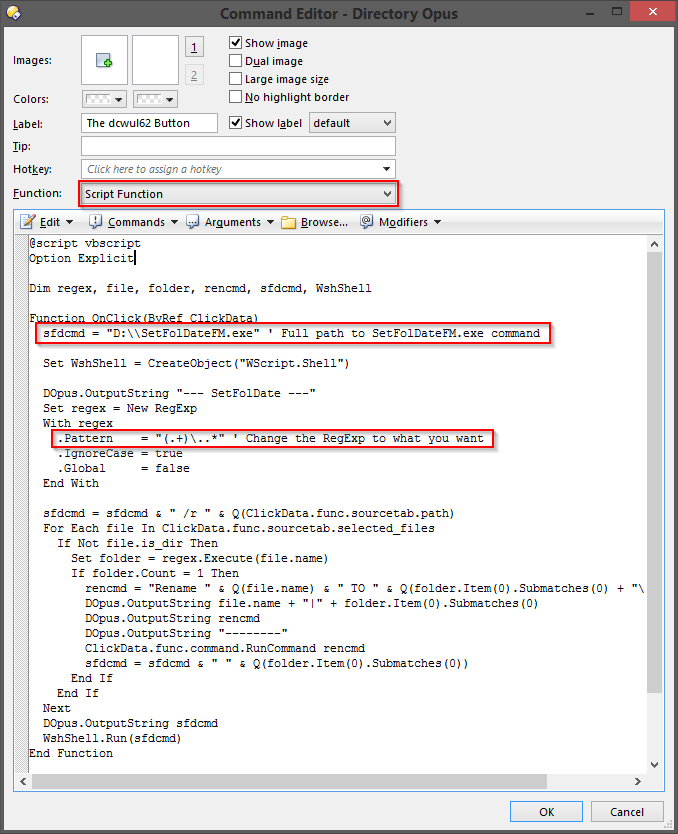
Original address: https://www.donationcoder.com/forum/index.php?topic=35881.0