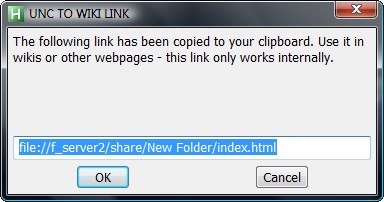
Had an issue here where the mindtouch wiki that's used on an internal project mangles up UNC path style links. So I created an autohotkey script that converts it into a file:// protocol link and copies it to the clipboard. Thought maybe it would be useful for someone on here (or their colleagues).
You can do the same by pasting the link into Firefox and copying the result - but try to tell that to someone that tries to map a network drive using the tools menu in outlook (how to install firefox, get the link copied out the email, into the address bar, coping it out again and into their wik).
; Unc2Web.ahk
#NoEnv
InputBox, OutputVar, UNC TO WEB LINK, Please put in a link to the UNC Network Path:`n`n For example: `n\\f_server2\share\New Folder\index.html`n\\f_server2\share\New Folder
if NOT ErrorLevel
{
OutputVar := RegExReplace(OutputVar, "\\\\", "file://")
OutputVar := RegExReplace(OutputVar, "\\", "/")
clipboard := OutputVar
InputBox, bla, UNC TO WEB LINK, The following link has been copied to your clipboard. Use it in wikis or other webpages - this link only works internally.,,,,,,,,%Outputvar%
}