
Not sure, but maybe installing the previous SDK and setting VS 2010 to compile using that might do the trick.
Re: T-Clock 2010 (beta - download)
« Reply #200 on: December 20, 2010, 07:30 AM »


 Topic: T-Clock 2010 (download) (Read 1,343,825 times)


Not sure, but maybe installing the previous SDK and setting VS 2010 to compile using that might do the trick.I'm still trying to give VS2k8 a fair shake as it still has one of the features (split clipboard) I've come to depend on. I can have one thing on the clipboard and still do a drag copy/move with another thing without dropping the clipboard contents...This incredibly handy feature (because I tend to loose track of where I'm at while working on-the-fly at times) was oddly missing in VS2010.


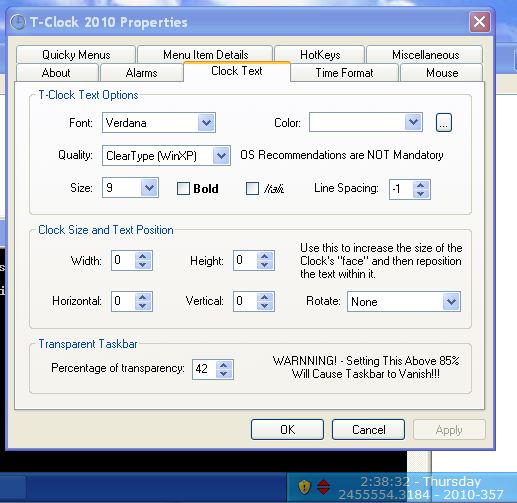
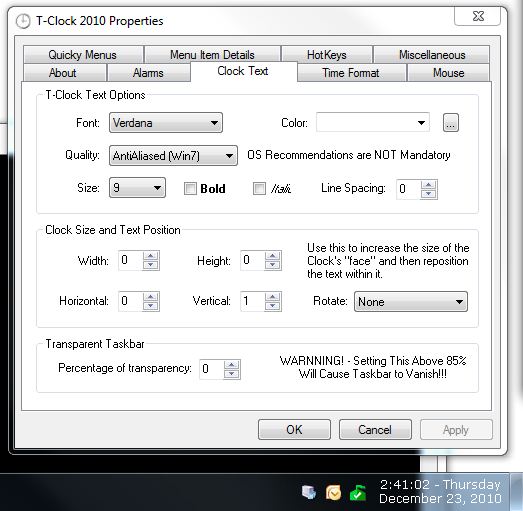
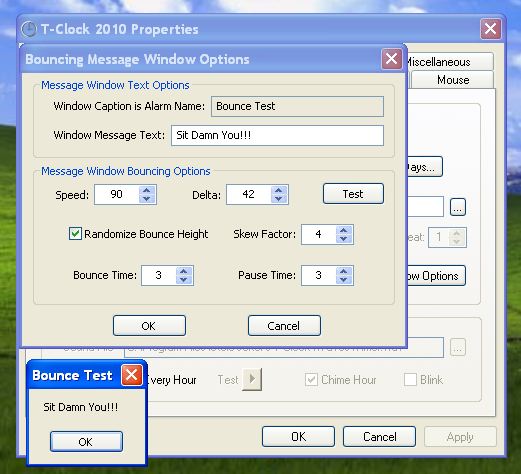


Btw.: no need to restrict the Alarm labelling on sound files, this also works great with all other applications:
 lol ...I never thought of trying that. But will make a note to explore it as an option in the future.


if you want to add super simple optional update checking, im happy to help show you how to use dcuhelper.I'm thinking I should probably have an installer before I go that route. But I'll keep it in mind as is is something I'd been toying with doing.


I use T-Clock 2010 but I don't have external speaker.
My wish: Allow user to use PC Speaker's beep for hourly chime.

the new T-Clock version is really cool!
But i have two feature suggestions:
- I use the drop to recycle bin feature, and it works great! It would be great to have the option to see the size and number of files of the recycle bin in the Mouse-over Tooltip Text. (e.g. "10 Files, 135 MB").
- I would love to have the option to set the action in mouse-properties to "open files/folders (with command-line switches)". Just like you can do it in the "Menu Item Details". Then i could empty/open the recycle bin with just one click.
Little Bug report:
Middle Mouse Button Actions doesn´t work.
But i have two feature suggestions:
- I use the drop to recycle bin feature, and it works great! It would be great to have the option to see the size and number of files of the recycle bin in the Mouse-over Tooltip Text. (e.g. "10 Files, 135 MB").
Hm... There is grand potential for this to lag badly if there are a large number of files in the recycling bin. But I can try playing with it for a bit and see what happens.
- I would love to have the option to set the action in mouse-properties to "open files/folders (with command-line switches)". Just like you can do it in the "Menu Item Details". Then i could empty/open the recycle bin with just one click.
Sounds reasonable enough, I'll look into it.
Little Bug report:
Middle Mouse Button Actions doesn´t work.
That's actually a "Known Issue" ... That I forgot about... I'll have to go through my notes and see what the original issue was/is. I'm thinking that the middle button/mouse wheel was asigned to bring up a task list in Windows 7 by default so I'd given up on/disabled it at one point. But it isn't doing it now (it could have been just me...) so I've not a clue. *Shrug* I'll look into it ... Thanks for the reminder.


T-Clock is awesome! Thanks Stoic! I may...er...have a list of very particular feature requests soon! I used to use betaclock, but it's not being developed anymore and there were a few minor issues I had with it.
TO: Stoic Joker
I'm the guy who did this...
http://www.greggdeselms.com/tclock.html
...and you and I have had brief (and pleasant) email chat about it in the past... though I'm having trouble remembering how it ended. I think we both just got busy and never completed it... but, again, I can't remember.

You've mentioned/complained in this thread, and back in our email chat, that your hosting is unreliable. And it's true that I, for one, can't get at your site half the time, for whatever reason.
Interestingly, today, I tried to get at it and it failed; but succeeded when I used a proxy. That's a new one. Any light you can shed on that would be helpful. It was only from deft Googling that I stumbled onto this thread today.
The reason I'm posting is to ask if you need more reliable hosting; and to make my official offer (and I think I offered it in our previous email chat, too) to let you have some hosting for free. I mean, your gift of T-Clock to the world is really nice, and so the least I can do is offer you a free hosting account on one of my servers...
...which are located in the big Peak10 data center in Jacksonville...
I'm not sure I ever explained it all to you in past emails as I just have, here, so maybe that's why you didn't take me up on it. Then again, maybe I hadn't gotten to the point in our emails that I had even offered it yet... I just can't remember.
But I'm tired of people writing to me, in their emails thanking me for hosting an alternative place from which to download T-Clock, that they just couldn't make your site work. So, I'm offering, now, to help you with that, if you're interested.
According to my server logs, I've already been hosting tons of T-Clock downloads on the unofficial page linked-to at the beginning of this posting; so I'm sure it wouldn't be that much more bandwidth to just let you have a full-blown hosting account.
)Hi, just installed it in Windows 7 and it looks really excellent.Glad you're enjoying it, and most of T-Clocks coolest features started as suggestions.
If you are open to suggestions,
a. option for a comma after the date would be goodIf I understand you correctly, that is already covered in the Custom Format string options. You can basically put anything you want in the string. I use:
b. option for an "A" and "P" in addition to "AM", "PM" for 12-hour mode would also be good (make width narrower)
c. if time < 10 (1 to 9) in 12-hour mode, do not show the leading zero; do show it in 24 mode, as in 0455; colon not needed in 24 mode--also shortens the width.
Not critical; just ideas (nice ones if I do say so myself.....
Do you have a donation link somewhere?
Original address: https://www.donationcoder.com/forum/index.php?topic=21944.0