


Windows 7 Home Pro x64 (UK) Single mointor (2560x1600) 144 DPI (150%), No extra apps. Sometimes it will show just the left border of the dialog on the right of the screen. The high DPI setting throws a lot of apps off, so a likely suspect.I have installed the beta 6, and have noticed the following.Unfortunately I can't seem to duplicate this behavior. I moved my Taskbar to the right side of the screen, selected T-Clock properties and it popped up to the left of the Taskbar as expected. I tried this on both the left & right monitor of a dual monitor (Win7 x64) rig and on a WinXP single monitor rig. Do you perhaps have another desktop customizing app that in bay be confused by/conflicting with?
The properties dialog doesn't appear on screen - but it is in the window list. It looks like it is appearing to the right of the taskbar - however as my taskbar is on the right of the screen this places it off screen.
Quote
Actually I was thinking of alarms, not hourly chimes. The standard samples, and a lot of other suitable sounds, are so short as to be easily missed, but I don't want the alarm to repeat until cancelled.QuoteAlarm sounds tend to be short - often so short as to be easily missed. It would be useful to specify the number of occurrences - so that the bell could ring say 6 times at 6 pm.
Ring 6 times at 6:00pm - You mean for the hourly chime? The plain alarms have the repeat option which will loop the sound file until dismissed. Also for alarms, you can throw any sound file at it .wav, .mdi, .mp3 ... The sounds that come with are just handy examples to play with (Okay, granted I love the ClockChimes.wav - But it isn't mandatory...).
Now the 6 rings @ 6 Hourly Chime thing I like, I'd actually been toying with trying that ... So it looks like I will be now.


.jpg)

 tclock.zip
 Does that suggestion come with a map? I've seen the auto increment the build number option in/for C# projects - But this is written in pure (Win32 API) C using MSVS2005 - Which doesn't seem to automatically do much of anything.


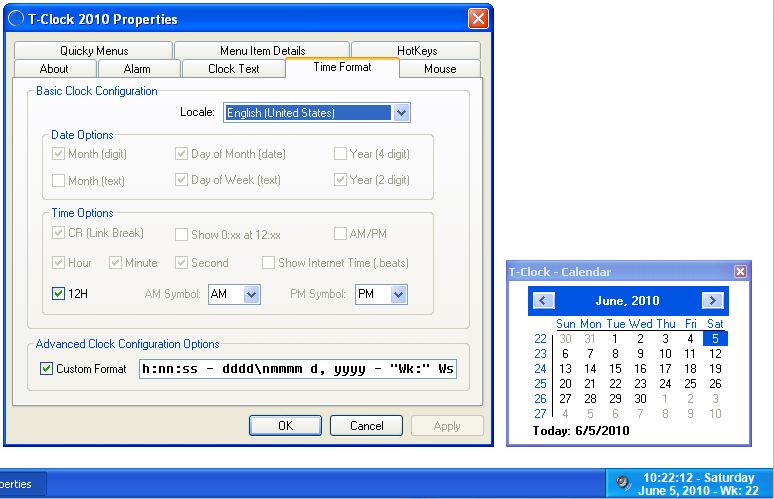
 ...Oops.