I've been watching a lot of LockPickingLawyer's videos on picking various locks. But today's video was a doozy!
Re: silly humor - post 'em here! [warning some NSFW and adult content]
« Reply #6025 on: April 02, 2021, 06:29 AM »


 Topic: silly humor - post 'em here! [warning some NSFW and adult content] (Read 5,847,927 times)





I've been watching a lot of LockPickingLawyer's videos on picking various locks. But today's video was a doozy!


 Funny inflatable pool inside swimming pool.jpg
(123.4 KB, 1199x895 - viewed 848 times.)
Funny inflatable pool inside swimming pool.jpg
(123.4 KB, 1199x895 - viewed 848 times.) Pool 1 + Pool 2 = Outdoor Waterbed.jpg
(79.2 KB, 1024x765 - viewed 869 times.)
Pool 1 + Pool 2 = Outdoor Waterbed.jpg
(79.2 KB, 1024x765 - viewed 869 times.)He eventually uploaded the full course to Youtube, so the whole world is now able to enjoy it, for free.



[attachthumb=#]Tiny helicopter on mars


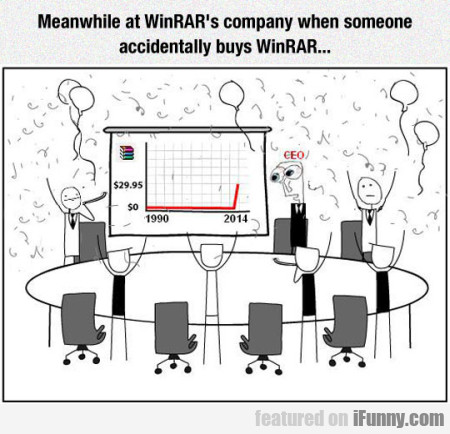
Why does everyone seem to rip on WinRAR?!?
I've been using it for years, and never had a problem with it.
but nobody has purchased a license
I think it's the fact that it lost the competition a while ago to a lot of people's estimation.

I don't even remember why WinZip annoys(/ed) me.




7-Zip vs WinRAR vs WinZip – Supported File Formats
7-Zip, WinRAR and WinZip all support RAR, ZIP, 7Z and some other archive file formats.
7-Zip: Support packing and unpacking 7z, XZ, BZIP2, GZIP, TAR, ZIP and WIM file formats. But only support unpacking RAR, AR, ARJ, CAB, CHM, CPIO, CramFS, DMG, EXT, FAT, GPT, HFS, IHEX, ISO, LZH, LZMA, MBR, MSI, NSIS, NTFS, QCOW2, RPM, SquashFS, UDF, UEFI, VDI, VHD, VMDK, WIM, XAR and Z file formats.
WinRAR: RAR, ZIP, 7Z, CAB, ARJ, LZH, TAR, GZip, UUE, ISO, BZ2, Z, GZ, JAR, LZ, XZ, ZIPX, OO1.
WinZip: ZIP, ZIPX, RAR, 7Z, CAB, TAR, GZip, ISO, Z, XZ, LZH, BZ2, VHD, VMDX.
7-Zip vs WinRAR vs WinZip – Compression Rate and File Size
As for the compression rate and the output file size, 7-Zip, WinRAR and WinZip don’t differ too much. But the output format you choose can make a difference.
For instance, when you choose .zipx format rather than .zip format when using WinZip for file compression. The ZIPX format has a higher compression ratio than ZIP. If you choose 7Z format instead of ZIP format using 7-Zip to compress files, 7Z format would have a much higher compression ratio than ZIP format.
Based on test, to compress 1.5 GB of video files, 7-Zip delivers the highest compression rate, WinRAR comes as the second, while WinZip provides a compression ratio that is about 6% lower than 7-Zip. But if you choose the advanced compression format .zipx when using WinZip, its compression ratio is almost the same with 7-Zip.
7-Zip vs WinRAR vs WinZip – Conclusion
By comparing 7-Zip, WinRAR and WinZip above, all of these three top file compression software can do a good job in file packing and unpacking. If you want a totally free file compressor and get the smallest file size, 7-Zip may be a good choice.
Both 7-Zip and WinRAR are the best in compression. But their default formats 7Z and RAR are not fully supported on other operating systems. If you want to open 7Z or RAR files on non-Windows systems, you need to download and install the compatible software first. On the contrary, WinZip file can be opened on various systems with its own application.
Therefore, to choose 7-Zip, WinRAR or WinZip, it depends on you.
7-Zip vs WinRAR vs WinZip
Compression RateQuote7-Zip vs WinRAR vs WinZip – Compression Rate and File Size
As for the compression rate and the output file size, 7-Zip, WinRAR and WinZip don’t differ too much. But the output format you choose can make a difference.
For instance, when you choose .zipx format rather than .zip format when using WinZip for file compression. The ZIPX format has a higher compression ratio than ZIP. If you choose 7Z format instead of ZIP format using 7-Zip to compress files, 7Z format would have a much higher compression ratio than ZIP format.
Based on test, to compress 1.5 GB of video files, 7-Zip delivers the highest compression rate, WinRAR comes as the second, while WinZip provides a compression ratio that is about 6% lower than 7-Zip. But if you choose the advanced compression format .zipx when using WinZip, its compression ratio is almost the same with 7-Zip.
Not a joke at all. And I wouldn't have mentioned those results if I had not been able to do so myself, about 3 to 4 times a week.I did not attack your experience with your custom data-set, if I would attack anything at all (what I am not doing) than its the "75% better than that"-thing, that if at all, would only be valid by your usage, not global.
...he/she didn't play enough with the available settings. In any of the archivers. By all means, play around with dictionary sizes and word sizes inside these archivers. And a whole new world will open to you.But that is exactly my point why I have put the quotes up. Using different algorithms with different settings end in different results.
And why did that person choose video files for compression?Because video files are hard to compress due their high entropy level I would say. (Using files that are easy to compress, where is the competition? <- no real question, just a thought)
It's no skin of my back if you choose to disregard though. After all, if you are happy with your solution, more power to you.What solution? Did I mention something accidently? I am full on your side, 7-Zip is awesome! (but also WinRAR and WinZIP is aswell.)



I never dance, unless Tequila tells me to...
 Just 52 Pictures That Prove Librarians are Actually the Funniest People in the World.jpg
(82.1 KB, 720x459 - viewed 537 times.)
Just 52 Pictures That Prove Librarians are Actually the Funniest People in the World.jpg
(82.1 KB, 720x459 - viewed 537 times.)Original address: https://www.donationcoder.com/forum/index.php?topic=16974.0