I use Outlook tasks quite a lot, for serious tasks, to-do lists, but also quick reminders. Today I stumbled across "QuickOutlookTask", a small command-line utility that allows you to quickly add an Outlook task. You simply type something like "do new outlook task" (command line, or Windows Run) and this creates a new Outlook task with subject "new outlook task". Outlook needn't even be running. See http://www.megalab.it/articoli.php?id=1288.
Well, a couple of days ago I discovered FARR and quickly fell in love with it (kudos, mouser ) and I wanted to have this through FARR. So I wrapped this functionality in a FARR alias, and this is my attempt to pass it on to you.
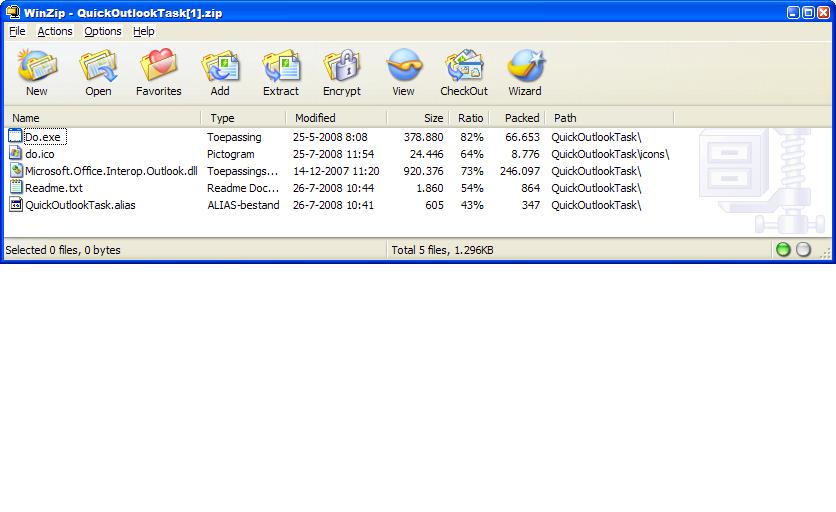
Please extract the files in the zip-file to AliasGroups\Installed in your FindAndRunRobot installation folder. You should now have a FARR alias "do" and should be able to create an Outlook task by hitting your FARR hotkey and then typing "do something" (sans quotes). I hope I am doing this right, because I am new to this game.
PLEASE NOTE: The latest version of QuickOutlookTast is available at http://jpijper.dcmembers.com.
Well, a couple of days ago I discovered FARR and quickly fell in love with it (kudos, mouser
) and I wanted to have this through FARR. So I wrapped this functionality in a FARR alias, and this is my attempt to pass it on to you. Please extract the files in the zip-file to AliasGroups\Installed in your FindAndRunRobot installation folder. You should now have a FARR alias "do" and should be able to create an Outlook task by hitting your FARR hotkey and then typing "do something" (sans quotes). I hope I am doing this right, because I am new to this game.
PLEASE NOTE: The latest version of QuickOutlookTast is available at http://jpijper.dcmembers.com.