NANY 2018 Entry Information
| Application Name | WHAT (Window Hotkey Activator Tool) |
| Supported OSes | Windows 7 (Probably works, but not tested, on Windows XP/Vista/8/10) |
| Web Page | Website |
| Download Link | Download |
| Author | Jody Holmes (Skwire Empire) |
Description
Assign hotkeys to activate/focus windows. This was a recent request by stisev on 2017-12-20; the original thread was here.
Screenshots
Usage
Installation
Download the zip file and extract its contents into a new folder. Run What.exe to start the application.
Notes
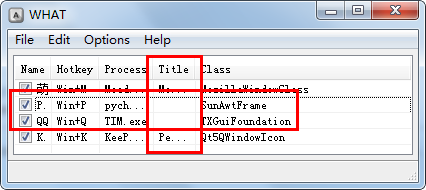
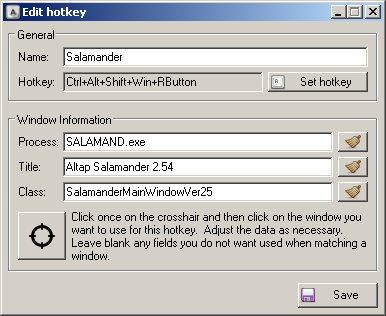
- The window matching comprises the following criteria: process name, window title, and window class. You will almost certainly have to play around a bit with the text to get certain windows to activate and, even then, some may not. Furthermore, you do not need to use all three criterion for a given hotkey. Don't be afraid to experiment.
- While the add/edit hotkey dialog is open, all hotkeys are disabled. They are enabled after you click the save button or close the add/edit hotkey dialog.
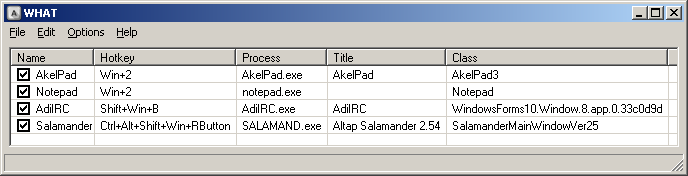
- Checkboxes in the main list enable and disable individual hotkeys.
- You can assign the same hotkey to multiple entries and it will activate all the windows in top-down order. You can easily change the order in the list.
- Check out the Options menu for a few usability options.
- The hotkey selection GUI is such that you can specify just about any combination of keys, mouse buttons, and modifiers. Go crazy.
Uninstallation
Exit the application and delete the folder you unzipped it to.