Should you use one finger for banking, and a different one for social media?It's nothing new, I've been using one finger for Windows for some time now.
Re: Windows 10 Announced
« Reply #675 on: December 03, 2015, 05:46 PM »


 Topic: Windows 10 Announced (Read 1,207,036 times)


Should you use one finger for banking, and a different one for social media?It's nothing new, I've been using one finger for Windows for some time now.


Should you use one finger for banking, and a different one for social media?It's nothing new, I've been using one finger for Windows for some time now.


I don't know if there is any reality to this report, but the idea is certainly unpleasant:
http://www.techsupportalert.com/content/windows-10-s-fall-update-removes-user-installed-applications-without-asking.htmQuoteWindows 10 users are reporting that programs they've installed have disappeared (apparently uninstalled) with the latest Windows 10 Fall update, including one case where the software that AMD's graphics cards depend on (AMD Catalyst Control Center) was uninstalled and replaced with Windows 10 graphics card drivers. The two other programs that have been mentioned as being uninstalled are CPU-Z and Speccy.


I don't know if there is any reality to this report, but the idea is certainly unpleasant:
http://www.techsupportalert.com/content/windows-10-s-fall-update-removes-user-installed-applications-without-asking.htmQuoteWindows 10 users are reporting that programs they've installed have disappeared (apparently uninstalled) with the latest Windows 10 Fall update, including one case where the software that AMD's graphics cards depend on (AMD Catalyst Control Center) was uninstalled and replaced with Windows 10 graphics card drivers. The two other programs that have been mentioned as being uninstalled are CPU-Z and Speccy.
Wandering back to this for a bit, I did notice a bunch of other stuff that had quietly gone missing after the last upgrade. I have a group of small no install utilities I've always kept in C:\Program Files\Mini-Tools really just to keep root C cleaner since they had to go somewhere, and I didn't want them to be scattered about. When I went looking for one of them this weekend, I discovered that the entire Mini-Tools folder was missing/had been skipped during the upgrade. It was still retrievably in the Windows.old folder, but why the upgrade took it upon itself to deem that unworthy of migration is rather perplexing.
Now here's the weird part ...


...I did notice a bunch of other stuff that had quietly gone missing after the last upgrade. I have a group of small no install utilities I've always kept in C:\Program Files\Mini-Tools really just to keep root C cleaner since they had to go somewhere, and I didn't want them to be scattered about. When I went looking for one of them this weekend, I discovered that the entire Mini-Tools folder was missing/had been skipped during the upgrade. It was still retrievably in the Windows.old folder, but why the upgrade took it upon itself to deem that unworthy of migration is rather perplexing.
Now here's the weird part ... While both are configured identically, my office computer moved the Mini-Tools folder during the upgrade that my home computer skipped.
_________________________________




I suspect that the mistake we all make is to let Windows dictate to us that we put any program files that we wished to control, into either:
C:\Program Files\, or
C:\Program Files (x86)\
Recognising years back that the Windows OS did and probably always would take a somewhat proprietary control over those folders, I had always maintained a directory C:\UTIL\ which contains catalogued "type" directories (e.g. C:\UTIL\PIM\Infoselect) holding all of the no-install and installed programs that I use that are not Microsoft software (e.g., including FARR and all its associated plugins, Autohotkey, Firefox, and InfoSelect), with the sole exceptions being any program which:
(a) seemed to have a dumb "no options" installation proggie that insisted on everything being installed into its own special explicit directory (e.g., Google Chrome Canary wants to be in C:\Users\UserID\AppData\Local\Google\Chrome SxS\Application\), or
(b) had to install only in the usual explicit proggie directory (i.e., C:\Program Files\, or C:\Program Files (x86)\), or
(c) which could not work properly if you moved it out of any of those explicit directories once it had been installed there.
This means that when I want to I migrate to another computer, I simply port the C:\UTIL\ directory across to the new computer, and pretty soon I have most of the proggies I can't live without, running on the new computer.

[attachment 1 not found]
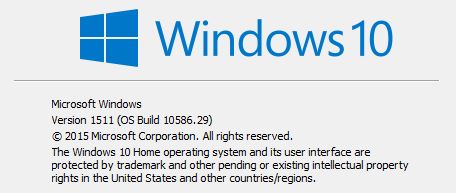
Is this the latest update of Windows 10?
[attachment 1 not found]
Is this the latest update of Windows 10?
And hot off the presses it appears to be too. My last check for updates - sporting build number 10586.17 - which was late yesterday came up zero. I just checked this morning and there was 4 updates that after a reboot gave me the same .29 build number.So "Patch Tuesday" is still on perhaps?

If you want lots of controls and options, PotPlayer and VideoLAN are good players as well.
If you want lots of controls and options, PotPlayer and VideoLAN are good players as well.
Honestly, I don't. All I want is quick, fast simple done - done is a beautiful thing...I love being done. Especially in an industry where everything invariably turns into an epic saga of some - generally horrific - kind.
When I feel like -(vegetating)- watching a video, I don't want to be faced with the dashboard of the space shuttle. I just want play, volume, and pause incase I need to take a leak if the vid goes for awhile. Now granted I'm not really into media stuff, but WMP augmented with the Shark007 codec pack (worked for XP/Vista/7/8.x - Haven't tried it on 10) plays damn near anything I've ever come across. So that's what I use.
Come to think of it...I did have BS Player installed on the old machine for some reason that I don't recall. It was actually rather nice IIRC.
If the dashboard of it looks like the space shuttle, I wouldn't know. All I know is the window that pops open to play a video file is nice & simple and does what it is supposed to do.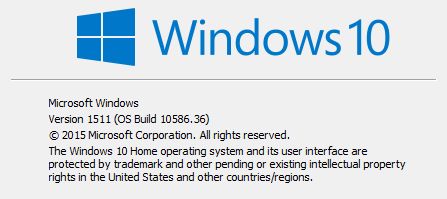


The latest v.1511 update.
The latest v.1511 update.
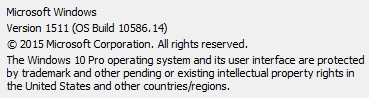
Hmm, mine is stuck at:
With no pending updates, wouldn't have thought there'd be that much difference between Home & Pro.
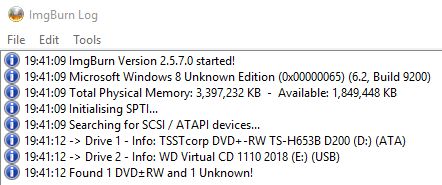
You probably didn't know there is a 32-bit Win10.
Should I tell Microsoft or ImgBurn about this or both?
Original address: https://www.donationcoder.com/forum/index.php?topic=39119.0