John, your post just made my day 


 Topic: LATEST VERSION INFO THREAD - ScreenshotCaptor - v4.42.0 beta - July 21, 2022 (Read 1,648,324 times)


I understand what you are saying.
In the new version when you do a full screen capture now, it clears the "repeat region" information.
I will fix in the next release and make it behave like it did before so that it will repeat the last region.


[BugFix] Updated ScDx ScreenshotCaptor DirectX capture addon (separate download).


@mouser: in the latest release notes of SSC, there is a note:Quote[BugFix] Updated ScDx ScreenshotCaptor DirectX capture addon (separate download).
Where might I download this from, please?
 Thankyou!


Keep the requests comingI don't see why it can't figure out what I want and then just do it. Can we be done with all this keystroke/mouse click business?


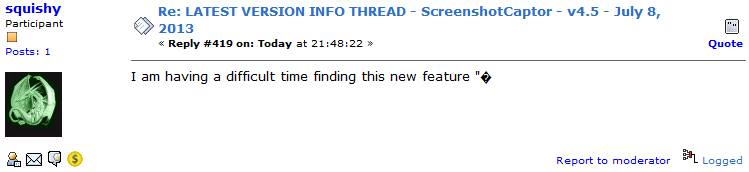
I am having a difficult time finding this new feature "•[Feature] New options to customize the post-capture dialog to use it in faster one-key dismissal mode and with one key copy-to-clipboard action.
I really need the copy-to-clipboard functionality -- either by setting it up as the default capture output, or, some way to easily select it as the desired output after the capture occurs.
Right now I must have accidentally changed a setting because it's saving every capture to "Screenshots" folder even though I do not want it to, and I am not selecting "Save Image As", or "Save image and show", or "Save image but hide". I am selecting "To clipboard: Image" and then clicking "X" to close the dialog. Then another window appears with the image in it; but I don't want this window either and I don't know what I've done to make it pop up. Then I go and delete where the image was saved on disk.
I tried searching the forum for "clipboard" trying to find clues about how to send the output to clipboard but can't see any.
If you could please explain where to find it and turn it on, or what steps to take to make it happen when doing a capture, I would be grateful.
Thanks.
I am having a difficult time finding this new feature "•[Feature] New options to customize the post-capture dialog to use it in faster one-key dismissal mode and with one key copy-to-clipboard action.
I really need the copy-to-clipboard functionality -- either by setting it up as the default capture output, or, some way to easily select it as the desired output after the capture occurs.
Right now I must have accidentally changed a setting because it's saving every capture to "Screenshots" folder even though I do not want it to, and I am not selecting "Save Image As", or "Save image and show", or "Save image but hide". I am selecting "To clipboard: Image" and then clicking "X" to close the dialog. Then another window appears with the image in it; but I don't want this window either and I don't know what I've done to make it pop up. Then I go and delete where the image was saved on disk.
I tried searching the forum for "clipboard" trying to find clues about how to send the output to clipboard but can't see any.
If you could please explain where to find it and turn it on, or what steps to take to make it happen when doing a capture, I would be grateful.
Thanks.


Thank you Tomos, I'm a total noob and probably did not paste the text properly!
the bbc code used in forum posts occasionally reacts unexpectedly to some character combinations.
Original address: https://www.donationcoder.com/forum/index.php?topic=3474.0