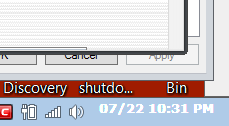
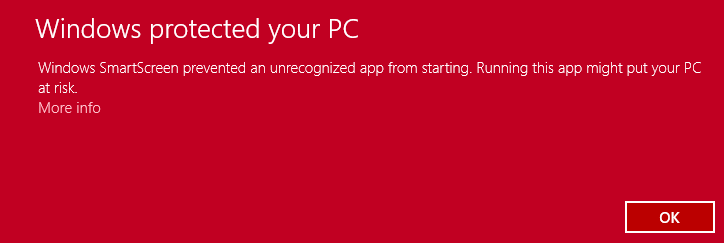
OK, this bug happened again and now I can say: While, the calendar doesn't open through Tclock, both 64bit and 32bit versions, can open manually.
Re: T-Clock 2010 (download)
« Reply #575 on: July 19, 2014, 05:15 PM »


 Topic: T-Clock 2010 (download) (Read 1,343,825 times)


 So we might have to use GDI+
...What color does your windows clock use btw? Is it still white or also black?

SendMessage(FindWindowA("TClockMainClass","TClock"),WM_COMMAND,IDM_REFRESHTCLOCK,0);$hWnd = WinGetHandle ('[Class:TClockMainClass]')
$result = _SendMessage ($hWnd, $WM_COMMAND, 285, 0)


void RefreshUs(void) {
	HWND hwndBar, hwndChild;
	char classname[80];

  hwndBar = FindWindow("Shell_TrayWnd", NULL);

	// find the clock window
  hwndChild = GetWindow(hwndBar, GW_CHILD);
  while(hwndChild) {
		GetClassName(hwndChild, classname, 80);
		if(lstrcmpi(classname, "TrayNotifyWnd") == 0) {
		   hwndChild = GetWindow(hwndChild, GW_CHILD);
		   while(hwndChild) {
				 GetClassName(hwndChild, classname, 80);
				 if(lstrcmpi(classname, "TrayClockWClass") == 0) {
					SendMessage(hwndChild, CLOCKM_REFRESHCLOCK, 0, 0);
					SendMessage(hwndChild, CLOCKM_REFRESHTASKBAR, 0, 0);
					break;
				 }
		   } break;
		}
	  hwndChild = GetWindow(hwndChild, GW_HWNDNEXT);
  }
}#Include <WinAPI.au3>
const $WM_COMMAND=0x0111;
const $IDM_SHOWPROP=282;
const $IDM_REFRESHTCLOCK=285;
_SendMessage(WinGetHandle('[CLASS:TClockMainClass;TITLE:TClock]'),$WM_COMMAND,$IDM_REFRESHTCLOCK,0); I guess I have to thank crumpuppet for asking it, as well )) Maybe I'll find it out anyway.. but I will only invest up to one day trying to fix the calendar focus stuff... but why not using the system's inbuilt calender, it's better anyway

 So all your offsets and clock sizes go nuts. The clock should now stay centered at all times as long as all clock size and position values are set to zero (0) It should even more or less detect the correct color to use and also keep it on track. Version 2.2.0#84
Original address: https://www.donationcoder.com/forum/index.php?topic=21944.0