


i have just finished some modifications to the forum software to allow inline insertion of attachments (images,etc.). This should help a lot in posts where the text refers to images a lot and you used to have all the attached images just shown at the footer of the post.
All of the images you see here are ATTACHMENTS to this post, not hosted on other sites
The new feature supports a bunch of different tags that let you control how images are displayed:


RoxiFelix.jpg (61.2 KB)
Here :
NOTE:
All of the images you see here are ATTACHMENTS to this post, not hosted on other sites
The new feature supports a bunch of different tags that let you control how images are displayed:
Code
[attach=#] says insert normal attachment #specified there
(ie will be url link if non image, or default img or thumbnail based on server settings).
for example, [attach=1] shows attachment #1 image here:
Code
[attachtimg=#] says insert full image even if server is set to
 show thumbnails by default.  Here is attachment #2 image forced to full size here, [attachimg=2]:
Code
[attachturl=#] says insert url link even if the attachment is an image
(useful if you want to attach images as simple url download links but not show
them as pictures anywhere in post).  For example here is [attachurl=1]:
RoxiFelix.jpg (61.2 KB)
Code
[attachthumb=#] says to insert a thumbnail of the image, EVEN if thumbnailing
 is off by default on server (like it is here).  For example here is [attachthumb=1]:
Here :
NOTE:
- You will now find a new combo box on the Post page that says "Link Inline Image.." which will insert common codes for showing attached inline images in different styles.
- All attachments which are inlined are automatically excluded from listing down at bottom footer
- All attachments which are not inlined are shown at footer as per normal (see below for attachment 3 which was never inlined above so is shown in footer as normal).



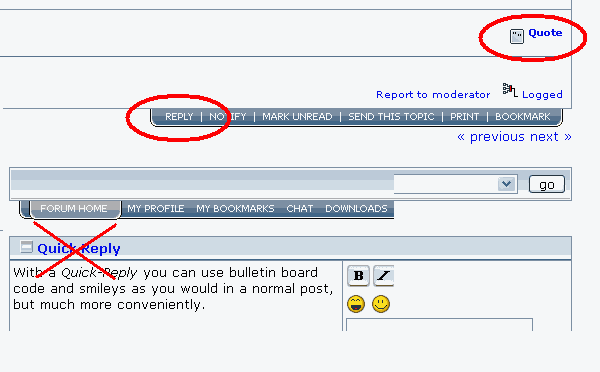
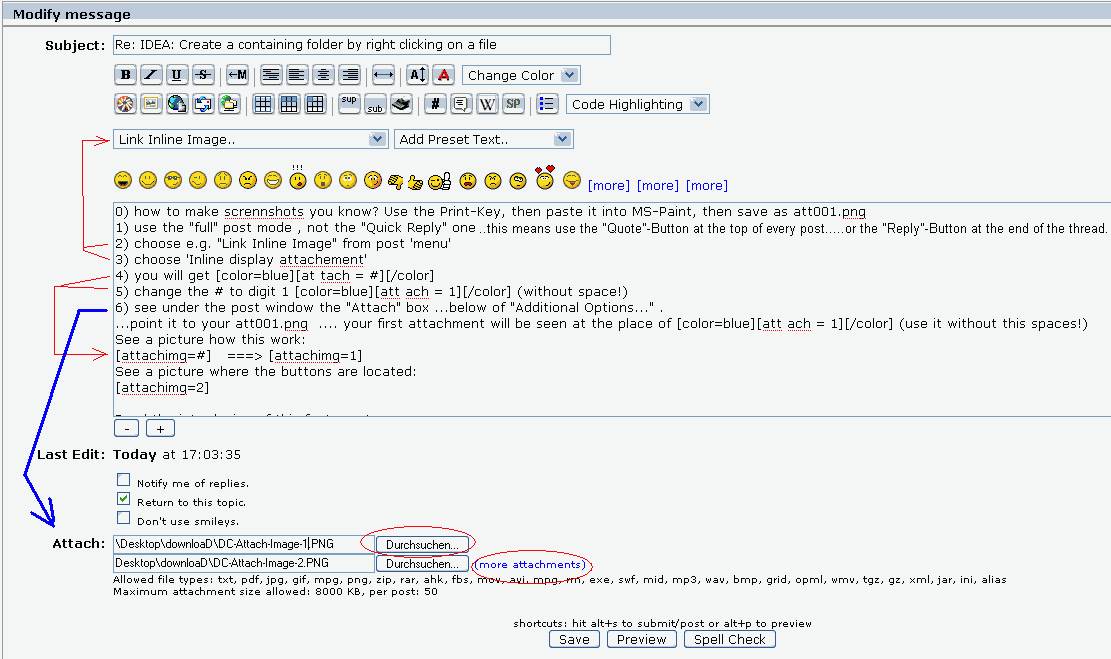

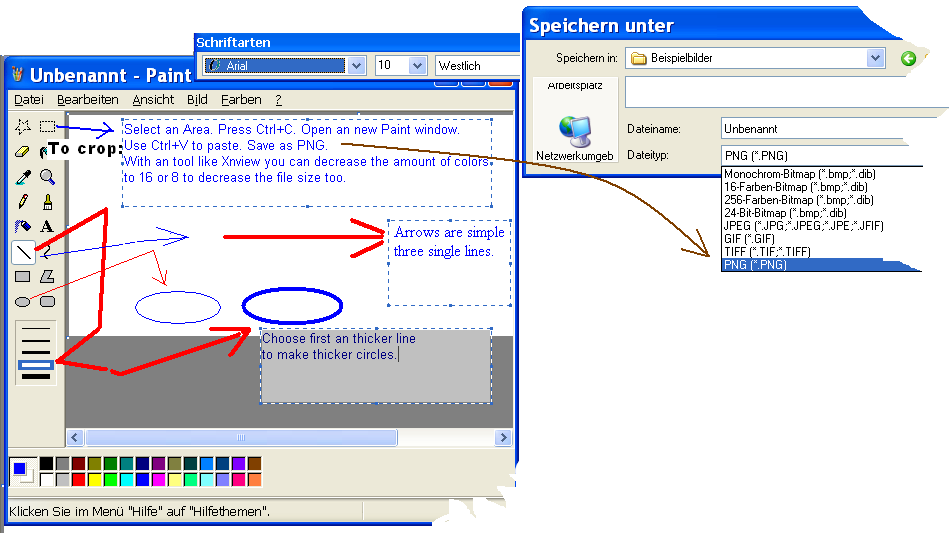

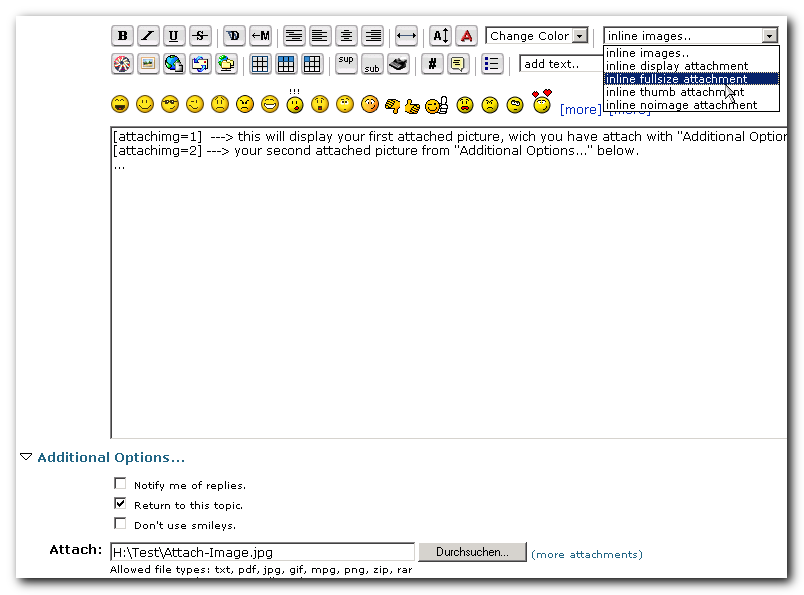


 ?
?


