JkDefrag further developed as MyDefrag
« on: April 29, 2009, 02:48 AM »


 Topic: JkDefrag further developed as MyDefrag (Read 47,511 times)




If you look at the thread with DiskTune, you find the possible explanation .. most of these softwares are doing all their actual defragging (copying and moving of files) using the same Windows API. This is also discussed on the MyDefrag page.
No defragger can actually specify physical placement of the files on the platter. ...from

I hope this is not a precursor to creating a shareware version.


No defragger can actually specify physical placement of the files on the platter. ...from
Paragon Total Defrag 2009 For Free - Powerful but controversial
dont know who to believe myself ...

I hope this is not a precursor to creating a shareware version.
If Mr. Joren Kessels decides to go shareware with MyDefrag, I don't have a problem with that. Since it's his intellectual effort, it's only fair that he should get to decide how he wants to release it.

One category would be software that places files or notations below the Windows OS, we know there are categories of software that are defrag-sensitive, perhaps in the virtualization or sandbox world, perhaps with some programs that write directly to disk, perhaps .. conceivably .. with special markers like serial #'s placed hidden that were ultra-security sensitive (I am guessing a bit).I don't think this is an issue today. The only time I've seen software that needed stuff to be on special locations on the disk has been with software protection, and I haven't seen that since the Win9x days... except for a very few protections that probably aren't used today, and those depended on writing to the "reserved first cylinder" of the drive, which isn't touched at all by defragging.
or looking for bad sectors (remember how the Windows defragger would often simply not function due to wanting the perfect chkdsk)That was on Win9x and didn't have to do with bad sectors, but rather the filesystem metainfo. This was because Win9x didn't have a defragging API, and the defraggers had to access stuff directly (and thus re-read the FS metainfo if they sensed changed). Almost a bit amazing that there were so little disk writes going on that this worked at all
One way to look at it is that on our systems file I-O is so far below memory usage and CPU exhaustion and internet connections and other bottlenecks in causing any actual noticeable speed bumps .. that tweaking a bit faster file I-O, while nice, will make little practical difference.Dunno if I agree with that - in most systems I'd say that disk is actually the bottleneck. And once things get fragmented enough (or you run multiple I/O threads), even a raptor disk that can do 90MB/s sustained drops to less than 1MB/s
- of course that's on an über-pessimized system, you won't really see much advantage from defragging a 100-fragment 10-gigabyte file to one single fragment.This scheme makes it so the OS doesn't need to worry about heads and platters, as we used to have to do with MFM and RLL drives.IDE drives can still be addressed through Cylinder/Head/Sector notation (until you hit the max size limit and have to go with LBA), but even then the drive internally convers the CHS to a LBA, and then to it's internal physical structure
 - carpe noctem


Posted by: MilesAhead Ain't there a way to tell it just to defrag C: ?? Sheesh!!!
VolumeSelect
Name("c:")
VolumeActions
FileSelect
All
FileActions
Defragment()
FileEnd
VolumeEnd
- carpe noctemSpeaking of MyDefrag, I'm trying it out now. But it seems like it want scripts and you have to pick drives by category.
...
Speaking of MyDefrag, I'm trying it out now. But it seems like it want scripts and you have to pick drives by category.
...
doesnt sound very user friendly . .

There are already several GUI's for MyDefrag available, for example:
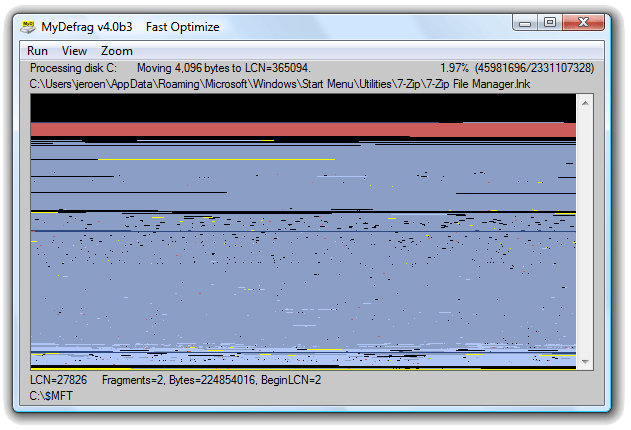
- carpe noctemAbout the display, not only is it slow... I also don't feel it gives a lot of clues as to what's going on. There's no legend for the various colors (which aren't distinct enough), and a mode with a traditional block grid would be nice.
Original address: https://www.donationcoder.com/forum/index.php?topic=18082.0