That seems entirely workable to me.
Re: IDEA: Sort images into folders based on resolution
« Reply #25 on: August 17, 2009, 10:43 PM »


 Topic: DONE: Sort images into folders based on resolution (Read 148,324 times)




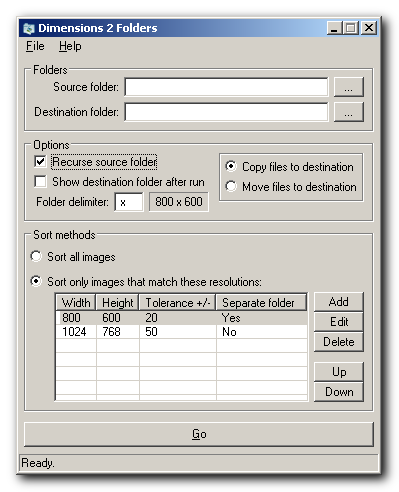
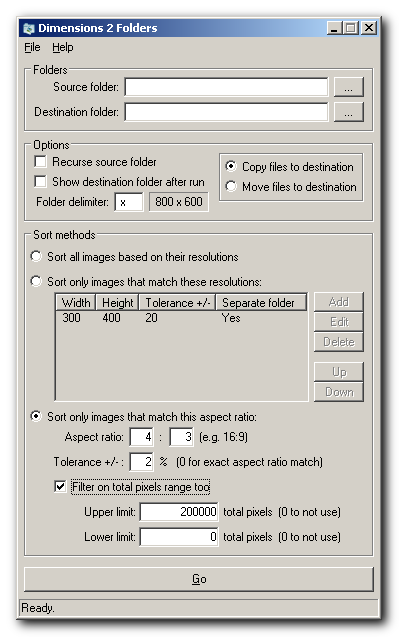
You want all images with aspect ratios between 1.73 and 1.81 sorted into a folder named 16-9 (colons are forbidden in file/folder names). Is this along the lines of what you had in mind?

Try this, please: Download v1.0.4.3
If it checks out, we'll bump it to v1.0.5 and call it good. =]

Don't know if you're still able/want to work on this, and hope this doesn't offend in anyway

1. when a user inputs a list of acceptable resolutions, would it be possible to incorporate a facility for having the images put into folders with the greatest common denominator equivalents of the given resolutions, ie a 'reduce to gcd' option (eg. 1200x900 reduces to 4:3); or alternatively, a 'reduce to decimal' option (eg. 1200x900 reduces to 1.33, or 1.333 - whatever sig fig is specified);
2. in the same way that a user is allowed to input a list of acceptable resolutions, would it be possible to incorporate a facility for inputting a list of acceptable aspect ratios, using either improper fractions (eg 400:300) or decimals (eg 1.33)
1. for the first, automatic, sort method, have alternative options:
a) sort by resolution - as currently exists
b) sort by aspect ratio - reduced to greatest common denominator
user to specify any padding, eg 1200x300 reduces to 12x3, then
pad left=0, pad right=0 -> 12x3 (default)
pad left=2, pad right=2 -> 12x03
pad left=3, pad right=2 -> 012x03
c) sort by aspect ratio - reduced to decimal
user to specify sig fig before and after decimal point, eg 400x300 reduces to 1.33, then
before point=0, after point=2 -> 1.33 (default)
before point=3, after point=4 -> 001.3333
2. for the second, list driven, sort method, have alternative option:
in the same way that a user is allowed to input a list of acceptable resolutions,
would it be possible to incorporate a facility for inputting a list of acceptable aspect ratios,
using either improper fractions (eg 400x300, 040x030, etc) or decimals (eg 1.33, 001.333, etc)
3. for all sorting have the option to sort portrait equivalents in the the same folder as their landscape counterparts,
eg, have a check box 'inverse ratios in same folder' or similar, which if ticked,
would for example allow all images 3:4 to be sorted into the same folder as all images 4:3
what do you think about making SymLinks as an Option?


First of all to say my congratulations to skwire who created the Dimensions2Folders which proved a powerful tool for me!
I'm a graphic designer and in combination with the Arti tool I can easily classify many images.
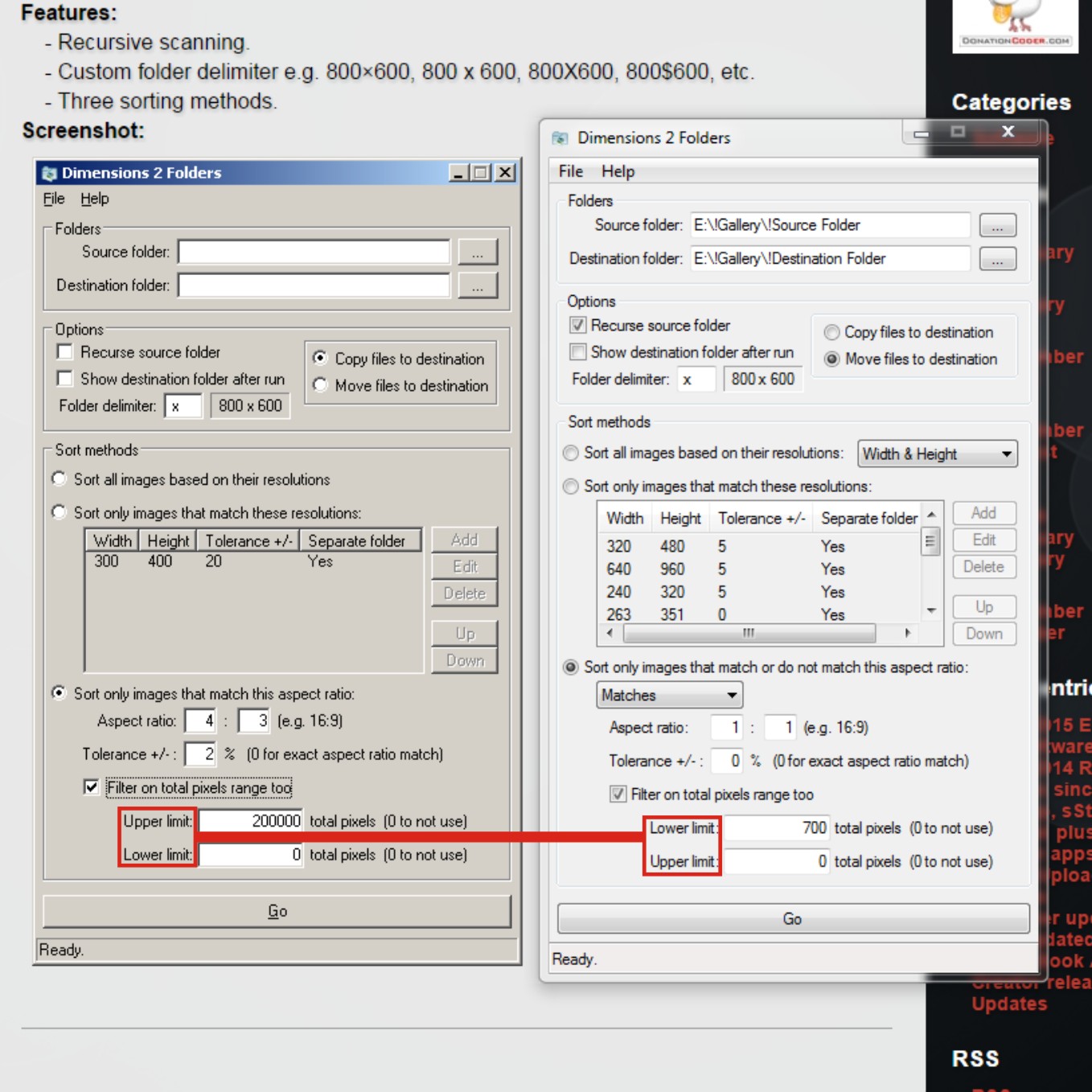
But the reason I came to write is that yesterday I realized that Dimensions 2 Folders shows malfunction Specifically in the uppper/lower total pixels range option fields.
First I noticed that the official site the names of the 2 fields is written upside down in relation to the application you've downloaded it ...but this is the easy part!
What concerns me more, however is that the two fields do not work at all... or i do something wrong!
Specifically I tried it and I put in the source folder 7 image which have the same aspect ratio 1:1 (150p / 300p / 450p / 600p / 750p / 900p / 1050p).
I started and gave Aspect Ratio 1:1 and Upper limit 700 pixels (lower on my case), which is to say that the source folder will be sent to the destination folder the images which do not exceed 700pixel, and in order case that will get only the first 4 images.
Unfortunately any rate i put in the Upper limit field takes all 7 files and puts them in the destination folder.
As the program don't recognizes the rate numbers i give!
Thanks again for your time. I expect is there any solution to this problem, Friendly Panos.
In the right screenshot the top field is lower limit and in the left screenshot it is upper limit. Perhaps the problem?
Not the author just something I noticed...
In the right screenshot the top field is lower limit and in the left screenshot it is upper limit. Perhaps the problem?
Not the author just something I noticed...
I tried tο reverse is not something happening...

I started and gave Aspect Ratio 1:1 and Upper limit 700 pixels700? 150*150 is 22500. You should write TOTAL pixels, height times width.
Original address: https://www.donationcoder.com/forum/index.php?topic=18029.0