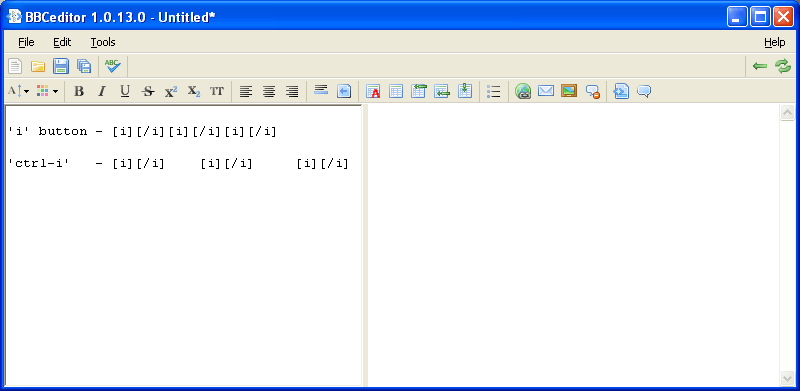
Link to very simple WWW page added to first post 


 Topic: BBCeditor 1.1.35 (Read 405,986 times)


private void codeTB_KeyDown( object sender, KeyEventArgs e )
{
	...
	if (e.Control)
	{
		...
		if (e.KeyCode == Keys.I)
		{
			e.Handled = true;
			e.SuppressKeyPress = true;
			//do what you want here
		}
	}
	...
}


New version 1.0.14 is ready!
I've fixed Ctrl+I problem ...
 Thanks!
2cranioscopical
Which control do you have in mind? "Text being checked"?
Would following font set for editor be enough for you?
If yes, I'll see what can I do.
1.0.15 is out.
SpellChecker preview font now follows code editor.
I have also added simple status bar
2cranioscopical
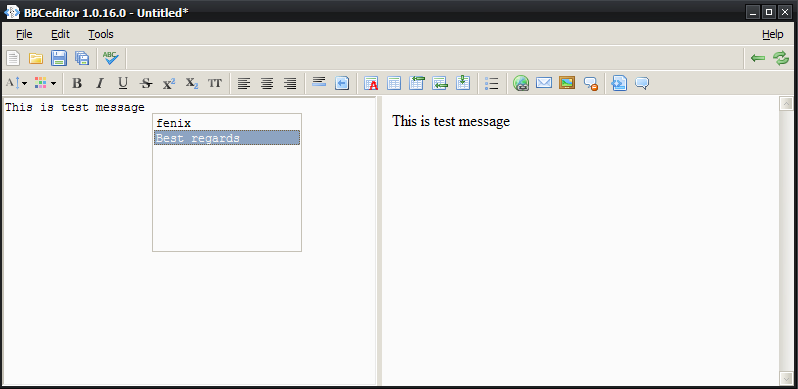
Which shortcut do you propose?
BTW Try this use case:
1. Ctrl+Space to show list,
2. choose proper item using arrows,
3. hit Enter key.
Currently, it works with keyboard only but I plan to add mouse clicks handling later.

The shortcut: I discovered that CRTL+ALT+SPACE works just fine as things are now

Nice one!
This is a snippet
over 3 lines with a date
June 6, 2009

 that would insert the appropriate string.
Original address: https://www.donationcoder.com/forum/index.php?topic=17623.0