It's a German version that will not be freely upgradable
Not sure about the language (XY's language files are usually exchangeable...?), but interesting that my work is "freeware" now. Bah.


 Topic: What's your preferred File Manager (Read 662,361 times)


It's a German version that will not be freely upgradable

^glad you like Qdir - possibly it's not listed here because it uses Windows Explorer.Yes the problem vanished after uninstalling Dopus, a 64 bit machine would perform quicker and faster in those Dept. For a 32 bit i'll stick with plain and simple Q-Dir, yeah it doesn't have those bells and whistles, but i prefer functionality, than those high end complicated and also functional Dopus. I'll will stick with Dopus if i had a 64 bit pc.I used Directory Opus for few months, didn't like the way other properties of a single shortcut or file got slowed down (while closing).-
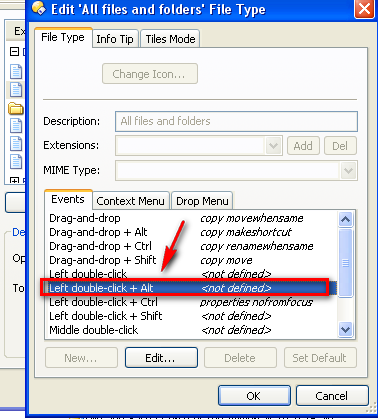
dont know what that's about - it's not a method I use to open properties (Alt+double-click) but I tried it and it works absolutely fine here (Win7 X64). Does that even have to do with Dopus? (I mean: did the problem go away after Dopus uninstall?)


I for one use FAR Manager 3, i'm probably too used to the console "feel" (i've used Volcov Commander and Norton Commander back in the days).Total Commander is as close as you'll get to a console feel in a GUI program
I'm not very fond of "graphical interfaces" for file managers, that's the reason why i don't like Total Commander.
If you like console mode, there's also the excellent XTree-like ZTreeWinSince version 3 FAR Manager it is freeware (actually opensource so you can even modify it if you want to), it has a new LUA scripting support and quite a few good plugins/scripts.I didn't know it had gone freeware. But, isn't it a slightly strange hybrid? I was under the impression that though console mode, it kept its configuration details in the Registry. That also means it isn't portable.
[...]
I also use a lot of portable apps with it for image viewing/editing, development and other stuff
Some ideas was "stolen" 8-) from FAR file manager by Eugene Roshal. Thank you, Eugene - you write a GREAT program but I prefer GUI applications in
GUI environment. 8-)
Total Commander is as close as you'll get to a console feel in a GUI program
...
I didn't know it had gone freeware. But, isn't it a slightly strange hybrid? I was under the impression that though console mode, it kept its configuration details in the Registry. That also means it isn't portable.
Alt+DC on a file and the Properties dialog opens immediately.
Just tried this on my Directory Opus x64 configuration and when I alt+DC on any file it just opens. No properties dialog at all. Checking the pull-down menu and I see Properties does not have any shortcut (keyboard or mouse) assigned to it.

My first question is are you two using a DOpus configuration that you imported from a previous version or did you start fresh with a new configuration when you upgraded to v10?
I fail to see how the Alt+DC thing is too much of a problem as it is user-created. It's not like it is a stock configuration item out of the box.
Regardless, the author is very receptive towards bug reports. Has anyone reported this bug to Jonathan? If so, what was his response?
There is nothing better than Directory Opus.

There is nothing better than Directory Opus.
But Control+DC is default for Properties out of the box and it exhibits the same bug.
I posted on the DOpus Resource forum in Help & Support, which is their referred method. Leo has confirmed the problem, so they're looking into it.
While I tend to agree, it's a matter of opinion/circumstance - if I have to install a filemanager on a relatives machine that doesn't entail spending money, then FreeCommander XE or A43 is the best


2) Vole Explorer does not support Unicode, only old Latin.
3) It could not preview any of my pdf files, not even one.
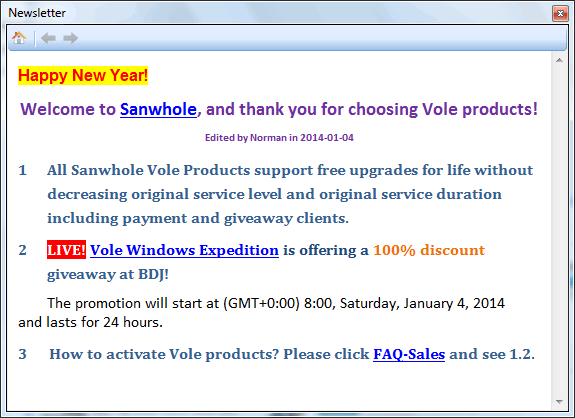
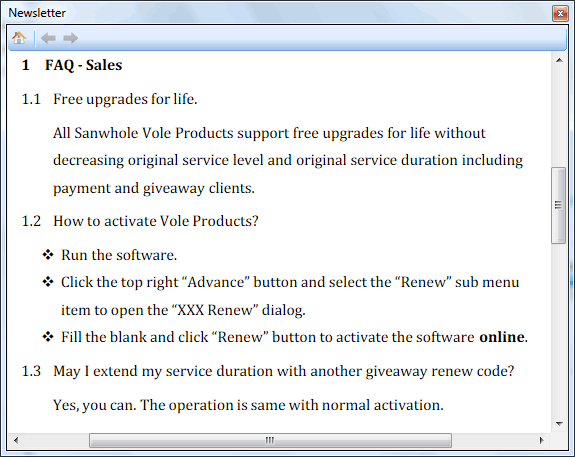
You must install/register the software while the promotion is active, and cannot do so afterwards. Upgrades to future versions of the software will be free for the lifetime of the product.

The Sanwhole Vole Explorer is being offered with a lifetime license...
i just want some info on Total Commander [...] I am not getting a hands on its Multi-renaming tool (Usually opens after Ctrl + M).I followed some tips from here Rename with Total Commander., but i am not getting a hang of this tip.I'm not an expert on this, but it looks about right to me; mark some files, invoke the Multi-Rename tool, then edit the changes in much the same way as you'd do with BRU or 1-4a Rename. The author of the article has made it look more complicated than it need be by changing several things at once, and by using regular expressions as well, but really it's much like the free-standing tools. Why not try it on a few test files, or surf over to the Total Commander Forum? Is there anything in particular that's baffling you?
The Sanwhole Vole Explorer is (...) being updated so frequently that you would think he is bound to someday make it a well working program
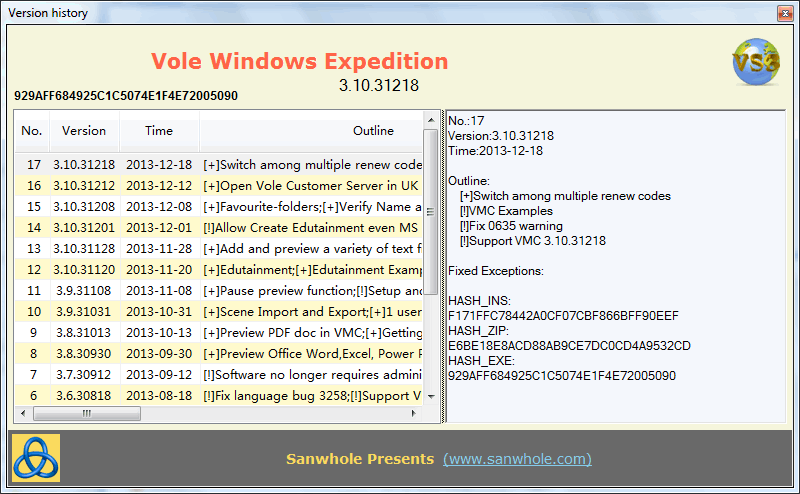
Release records:
1, 18-Apr-2013 3.4.30418: First release.

needed:
Framework 3.5 or higher
Windows Media Player Codec if you want to watch more kinds of video.
Microsoft Office 2000 or higher if you want to preview Office Word, Excel, PowerPoint docs.
Adobe Flash Player if you want to play YouTube video in VMC Discovery.
Adobe Reader if you want to preview PDF file.
Hello, i didn't want to start a thread, i just want some info on Total Commander.
I am giving it a shot. It all feels good and ok.
I am not getting a hands on its Multi-renaming tool (Usually opens after Ctrl + M).
Original address: https://www.donationcoder.com/forum/index.php?topic=9958.0