DonationCoder.com forum
 
Read-only archive. This is a static copy of the DonationCoder.com forum. Reading and searching work as before; logging in, posting and private messages do not.
Archive of 2026-10-21 · About this archive · Main site

Author Topic: IDEA: Frameless no Titlemenu Program Windows = like IE in Fullscreen Mode [F11]  (Read 24,461 times)

@thehop

  • Participant
  • Joined in 2005
  • *
  • Posts: 19
Hello Coders, (xcuse this is english? :-\)

I'm looking for a kind of "borderless (rimless) titlebarless menueless Windows Manager”, to show the Window content
of application windows in Full Screen Kiosk Mode (like Internet Explorer and/or Opera with the [F11] Key).
The menus of the Toolbar, Task borders should remain preserved thereby as fading in menus
(e.g. during mouse contact of the edges of screen, and/or context menu, with systrayoption etc.)


kind regards
@thehop


searching find :::> hophop windowmanager applicationwindows windowsmanager windowcontent randlos rahmenlos fensterlos ähnlich
« Last Edit: August 13, 2007, 02:40 PM by @thehop »

@thehop

  • Participant
  • Joined in 2005
  • *
  • Posts: 19

lanux128

  • Global Moderator
  • Joined in 2005
  • *****
  • Posts: 6,277
    • Coding Snacks
    • Volunteers/Staff
    • Gathering Badge
    • Participated in NANY Challenge Once
    • Linux User
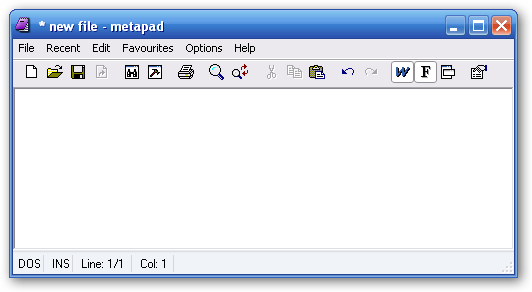
this AHK command: [WinSet, Style,..] can do what you want.. :) e.g. this snippet from the help file:
Code
WinSet, Style, -0xC00000, A  ; Remove the active window's title bar (WS_CAPTION).

can produce this:

Before
[attach=#]

After
[attach=#]


lanux128

  • Global Moderator
  • Joined in 2005
  • *****
  • Posts: 6,277
    • Coding Snacks
    • Volunteers/Staff
    • Gathering Badge
    • Participated in NANY Challenge Once
    • Linux User
ok, i've found a thread in the forums that looks similar to the request here.. :)

• tool to fullscreen (not just maximize) any application?

@thehop

  • Participant
  • Joined in 2005
  • *
  • Posts: 19
Ahh - looks very nice - thanks a Lot!  :)

... BUT goes this a little lesser - just only the window content :-[
so without the Borders - and the Menubar as Context or fade-in Menu - is there a Way to do this?

FullScreen is not absolutely necessary (F11 Kiosk KMode was just a example)
- my preferation is more to menuelesss, rimless (right word?) Application-Windows.


salü @thehop


BTW: A User in this (german) Forum http://www.essential-freebies.de/board/viewtopic.php?t=12821 compiled a AHK Script.

Quote
Ich habe das Script ein wenig erweitert.
1. Es wird zusätzlich nun auch die Menüleiste entfernt.
2. Der Menü- und Maximierungsstatus aller Fenster wird in einer temporären Datei (Scriptname.ahk.tmp im Arbeitsverzeichnis) gesichert und nach dem Verlassen der Vollansicht wiederhergestellt.
3. Strg+F11 als Shortcut: keine Kollision mit programmeigener Vollschirmfunktion und gut zu merken.

Kompilierte Exe+Source:
http://icfu.totalcmd.net/Scripts/AHK_FullScreen.zip

FullScreen.ahk:
Code
GroupAdd, Excludes, Windows Task-Manager ahk_class #32770 
GroupAdd, Excludes, ahk_class _As12__TaskSwitchXP_TaskSwitchWnd_ 
GroupAdd, Excludes, ahk_class Progman 
GroupAdd, Excludes, ahk_class Shell_TrayWnd 

#IfWinNotActive, ahk_group Excludes 

^F11:: 
Critical 
hWnd := WinActive("A") 
ToggleFullScreen(hWnd) 
Return 

ToggleFullScreen(ByRef hWnd) 
{ 
  IniFile := A_ScriptName ".tmp" 
  IniRead, Array, %IniFile%, Handles, %hWnd%, Empty 
  If (Array="Empty") 
    { 
      hMenu := DllCall("GetMenu", "UInt", hWnd) 
      WinGet, Maximized, MinMax 
      DllCall("SetMenu", "UInt", hWnd, "UInt", 0) 
      WinMaximize 
      WinSet, Style, -0xC00000 
      IniWrite, %hMenu%`,%Maximized%, %IniFile%, Handles, %hWnd% 
    } 
  Else 
    { 
      StringSplit, Array, Array, `, 
      hMenu := Array1 
      Maximized := Array2 
      DllCall("SetMenu", "UInt", hWnd, "UInt", hMenu) 
      If !(Maximized) 
        { 
          WinRestore 
        } 
      WinSet, Style, +0xC00000 
      IniDelete, %IniFile%, Handles, %hWnd% 
    } 
}


Icfu

lanux128

  • Global Moderator
  • Joined in 2005
  • *****
  • Posts: 6,277
    • Coding Snacks
    • Volunteers/Staff
    • Gathering Badge
    • Participated in NANY Challenge Once
    • Linux User
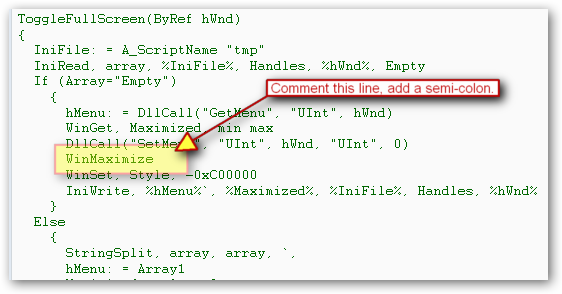
you're welcome, @thehop.. i don't understand German but with Google's help, i see that the a user from that forum have made a script in AHK for you. but since i've yet to run FullScreen.ahk, i'd like to know what is the function lacking in that script? if you didn't want the fullscreen option, try commenting out the highlighted section in the image below..

ws-minmax-1_ver001.png

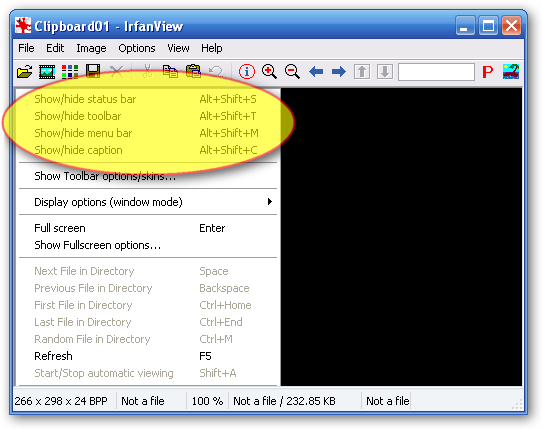
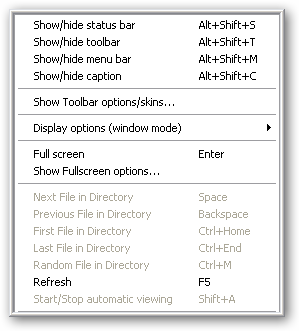
also among image viewers there is such a feature available in IrfanView.. check out the screenshots.. :)

Before
ws-iview-b4_ver001.png

After
ws-iview-after.png

@thehop

  • Participant
  • Joined in 2005
  • *
  • Posts: 19
hello lanux128 - thats it! - and it works fine for me  - marvelous!  :Thmbsup:
amazingly I see that IrfanView - has this Option too - thanks for that clue - bye  :)
« Last Edit: August 16, 2007, 07:07 AM by @thehop »

lanux128

  • Global Moderator
  • Joined in 2005
  • *****
  • Posts: 6,277
    • Coding Snacks
    • Volunteers/Staff
    • Gathering Badge
    • Participated in NANY Challenge Once
    • Linux User
you're welcome @thehop.. glad to be of help.. :)

cmpm

  • Charter Member
  • Joined in 2006
  • ***
  • Posts: 2,026
Thanks for reminding me of these programs everyone!
I forgot about most of them.

Here's one that may work for you.
It has a lot in it, but it's main function is no border pictures full screen.

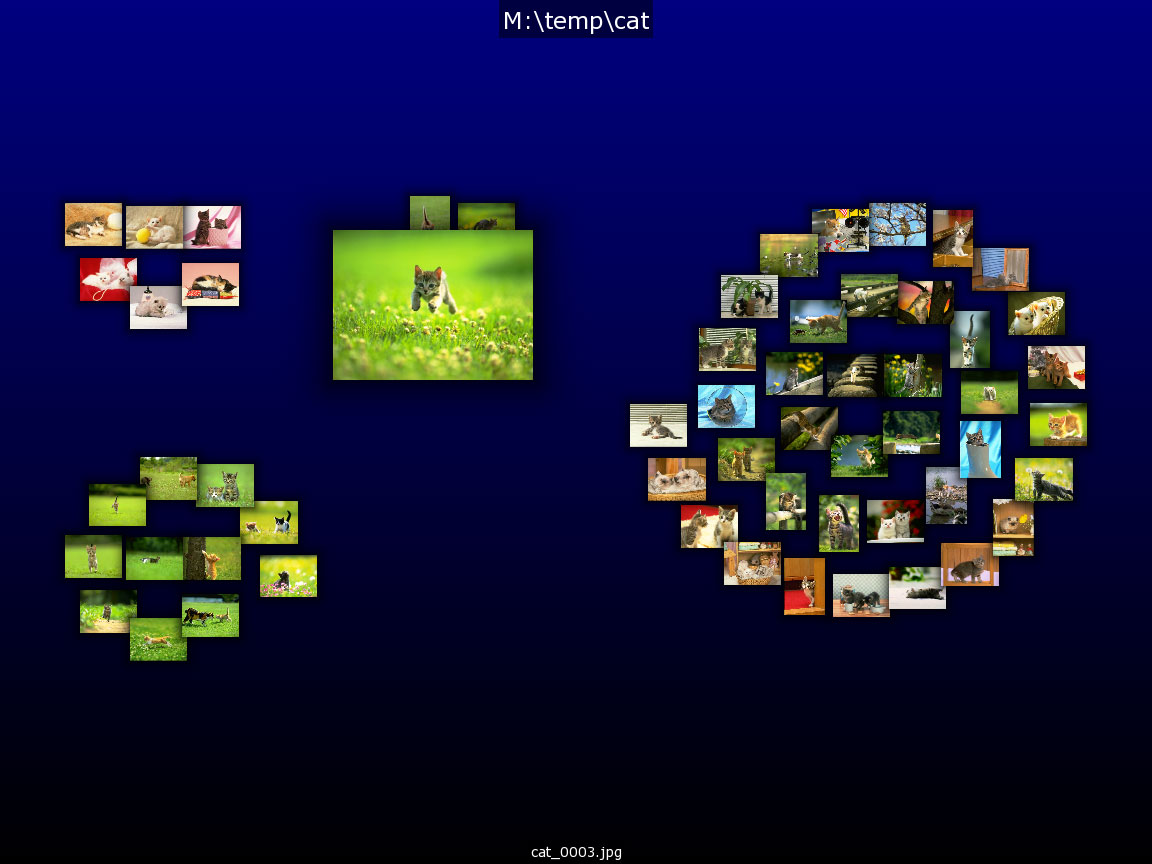
http://kometbomb.net/projects/viewer2/

I had to play with it for a while to see all it had.
Still not sure I know.

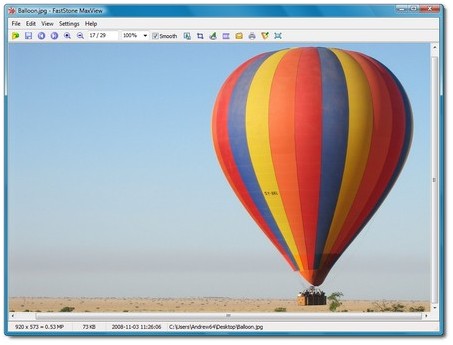
Fast Picture Viewer can be borderless too.

http://www.fastpictureviewer.com/downloads/

I'm not sure if you can view more then one single picture at a time with either.
Viewer2 can do a collage type view.
« Last Edit: May 22, 2011, 04:37 AM by cmpm »

Original address: https://www.donationcoder.com/forum/index.php?topic=9399.0