
They probably where .grid files, but the board doesn't support those as attachments, so they should be packed in a zip file.
Re: GridMove: Grids Here
« Reply #125 on: November 17, 2019, 03:26 PM »


 Topic: GridMove: Grids Here (Read 694,021 times)


They probably where .grid files, but the board doesn't support those as attachments, so they should be packed in a zip file.Thanks for the hint. I edited my earlier post, accordingly.
Monitor 1:
|-----------------------|
|  1  |  2  |  3  |  4  |
|-----------------------|
|  5  |  6  |  7  |  8  |
|_______________________|

Monitor 2:
|-----|
|  9  |
|-----| 8-Part-noborder.grid
(1.8 KB - downloaded 3506 times.)
8-Part-noborder.grid
(1.8 KB - downloaded 3506 times.)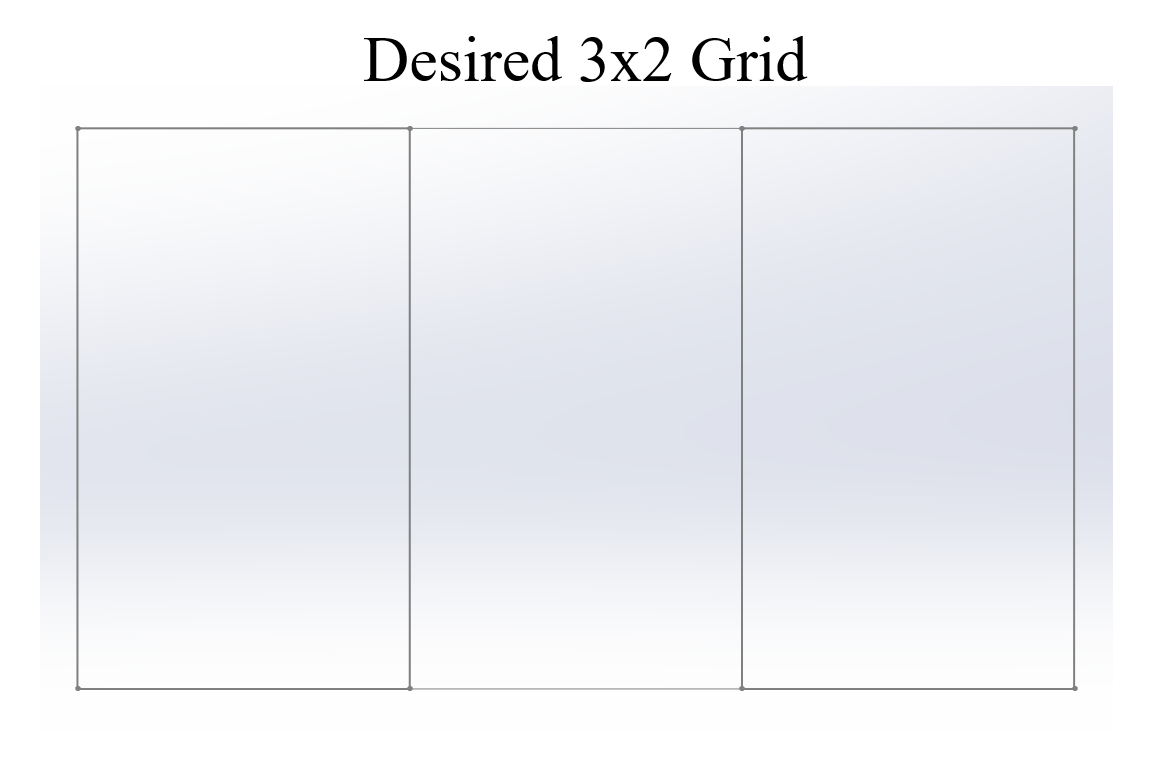
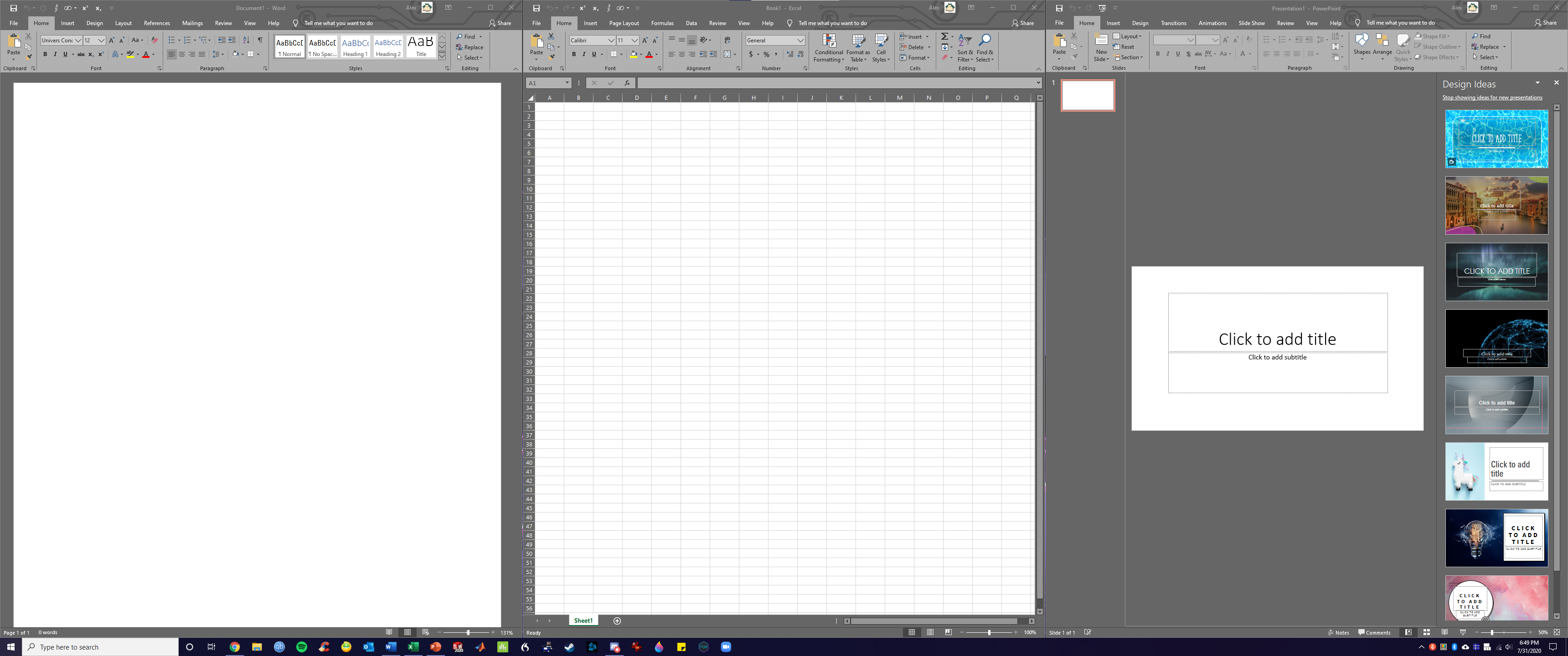
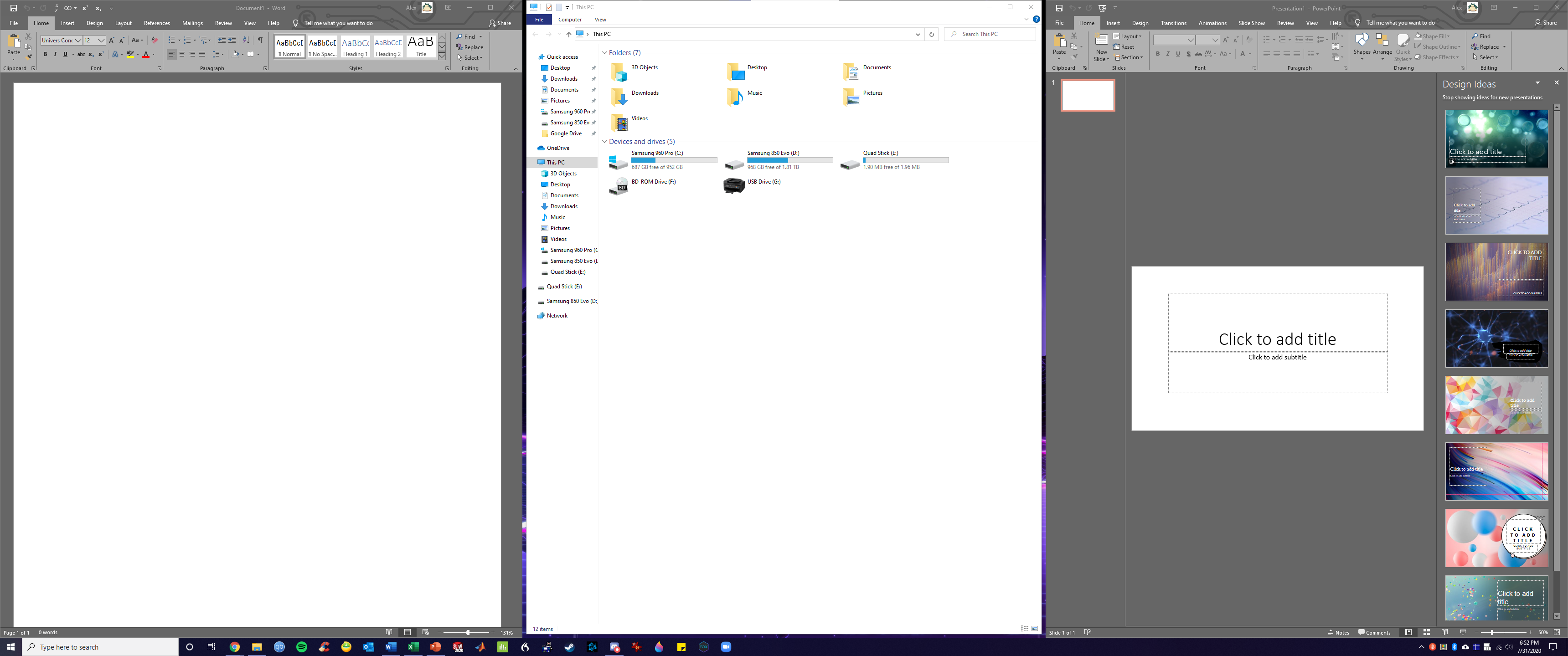

 Ultrawide21.grid
(8.4 KB - downloaded 4038 times.)
Ultrawide21.grid
(8.4 KB - downloaded 4038 times.)


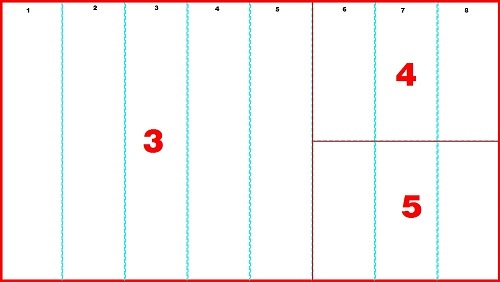
 Dual-Screen_7030_5050.grid
(2.8 KB - downloaded 3355 times.)
Dual-Screen_7030_5050.grid
(2.8 KB - downloaded 3355 times.)/---------------------\ /---------------------\
| | | | | | |
| 1 | 2 | 3 | OR | 7 | 8 |
| | | | | | |
\---------------------/ \---------------------//---------\
| 4 |
| |
|---------|
| 5 |
| |
|---------|
| 6 |
| |
\---------/

Snap an App Window
In Windows, there is a feature that allows you to snap the window to the right or left side of the computer screen. When dragging the window to the left or right, it will automatically snap to the side and resize.
Here are two keyboard shortcuts to move window:
Win + Left Arrow: snap the window to the left
Win + Right Arrow: snap the window to the right
Besides, there are some other keyboard shortcuts to manipulate the active window:
Win + Home: minimize all windows except the foreground window
Win + Up Arrow: maxmize a window
Win + Down Arrow: minimize the window if the window is not maximized, or else, it restores the window to its original size
Win + Shift + Up: maximize a window vertically
Move Window to Another Monitor
If you want to move your window between multiple monitors, use these keyboard shortcuts:
Win + Shift + Left Arrow: move a window to the monitor on the left
Win + Shift+Right Arrow: move a window to the monitor on the right
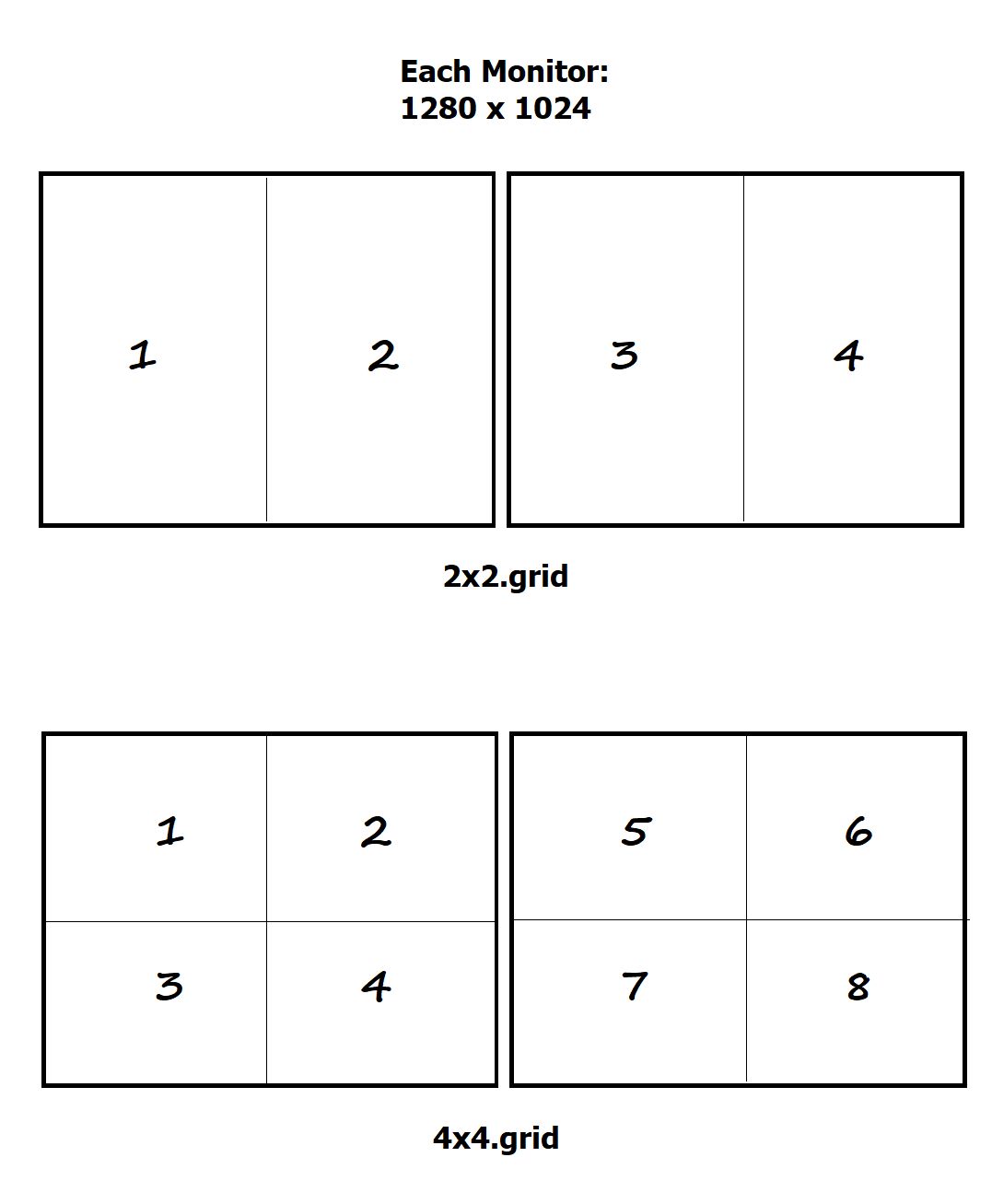
I cant seem to wrap my head around this. I'm wanting 2 "simple" layouts. I have 2 monitors, side by side, 1280x1024. I'm looking for a 2x2 and a 4x4 configuration, like this:Try this:
[attachment 1 not found]
[Groups]

NumberOfGroups = 22

[1]
; Monitor1 Left 1/2
 TriggerTop    = [Monitor1Top] + [Monitor1Height] *1/4
 TriggerBottom = [Monitor1Top] + [Monitor1Height] *3/4
 TriggerLeft   = [Monitor1Left]
 TriggerRight  = [Monitor1Left] + [Monitor1Width] *1/4
  GridTop    = [Monitor1Top]
  GridBottom = [Monitor1Bottom]
  GridLeft   = [Monitor1Left]
  GridRight  = [Monitor1Left] + [Monitor1Width] /2

[2]
; Monitor1 Right 1/2
 TriggerTop    = [Monitor1Top] + [Monitor1Height] *1/4
 TriggerBottom = [Monitor1Top] + [Monitor1Height] *3/4
 TriggerLeft   = [Monitor1Left] + [Monitor1Width] *3/4
 TriggerRight  = [Monitor1Right]
  GridTop    = [Monitor1Top]
  GridBottom = [Monitor1Bottom]
  GridLeft   = [Monitor1Left] + [Monitor1Width] /2
  GridRight  = [Monitor1Right]

[3]
; Monitor1 Top Left 1/4
 TriggerTop    = [Monitor1Top] + [Monitor1Height] *1/4
 TriggerBottom = [Monitor1Top] + [Monitor1Height] *1/2
 TriggerLeft   = [Monitor1Left] + [Monitor1Width] *1/4
 TriggerRight  = [Monitor1Left] + [Monitor1Width] *1/2
  GridTop    = [Monitor1Top]
  GridBottom = [Monitor1Top] + [Monitor1Height] /2
  GridLeft   = [Monitor1Left]
  GridRight  = [Monitor1Left] + [Monitor1Width] /2

[4]
; Monitor1 Top Right 1/4
 TriggerTop    = [Monitor1Top] + [Monitor1Height] *1/4
 TriggerBottom = [Monitor1Top] + [Monitor1Height] *1/2
 TriggerLeft   = [Monitor1Left] + [Monitor1Width] *1/2
 TriggerRight  = [Monitor1Left] + [Monitor1Width] *3/4
  GridTop    = [Monitor1Top]
  GridBottom = [Monitor1Top] + [Monitor1Height] /2
  GridLeft   = [Monitor1Left] + [Monitor1Width] /2
  GridRight  = [Monitor1Right]

[5]
; Monitor1 Bottom Left 1/4
 TriggerTop    = [Monitor1Top] + [Monitor1Height] *1/2
 TriggerBottom = [Monitor1Top] + [Monitor1Height] *3/4
 TriggerLeft   = [Monitor1Left] + [Monitor1Width] *1/4
 TriggerRight  = [Monitor1Left] + [Monitor1Width] *1/2
  GridTop    = [Monitor1Top] + [Monitor1Height] /2
  GridBottom = [Monitor1Bottom]
  GridLeft   = [Monitor1Left]
  GridRight  = [Monitor1Left] + [Monitor1Width] /2

[6]
; Monitor1 Bottom Right 1/4
 TriggerTop    = [Monitor1Top] + [Monitor1Height] *1/2
 TriggerBottom = [Monitor1Top] + [Monitor1Height] *3/4
 TriggerLeft   = [Monitor1Left] + [Monitor1Width] *1/2
 TriggerRight  = [Monitor1Left] + [Monitor1Width] *3/4
  GridTop    = [Monitor1Top] + [Monitor1Height] *1/2
  GridBottom = [Monitor1Bottom]
  GridLeft   = [Monitor1Left] + [Monitor1Width] /2
  GridRight  = [Monitor1Right]

[7]
; Monitor1 Top 1/2
 TriggerTop    = [Monitor1Top]
 TriggerBottom = [Monitor1Top] + [Monitor1Height] *1/4
 TriggerLeft   = [Monitor1Left] + [Monitor1Width] *1/4
 TriggerRight  = [Monitor1Left] + [Monitor1Width] *3/4
  GridTop    = [Monitor1Top]
  GridBottom = [Monitor1Top] + [Monitor1Height] *1/2
  GridLeft   = [Monitor1Left]
  GridRight  = [Monitor1Right]

[8]
; Monitor1 Bottom 1/2
 TriggerTop    = [Monitor1Top] + [Monitor1Height] *3/4
 TriggerBottom = [Monitor1Bottom]
 TriggerLeft   = [Monitor1Left] + [Monitor1Width] *1/4
 TriggerRight  = [Monitor1Left] + [Monitor1Width] *3/4
  GridTop    = [Monitor1Top] + [Monitor1Height] *1/2
  GridBottom = [Monitor1Bottom]
  GridLeft   = [Monitor1Left]
  GridRight  = [Monitor1Right]

[9]
; Monitor1 FullScreen
 TriggerTop    = [Monitor1Top]
 TriggerBottom = [Monitor1Top] + [Monitor1Height] *1/4
 TriggerLeft   = [Monitor1Left] + [Monitor1Width] *3/4
 TriggerRight  = [Monitor1Right]
  GridTop    = Maximize
  GridBottom = Maximize
  GridLeft   = Maximize
  GridRight  = Maximize

[10]
; Minimize Window
 TriggerTop    = [Monitor1Top] + [Monitor1Height] *3/4
 TriggerBottom = [Monitor1Bottom]
 TriggerLeft   = [Monitor1Left] + [Monitor1Width] *3/4
 TriggerRight  = [Monitor1Right]
  GridTop       = Run
  GridBottom    = Minimize
  GridLeft      = Plugins\MinimizeWindow.exe
  GridRight     =

[11]
; Restore Window
 TriggerTop    = [Monitor1Top]
 TriggerBottom = [Monitor1Top] + [Monitor1Height] *1/4
 TriggerLeft   = [Monitor1Left]
 TriggerRight  = [Monitor1Left] + [Monitor1Width] *1/4
  GridTop    = Restore
  GridBottom = Restore
  GridLeft   = Restore
  GridRight  = Restore

[12]
; Monitor2 Left 1/2
 TriggerTop    = [Monitor2Top] + [Monitor2Height] *1/4
 TriggerBottom = [Monitor2Top] + [Monitor2Height] *3/4
 TriggerLeft   = [Monitor2Left]
 TriggerRight  = [Monitor2Left] + [Monitor2Width] *1/4
  GridTop    = [Monitor2Top]
  GridBottom = [Monitor2Bottom]
  GridLeft   = [Monitor2Left]
  GridRight  = [Monitor2Left] + [Monitor2Width] /2

[13]
; Monitor2 Right 1/2
 TriggerTop    = [Monitor2Top] + [Monitor2Height] *1/4
 TriggerBottom = [Monitor2Top] + [Monitor2Height] *3/4
 TriggerLeft   = [Monitor2Left] + [Monitor2Width] *3/4
 TriggerRight  = [Monitor2Right]
  GridTop    = [Monitor2Top]
  GridBottom = [Monitor2Bottom]
  GridLeft   = [Monitor2Left] + [Monitor2Width] /2
  GridRight  = [Monitor2Right]

[14]
; Monitor2 Top Left 1/4
 TriggerTop    = [Monitor2Top] + [Monitor2Height] *1/4
 TriggerBottom = [Monitor2Top] + [Monitor2Height] *1/2
 TriggerLeft   = [Monitor2Left] + [Monitor2Width] *1/4
 TriggerRight  = [Monitor2Left] + [Monitor2Width] *1/2
  GridTop    = [Monitor2Top]
  GridBottom = [Monitor2Top] + [Monitor2Height] /2
  GridLeft   = [Monitor2Left]
  GridRight  = [Monitor2Left] + [Monitor2Width] /2

[15]
; Monitor2 Top Right 1/4
 TriggerTop    = [Monitor2Top] + [Monitor2Height] *1/4
 TriggerBottom = [Monitor2Top] + [Monitor2Height] *1/2
 TriggerLeft   = [Monitor2Left] + [Monitor2Width] *1/2
 TriggerRight  = [Monitor2Left] + [Monitor2Width] *3/4
  GridTop    = [Monitor2Top]
  GridBottom = [Monitor2Top] + [Monitor2Height] /2
  GridLeft   = [Monitor2Left] + [Monitor2Width] /2
  GridRight  = [Monitor2Right]

[16]
; Monitor2 Bottom Left 1/4
 TriggerTop    = [Monitor2Top] + [Monitor2Height] *1/2
 TriggerBottom = [Monitor2Top] + [Monitor2Height] *3/4
 TriggerLeft   = [Monitor2Left] + [Monitor2Width] *1/4
 TriggerRight  = [Monitor2Left] + [Monitor2Width] *1/2
  GridTop    = [Monitor2Top] + [Monitor2Height] /2
  GridBottom = [Monitor2Bottom]
  GridLeft   = [Monitor2Left]
  GridRight  = [Monitor2Left] + [Monitor2Width] /2

[17]
; Monitor2 Bottom Right 1/4
 TriggerTop    = [Monitor2Top] + [Monitor2Height] *1/2
 TriggerBottom = [Monitor2Top] + [Monitor2Height] *3/4
 TriggerLeft   = [Monitor2Left] + [Monitor2Width] *1/2
 TriggerRight  = [Monitor2Left] + [Monitor2Width] *3/4
  GridTop    = [Monitor2Top] + [Monitor2Height] *1/2
  GridBottom = [Monitor2Bottom]
  GridLeft   = [Monitor2Left] + [Monitor2Width] /2
  GridRight  = [Monitor2Right]

[18]
; Monitor2 Top 1/2
 TriggerTop    = [Monitor2Top]
 TriggerBottom = [Monitor2Top] + [Monitor2Height] *1/4
 TriggerLeft   = [Monitor2Left] + [Monitor2Width] *1/4
 TriggerRight  = [Monitor2Left] + [Monitor2Width] *3/4
  GridTop    = [Monitor2Top]
  GridBottom = [Monitor2Top] + [Monitor2Height] *1/2
  GridLeft   = [Monitor2Left]
  GridRight  = [Monitor2Right]

[19]
; Monitor2 Bottom 1/2
 TriggerTop    = [Monitor2Top] + [Monitor2Height] *3/4
 TriggerBottom = [Monitor2Bottom]
 TriggerLeft   = [Monitor2Left] + [Monitor2Width] *1/4
 TriggerRight  = [Monitor2Left] + [Monitor2Width] *3/4
  GridTop    = [Monitor2Top] + [Monitor2Height] *1/2
  GridBottom = [Monitor2Bottom]
  GridLeft   = [Monitor2Left]
  GridRight  = [Monitor2Right]

[20]
; Monitor2 FullScreen
 TriggerTop    = [Monitor2Top]
 TriggerBottom = [Monitor2Top] + [Monitor2Height] *1/4
 TriggerLeft   = [Monitor2Left] + [Monitor2Width] *3/4
 TriggerRight  = [Monitor2Right]
  GridTop    = Maximize
  GridBottom = Maximize
  GridLeft   = Maximize
  GridRight  = Maximize

[21]
; Minimize Window
 TriggerTop    = [Monitor2Top] + [Monitor2Height] *3/4
 TriggerBottom = [Monitor2Bottom]
 TriggerLeft   = [Monitor2Left] + [Monitor2Width] *3/4
 TriggerRight  = [Monitor2Right]
  GridTop       = Run
  GridBottom    = Minimize
  GridLeft      = Plugins\MinimizeWindow.exe
  GridRight     =

[22]
; Restore Window
 TriggerTop    = [Monitor2Top]
 TriggerBottom = [Monitor2Top] + [Monitor2Height] *1/4
 TriggerLeft   = [Monitor2Left]
 TriggerRight  = [Monitor2Left] + [Monitor2Width] *1/4
  GridTop    = Restore
  GridBottom = Restore
  GridLeft   = Restore
GridRight = Restore[Groups]
NumberOfGroups = 12
[1]
; Monitor1 Left 1/2
TriggerTop = [Monitor1Top] + [Monitor1Height] *1/4
TriggerBottom = [Monitor1Top] + [Monitor1Height] *3/4
TriggerLeft = [Monitor1Left]
TriggerRight = [Monitor1Left] + [Monitor1Width] *1/4
GridTop = [Monitor1Top]
GridBottom = [Monitor1Bottom]
GridLeft = [Monitor1Left]
GridRight = [Monitor1Left] + [Monitor1Width] /2
[2]
; Monitor1 Right 1/2
TriggerTop = [Monitor1Top] + [Monitor1Height] *1/4
TriggerBottom = [Monitor1Top] + [Monitor1Height] *3/4
TriggerLeft = [Monitor1Left] + [Monitor1Width] *3/4
TriggerRight = [Monitor1Right]
GridTop = [Monitor1Top]
GridBottom = [Monitor1Bottom]
GridLeft = [Monitor1Left] + [Monitor1Width] /2
GridRight = [Monitor1Right]
[3]
; Monitor1 Top Left 1/4
TriggerTop = [Monitor1Top] + [Monitor1Height] *1/4
TriggerBottom = [Monitor1Top] + [Monitor1Height] *1/2
TriggerLeft = [Monitor1Left] + [Monitor1Width] *1/4
TriggerRight = [Monitor1Left] + [Monitor1Width] *1/2
GridTop = [Monitor1Top]
GridBottom = [Monitor1Top] + [Monitor1Height] /2
GridLeft = [Monitor1Left]
GridRight = [Monitor1Left] + [Monitor1Width] /2
[4]
; Monitor1 Top Right 1/4
TriggerTop = [Monitor1Top] + [Monitor1Height] *1/4
TriggerBottom = [Monitor1Top] + [Monitor1Height] *1/2
TriggerLeft = [Monitor1Left] + [Monitor1Width] *1/2
TriggerRight = [Monitor1Left] + [Monitor1Width] *3/4
GridTop = [Monitor1Top]
GridBottom = [Monitor1Top] + [Monitor1Height] /2
GridLeft = [Monitor1Left] + [Monitor1Width] /2
GridRight = [Monitor1Right]
[5]
; Monitor1 Bottom Left 1/4
TriggerTop = [Monitor1Top] + [Monitor1Height] *1/2
TriggerBottom = [Monitor1Top] + [Monitor1Height] *3/4
TriggerLeft = [Monitor1Left] + [Monitor1Width] *1/4
TriggerRight = [Monitor1Left] + [Monitor1Width] *1/2
GridTop = [Monitor1Top] + [Monitor1Height] /2
GridBottom = [Monitor1Bottom]
GridLeft = [Monitor1Left]
GridRight = [Monitor1Left] + [Monitor1Width] /2
[6]
; Monitor1 Bottom Right 1/4
TriggerTop = [Monitor1Top] + [Monitor1Height] *1/2
TriggerBottom = [Monitor1Top] + [Monitor1Height] *3/4
TriggerLeft = [Monitor1Left] + [Monitor1Width] *1/2
TriggerRight = [Monitor1Left] + [Monitor1Width] *3/4
GridTop = [Monitor1Top] + [Monitor1Height] *1/2
GridBottom = [Monitor1Bottom]
GridLeft = [Monitor1Left] + [Monitor1Width] /2
GridRight = [Monitor1Right]
[7]
; Monitor2 Left 1/2
TriggerTop = [Monitor2Top] + [Monitor2Height] *1/4
TriggerBottom = [Monitor2Top] + [Monitor2Height] *3/4
TriggerLeft = [Monitor2Left]
TriggerRight = [Monitor2Left] + [Monitor2Width] *1/4
GridTop = [Monitor2Top]
GridBottom = [Monitor2Bottom]
GridLeft = [Monitor2Left]
GridRight = [Monitor2Left] + [Monitor2Width] /2
[8]
; Monitor2 Right 1/2
TriggerTop = [Monitor2Top] + [Monitor2Height] *1/4
TriggerBottom = [Monitor2Top] + [Monitor2Height] *3/4
TriggerLeft = [Monitor2Left] + [Monitor2Width] *3/4
TriggerRight = [Monitor2Right]
GridTop = [Monitor2Top]
GridBottom = [Monitor2Bottom]
GridLeft = [Monitor2Left] + [Monitor2Width] /2
GridRight = [Monitor2Right]
[9]
; Monitor2 Top Left 1/4
TriggerTop = [Monitor2Top] + [Monitor2Height] *1/4
TriggerBottom = [Monitor2Top] + [Monitor2Height] *1/2
TriggerLeft = [Monitor2Left] + [Monitor2Width] *1/4
TriggerRight = [Monitor2Left] + [Monitor2Width] *1/2
GridTop = [Monitor2Top]
GridBottom = [Monitor2Top] + [Monitor2Height] /2
GridLeft = [Monitor2Left]
GridRight = [Monitor2Left] + [Monitor2Width] /2
[10]
; Monitor2 Top Right 1/4
TriggerTop = [Monitor2Top] + [Monitor2Height] *1/4
TriggerBottom = [Monitor2Top] + [Monitor2Height] *1/2
TriggerLeft = [Monitor2Left] + [Monitor2Width] *1/2
TriggerRight = [Monitor2Left] + [Monitor2Width] *3/4
GridTop = [Monitor2Top]
GridBottom = [Monitor2Top] + [Monitor2Height] /2
GridLeft = [Monitor2Left] + [Monitor2Width] /2
GridRight = [Monitor2Right]
[11]
; Monitor2 Bottom Left 1/4
TriggerTop = [Monitor2Top] + [Monitor2Height] *1/2
TriggerBottom = [Monitor2Top] + [Monitor2Height] *3/4
TriggerLeft = [Monitor2Left] + [Monitor2Width] *1/4
TriggerRight = [Monitor2Left] + [Monitor2Width] *1/2
GridTop = [Monitor2Top] + [Monitor2Height] /2
GridBottom = [Monitor2Bottom]
GridLeft = [Monitor2Left]
GridRight = [Monitor2Left] + [Monitor2Width] /2
[12]
; Monitor2 Bottom Right 1/4
TriggerTop = [Monitor2Top] + [Monitor2Height] *1/2
TriggerBottom = [Monitor2Top] + [Monitor2Height] *3/4
TriggerLeft = [Monitor2Left] + [Monitor2Width] *1/2
TriggerRight = [Monitor2Left] + [Monitor2Width] *3/4
GridTop = [Monitor2Top] + [Monitor2Height] *1/2
GridBottom = [Monitor2Bottom]
GridLeft = [Monitor2Left] + [Monitor2Width] /2
GridRight = [Monitor2Right][Groups]
NumberOfGroups = 8
[1]
; Monitor1 Top Left 1/4
TriggerTop = [Monitor1Top] + [Monitor1Height] *1/4
TriggerBottom = [Monitor1Top] + [Monitor1Height] *1/2
TriggerLeft = [Monitor1Left] + [Monitor1Width] *1/4
TriggerRight = [Monitor1Left] + [Monitor1Width] *1/2
GridTop = [Monitor1Top]
GridBottom = [Monitor1Top] + [Monitor1Height] /2
GridLeft = [Monitor1Left]
GridRight = [Monitor1Left] + [Monitor1Width] /2
[2]
; Monitor1 Top Right 1/4
TriggerTop = [Monitor1Top] + [Monitor1Height] *1/4
TriggerBottom = [Monitor1Top] + [Monitor1Height] *1/2
TriggerLeft = [Monitor1Left] + [Monitor1Width] *1/2
TriggerRight = [Monitor1Left] + [Monitor1Width] *3/4
GridTop = [Monitor1Top]
GridBottom = [Monitor1Top] + [Monitor1Height] /2
GridLeft = [Monitor1Left] + [Monitor1Width] /2
GridRight = [Monitor1Right]
[3]
; Monitor1 Bottom Left 1/4
TriggerTop = [Monitor1Top] + [Monitor1Height] *1/2
TriggerBottom = [Monitor1Top] + [Monitor1Height] *3/4
TriggerLeft = [Monitor1Left] + [Monitor1Width] *1/4
TriggerRight = [Monitor1Left] + [Monitor1Width] *1/2
GridTop = [Monitor1Top] + [Monitor1Height] /2
GridBottom = [Monitor1Bottom]
GridLeft = [Monitor1Left]
GridRight = [Monitor1Left] + [Monitor1Width] /2
[4]
; Monitor1 Bottom Right 1/4
TriggerTop = [Monitor1Top] + [Monitor1Height] *1/2
TriggerBottom = [Monitor1Top] + [Monitor1Height] *3/4
TriggerLeft = [Monitor1Left] + [Monitor1Width] *1/2
TriggerRight = [Monitor1Left] + [Monitor1Width] *3/4
GridTop = [Monitor1Top] + [Monitor1Height] *1/2
GridBottom = [Monitor1Bottom]
GridLeft = [Monitor1Left] + [Monitor1Width] /2
GridRight = [Monitor1Right]
[5]
; Monitor2 Top Left 1/4
TriggerTop = [Monitor2Top] + [Monitor2Height] *1/4
TriggerBottom = [Monitor2Top] + [Monitor2Height] *1/2
TriggerLeft = [Monitor2Left] + [Monitor2Width] *1/4
TriggerRight = [Monitor2Left] + [Monitor2Width] *1/2
GridTop = [Monitor2Top]
GridBottom = [Monitor2Top] + [Monitor2Height] /2
GridLeft = [Monitor2Left]
GridRight = [Monitor2Left] + [Monitor2Width] /2
[6]
; Monitor2 Top Right 1/4
TriggerTop = [Monitor2Top] + [Monitor2Height] *1/4
TriggerBottom = [Monitor2Top] + [Monitor2Height] *1/2
TriggerLeft = [Monitor2Left] + [Monitor2Width] *1/2
TriggerRight = [Monitor2Left] + [Monitor2Width] *3/4
GridTop = [Monitor2Top]
GridBottom = [Monitor2Top] + [Monitor2Height] /2
GridLeft = [Monitor2Left] + [Monitor2Width] /2
GridRight = [Monitor2Right]
[7]
; Monitor2 Bottom Left 1/4
TriggerTop = [Monitor2Top] + [Monitor2Height] *1/2
TriggerBottom = [Monitor2Top] + [Monitor2Height] *3/4
TriggerLeft = [Monitor2Left] + [Monitor2Width] *1/4
TriggerRight = [Monitor2Left] + [Monitor2Width] *1/2
GridTop = [Monitor2Top] + [Monitor2Height] /2
GridBottom = [Monitor2Bottom]
GridLeft = [Monitor2Left]
GridRight = [Monitor2Left] + [Monitor2Width] /2
[8]
; Monitor2 Bottom Right 1/4
TriggerTop = [Monitor2Top] + [Monitor2Height] *1/2
TriggerBottom = [Monitor2Top] + [Monitor2Height] *3/4
TriggerLeft = [Monitor2Left] + [Monitor2Width] *1/2
TriggerRight = [Monitor2Left] + [Monitor2Width] *3/4
GridTop = [Monitor2Top] + [Monitor2Height] *1/2
GridBottom = [Monitor2Bottom]
GridLeft = [Monitor2Left] + [Monitor2Width] /2
GridRight = [Monitor2Right]Original address: https://www.donationcoder.com/forum/index.php?topic=9387.0