


Part 2 brings me to which distribution, or distro, to choose, where you'll install it, and with which desktop environment (shell). Fortunately, there's lots of help here online, perhaps the two best places to start are:
(1) DistroWatch Top Ten
(2) PolishLinux.org
(3) LinuxQuestions.org Distro Reviews
First, consider for what and how you will use GNU/Linux, as a:
How you will use GNU/Linux will affect which distro you select. If you're wanting easy setup and non-open drivers, that's one consideration (often Ubuntu or Freespire). If you want a quick OS with a small installation footprint, that's another, as there are lots of "small" Linux distros available, such as MEPIS. You might also want to select a distro based on your work — graphics or video editing; programming (Ubuntu makes it easy to install codecs; other distros let you download and install them yourself). Or how much time you have to spend learning it, or how you might use it, e.g., as a server for your domain. Some think you should consider how many software packages are available for a given distro. For example, Ubuntu lists over 24,000 apps whereas Fedora 7 about 11,000. However, I can get any app I want via download or by searching inside the package manager. And don't be fooled: app lists are like binary newsgroups — most apps aren't worth downloading.
For now, my setup is as a test system, which was a five-year-old Pentium system. I upgraded the videocard and bought a cheap flatscreen monitor for it. The old videocard was too limited and my old monitor was a 15-year-old, 50-kilo dinosaur.
PolishLinux.org offers a brief survey that will return an interesting, perhaps unexpected result at http://polishlinux.org/choose/quiz/. After answering it, the survey said my best choices were: (1) Mandriva; (2) Ubuntu; (3) OpenSUSE; (4) Fedora 7; and (5) Debian GNU/Linux. Only two of those did I really care for, Fedora 7 and Ubuntu. And where the heck is PCLinuxOS? LinuxQuestions.org's Distro Reviews section allows users to write brief, forum post reviews of the distros they like. This is nice because much like product reviews on NewEgg.com, you get a wide sample of views, positive and negative by people who've used each.
If you just want to try GNU/Linux and see a distro in action, most offer Live CDs, meaning you can download and burn the ISO image as a boot disk and evaluate the distro using only the LiveCD (or DVD) version, leaving your Windows partition untouched. For this, I recommend either PCLinuxOS, Fedora7, or Ubuntu. Booting from the Live CD takes a little longer for everything to load, but it's worth a look.
A second consideration is where you're going to install your distro. For example, for years I've dual-booted a GNU/Linux distro on my Windows system; I didn't have a second computer since I'd always donated them. Now I do and it's much nicer to set aside an old computer to destroy and rebuild at will when learning. Better, I can install — even dual-boot — any distro I want at will on a second system since Windows has the occasional habit of erasing Linux's boot loader, called GRUB file, i.e., Windows will always want to boot first on a dual-boot system. The other advantage to having GNU/Linux on a second system is that I can use the first to troubleshoot it online if I completely screw something up, and being a newbie, that's already happened a few times.
The final consideration is one of desktop environment, often between Gnome and KDE. Both have been around almost as long as Windows95, but the oversimplification is that Gnome is more like Mac and that KDE is more like Windows. Yes and no. Gnome will be very familiar to Windows users, but it's different in a few ways. But don't let that fool you. Anything you don't like, you can change. And I mean anything. Most distros by default use Gnome, but you can choose to install KDE on them either during or after install. PCLinuxOS uses KDE as its default desktop environment and they make it look good. But don't commit to one over the other, since being new to GNU/Linux, you'll need a wide open mind.
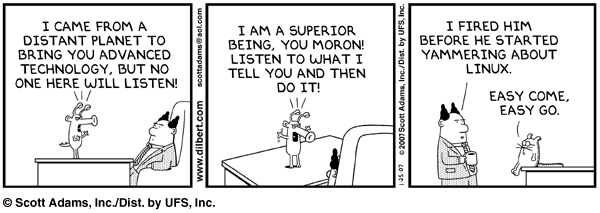
[attach dilbert.2007-01-25.gif]
(1) DistroWatch Top Ten
(2) PolishLinux.org
(3) LinuxQuestions.org Distro Reviews
First, consider for what and how you will use GNU/Linux, as a:
- Primary system for all your major tasks, mainly productivity or programming;
- Secondary system for background tasks, such DVD burning, Usenet, BitTorrent, running a server, domain, etc.;
- Server, for your home network, a domain, or whatever;
- Test system, e.g., to learn GNU/Linux.
How you will use GNU/Linux will affect which distro you select. If you're wanting easy setup and non-open drivers, that's one consideration (often Ubuntu or Freespire). If you want a quick OS with a small installation footprint, that's another, as there are lots of "small" Linux distros available, such as MEPIS. You might also want to select a distro based on your work — graphics or video editing; programming (Ubuntu makes it easy to install codecs; other distros let you download and install them yourself). Or how much time you have to spend learning it, or how you might use it, e.g., as a server for your domain. Some think you should consider how many software packages are available for a given distro. For example, Ubuntu lists over 24,000 apps whereas Fedora 7 about 11,000. However, I can get any app I want via download or by searching inside the package manager. And don't be fooled: app lists are like binary newsgroups — most apps aren't worth downloading.
For now, my setup is as a test system, which was a five-year-old Pentium system. I upgraded the videocard and bought a cheap flatscreen monitor for it. The old videocard was too limited and my old monitor was a 15-year-old, 50-kilo dinosaur.
PolishLinux.org offers a brief survey that will return an interesting, perhaps unexpected result at http://polishlinux.org/choose/quiz/. After answering it, the survey said my best choices were: (1) Mandriva; (2) Ubuntu; (3) OpenSUSE; (4) Fedora 7; and (5) Debian GNU/Linux. Only two of those did I really care for, Fedora 7 and Ubuntu. And where the heck is PCLinuxOS? LinuxQuestions.org's Distro Reviews section allows users to write brief, forum post reviews of the distros they like. This is nice because much like product reviews on NewEgg.com, you get a wide sample of views, positive and negative by people who've used each.
If you just want to try GNU/Linux and see a distro in action, most offer Live CDs, meaning you can download and burn the ISO image as a boot disk and evaluate the distro using only the LiveCD (or DVD) version, leaving your Windows partition untouched. For this, I recommend either PCLinuxOS, Fedora7, or Ubuntu. Booting from the Live CD takes a little longer for everything to load, but it's worth a look.
A second consideration is where you're going to install your distro. For example, for years I've dual-booted a GNU/Linux distro on my Windows system; I didn't have a second computer since I'd always donated them. Now I do and it's much nicer to set aside an old computer to destroy and rebuild at will when learning. Better, I can install — even dual-boot — any distro I want at will on a second system since Windows has the occasional habit of erasing Linux's boot loader, called GRUB file, i.e., Windows will always want to boot first on a dual-boot system. The other advantage to having GNU/Linux on a second system is that I can use the first to troubleshoot it online if I completely screw something up, and being a newbie, that's already happened a few times.
The final consideration is one of desktop environment, often between Gnome and KDE. Both have been around almost as long as Windows95, but the oversimplification is that Gnome is more like Mac and that KDE is more like Windows. Yes and no. Gnome will be very familiar to Windows users, but it's different in a few ways. But don't let that fool you. Anything you don't like, you can change. And I mean anything. Most distros by default use Gnome, but you can choose to install KDE on them either during or after install. PCLinuxOS uses KDE as its default desktop environment and they make it look good. But don't commit to one over the other, since being new to GNU/Linux, you'll need a wide open mind.
[attach dilbert.2007-01-25.gif]


 I'll install and setup linux for you if you want


 The Han and Spy caves are very interesting as well. Maybe we should start a new thread about this and invite anyone in who wants to come.





