DonationCoder.com forum
 
Read-only archive. This is a static copy of the DonationCoder.com forum. Reading and searching work as before; logging in, posting and private messages do not.
Archive of 2026-10-21 · About this archive · Main site

Author Topic: run as a service?  (Read 11,891 times)

x16wda

  • what am I doing in this handbasket?
  • Supporting Member
  • Joined in 2007
  • **
  • Posts: 888
    • Participated in NANY Challenge Once
run as a service?
« on: April 12, 2007, 08:56 PM »
Can Process Tamer run as a service?
vi vi vi - editor of the beast

mouser

  • First Author
  • Administrator
  • Joined in 2005
  • *****
  • Posts: 40,931
    • Gathering Badge
    • Plugin Coding Medal
    • Participated in NANY Challenge Seventeen Times
    • Cody Award
    • Coding Snacks
    • Volunteers/Staff
Re: run as a service?
« Reply #1 on: April 13, 2007, 01:37 AM »
there is no option for this, though you could use a 3rd party service-running tool to run it as a service.  im not sure what the benefit would be though.

lanux128

  • Global Moderator
  • Joined in 2005
  • *****
  • Posts: 6,277
    • Coding Snacks
    • Volunteers/Staff
    • Gathering Badge
    • Participated in NANY Challenge Once
    • Linux User
Re: run as a service?
« Reply #2 on: April 13, 2007, 01:43 AM »
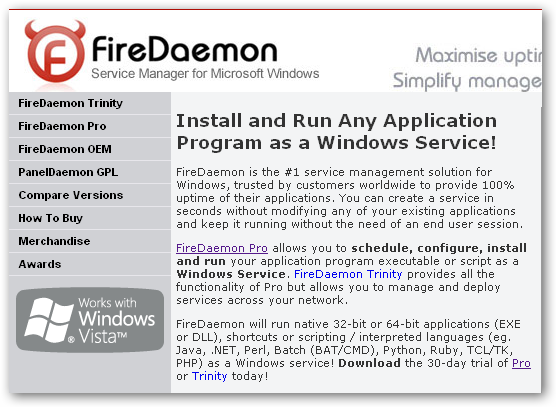
you can use FireDaemon, though..

[attach=#]

kooda

  • Participant
  • Joined in 2007
  • *
  • Posts: 2
Re: run as a service?
« Reply #3 on: September 07, 2007, 04:31 PM »
there is no option for this, though you could use a 3rd party service-running tool to run it as a service.  im not sure what the benefit would be though.
I had a situation where I had to try this on a Windows 2000 Server using Terminal Services client. But the problem was that as soon as I logged off, the ProcessTamer tray utility also stopped working. So it was of no use. Then I tried Process Lasso 2.30 (x32 version) from Bitsum . But Process Lasso 2.30 wouldn't even work on Windows 2000 Server (works fine on Windows XP) and GUI would just hang with empty window (no values). So I uninstalled it after  installing/uninstalling a few times with no success. But then I found another utility on Bitsum web site called MakeService. These are the steps I took for my test setup:

  • Install MakeService from Bitsum
  • Install ProcessTamer and configure it to not start with Windows
  • Use MakeService to create a Windows service to run ProcessTamerTray.exe
Worked like a charm. I didn't test it for extended period of time but seemed to work fine when I tested it.


« Last Edit: September 07, 2007, 05:05 PM by kooda »

PhilB66

  • Supporting Member
  • Joined in 2007
  • **
  • Posts: 1,522
Re: run as a service?
« Reply #4 on: September 07, 2007, 05:03 PM »
Primasoft's RunAsSvc is an excellent freeware alternative.

Ehtyar

  • That News Guy
  • Supporting Member
  • Joined in 2007
  • **
  • Posts: 1,237
    • Plugin Coding Medal
    • Gathering Badge
Re: run as a service?
« Reply #5 on: September 08, 2007, 02:22 AM »
ThreadMaster is similar to process tamer but runs as a native NT service, perhaps it might suit your needs better.

Ehtyar.

Original address: https://www.donationcoder.com/forum/index.php?topic=8076.0