DonationCoder.com forum
 
Read-only archive. This is a static copy of the DonationCoder.com forum. Reading and searching work as before; logging in, posting and private messages do not.
Archive of 2026-10-21 · About this archive · Main site

Author Topic: Capture extended menu  (Read 9,941 times)

gregland

  • Charter Member
  • Joined in 2005
  • ***
  • Posts: 32
Capture extended menu
« on: April 01, 2007, 01:02 AM »
Hello Every body !  ;)
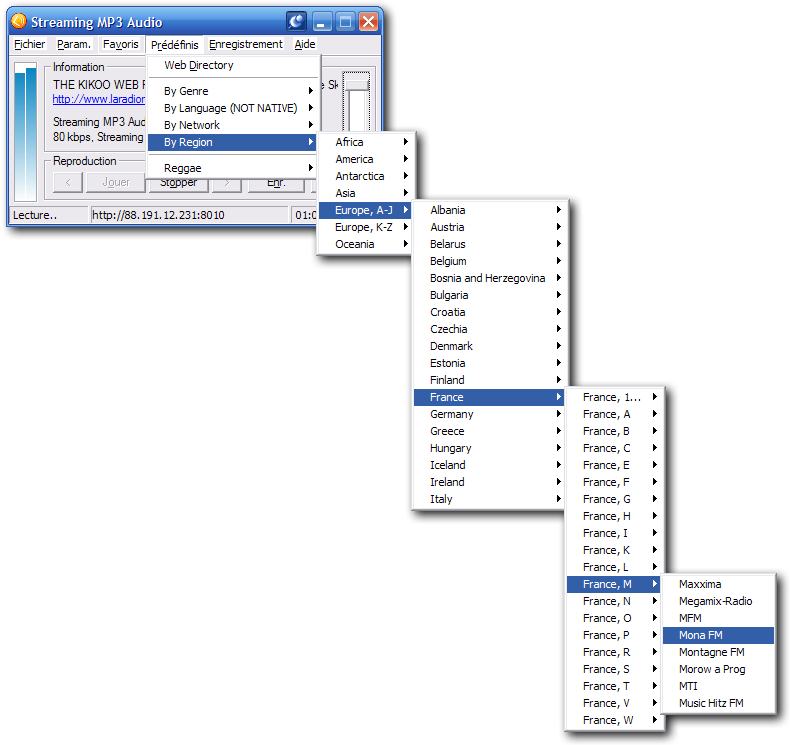
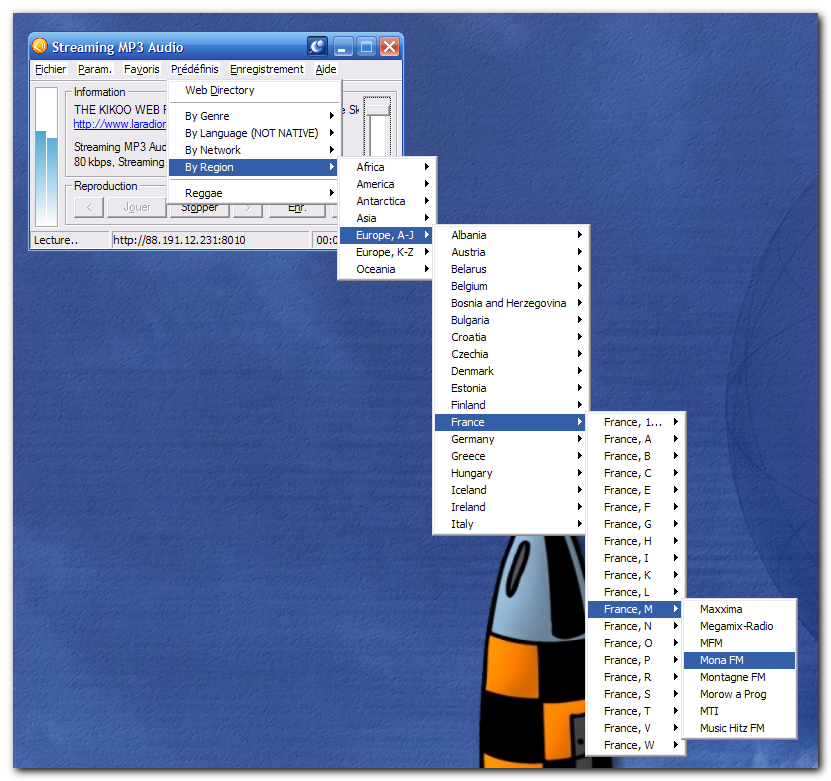
I would like to know if it was possible to capture a multi extended menu... (see Snap shoot menu2.png) ?
I tried with the "Capture specific object" option but it can't take multiples regions...

Is there a tips to do it ?

Thanks
GregLand
French WebMaster & Programmer
_______________________________________
WebSite

Curt

  • Supporting Member
  • Joined in 2006
  • **
  • Posts: 7,565
Re: Capture extended menu
« Reply #1 on: April 01, 2007, 01:12 PM »
Forgive me for not supplying some answer to your question, but HOW did you make the second shot, menu2.png; what program did you use?

[attachimg=#]

patthecat

  • Member
  • Joined in 2006
  • **
  • Posts: 88
Re: Capture extended menu
« Reply #2 on: April 01, 2007, 01:36 PM »
Probably from WinSnap (shareware starting from v2) from version 2 on since it's the only one that I can find that can do extended menu capture with drop shadow feature.  www.ntwind.com

Curt

  • Supporting Member
  • Joined in 2006
  • **
  • Posts: 7,565
Re: Capture extended menu
« Reply #3 on: April 01, 2007, 02:00 PM »
Probably from WinSnap ...  www.ntwind.com

I've tried that one several times because so many spoke well of it, but I have so far dumped it again, because the author has made it both hide and popup on the same button, Escape. Every time I would make Flashnote or several other programs hide, by pressing Esc, WinSnap would popup and say Here I am! Too silly!  :down: Yes, one can disable this feature, but wouldn't it be so more right if the two functions were seperated? I think so. I even wrote the author about it, but was only told not to have Esc as a hotkey for other programs!!!
« Last Edit: April 01, 2007, 02:04 PM by Curt »

gregland

  • Charter Member
  • Joined in 2005
  • ***
  • Posts: 32
Re: Capture extended menu
« Reply #4 on: April 01, 2007, 05:02 PM »
yes... with WinSnap V2  ;)...
GregLand
French WebMaster & Programmer
_______________________________________
WebSite

lanux128

  • Global Moderator
  • Joined in 2005
  • *****
  • Posts: 6,277
    • Coding Snacks
    • Volunteers/Staff
    • Gathering Badge
    • Participated in NANY Challenge Once
    • Linux User
Re: Capture extended menu
« Reply #5 on: April 02, 2007, 06:15 AM »
...because the author has made it both hide and popup on the same button, Escape. Every time I would make Flashnote or several other programs hide, by pressing Esc, WinSnap would popup and say Here I am! Too silly!  :down: Yes, one can disable this feature, but wouldn't it be so more right if the two functions were seperated? I think so. I even wrote the author about it, but was only told not to have Esc as a hotkey for other programs!!!

Curt, reading your post made me chuckle a bit.. :) because i once suggested to the author, Alex, to set the 'Esc' key to either minimize or exit WinSnap.. [HERE]

btw, you can also undo a hotkey this way.. How to undo a hotkey?

P.S. WinSnap is a very good lightweight screen capturing tool but unfortunately has been a shareware since v2 (v1 is still freeware, though)..

Original address: https://www.donationcoder.com/forum/index.php?topic=7947.0