The rise of AI photo enlarging programs suddenly made my old small photos interesting again ♥
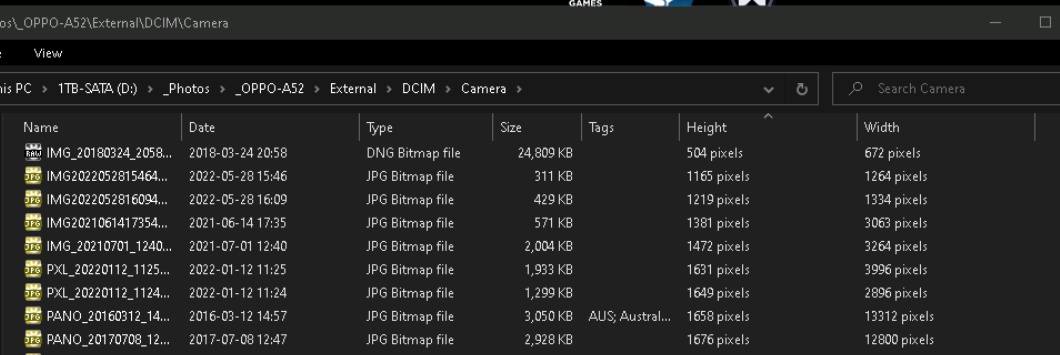
However, when I list them in Desktop Win 10 Explorer, the order is not only to my liking. I would very much like an option to also have the pictures listed according to HEIGHT x WIDTH, so I easily can sort the result. Otherwise, if they all are enlarged the same, say x8, portrait format versions easily get too high / too large.
I would want to list the pictures in HEIGHT x Width (not just the usual WxH) order (low-height ones first) and then mark some of them, to drag them to my new enlarger.
So, the app should read the dimensions, and list them,, and allow me to drag a part of them to my bigjpg.exe.
Explorer doesn't offer this HxW feature.
Do you?
Edit: or do you know a program that does?
However, when I list them in Desktop Win 10 Explorer, the order is not only to my liking. I would very much like an option to also have the pictures listed according to HEIGHT x WIDTH, so I easily can sort the result. Otherwise, if they all are enlarged the same, say x8, portrait format versions easily get too high / too large.
I would want to list the pictures in HEIGHT x Width (not just the usual WxH) order (low-height ones first) and then mark some of them, to drag them to my new enlarger.
So, the app should read the dimensions, and list them,, and allow me to drag a part of them to my bigjpg.exe.
Explorer doesn't offer this HxW feature.
Do you?
Edit: or do you know a program that does?