
Yes, I have. But I haven't really tested it yet on any games that used to struggle to keep a constant framerate.
Re: Valve Announces Steam Deck: A Handheld PC
« Reply #225 on: March 11, 2023, 05:43 PM »


 Topic: Valve Announces Steam Deck: A Handheld PC (Read 574,643 times)


I installed CryoUtilities mostly to get better performance with emulation than with Steam games, which seems to have helped.
What kind of emulated games are you running?
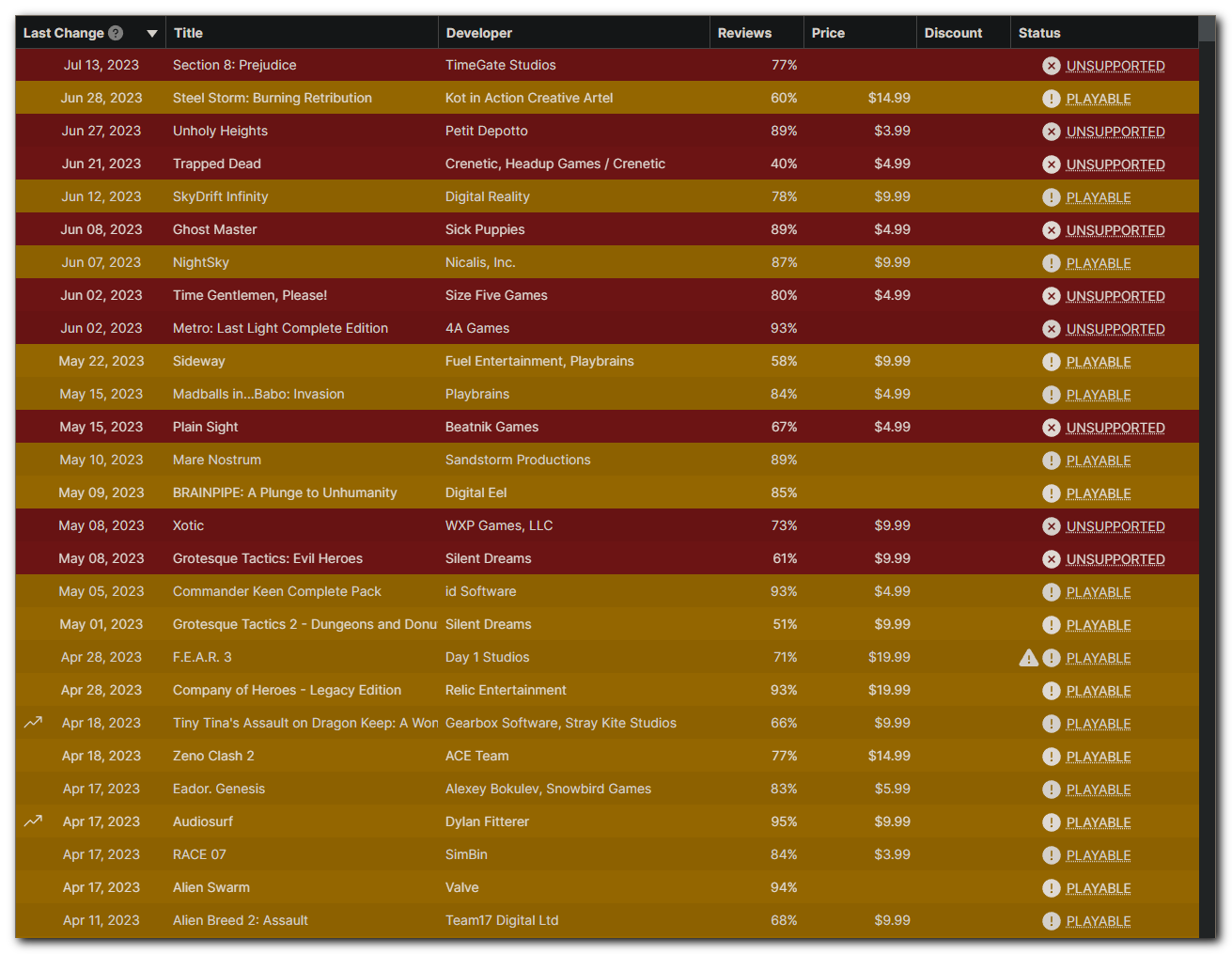
By all accounts on ProtonDB, Halo: The Master Chief Collection works just fine despite being ranked as Unsupported, with the caveat that the game's Easy Anti-Cheat doesn't work on Deck/Linux and therefore online multiplayer doesn't work.
Thanks for this! I'd wanted to get it, but passed when I saw unsupported.
I just remembered that I did have to boot into Desktop mode and delete an EAC-related file before it would work, but other than that I didn't need to set any custom compatibility options or do other tinkering:Quote from: https://www.protondb.com/app/976730#7mf8VPh6e7For the game to work at all, you need to move or remove this file: "steamapps/common/Halo The Master Chief Collection/easyanticheat/easyanticheat_x64.so" Then launch using the "Play Halo: MCC Anti-Cheat Disabled (Mods and Limited Services)" option.
By all accounts on ProtonDB, Halo: The Master Chief Collection works just fine despite being ranked as Unsupported, with the caveat that the game's Easy Anti-Cheat doesn't work on Deck/Linux and therefore online multiplayer doesn't work.
Thanks for this! I'd wanted to get it, but passed when I saw unsupported.
I just remembered that I did have to boot into Desktop mode and delete an EAC-related file before it would work, but other than that I didn't need to set any custom compatibility options or do other tinkering:Quote from: https://www.protondb.com/app/976730#7mf8VPh6e7For the game to work at all, you need to move or remove this file: "steamapps/common/Halo The Master Chief Collection/easyanticheat/easyanticheat_x64.so" Then launch using the "Play Halo: MCC Anti-Cheat Disabled (Mods and Limited Services)" option.
FYI Halo: MCC has been upgraded from Unsupported to Playable.

I've noticed a strong difference in how the trackpads function between the two devices. Especially when using them for dual-touch typing. On one of them, sliding my thumbs around causes the device to vibrate a lot. I can feel it under my thumbs at the trackpads themselves, and it's quite audible. Almost to the point where I'd describe it as rattling when I really get moving, or especially if both trackpads are going at once. And it's very easy to "press" the button. Just apply a small amount of pressure and it gives a satisfying "click" to let you know it has been pressed. Sometimes I click it and I think "that was a little too easy to click!" and it concerns me that it might click unintentionally at times. On the other Deck, the vibration is much more subtle while sliding my thumbs around. I can feel a light vibration in the palms of my hands at the back of the device, but not really under my thumbs at the trackpads. It's not audible to the same degree as the other one. If I put my ear a couple inches away from it then it sounds about as loud as the other one at normal/comfortable usage distance (about 2 feet). And pressing the trackpads in to "click" them requires significantly more pressure before they finally click. It's actually pretty uncomfortable having to press in so deliberately and so firmly, that I think I prefer typing the slow way with the d-pad and A button to select each letter. And when it clicks, the click is much more subtle and toned down compared to the other one.
Now I'm not fully satisfied with the trackpads of either one. It seems like one is far too sensitive and the haptics are too strong, and the other is far too insensitive and the haptics are too weak. It seems like the ideal is somewhere in the middle. Yet both devices have the same (default) settings as far as the trackpad sensitivity and haptics go.
I haven't done any emulation. What kind of emulated games are you running?
The 64GB Deck just arrived!
34% Playable+
- Verified: 120 games (13.07%)
- Playable: 188 games (20.48%)
- Unsupported: 93 games (10.13%)
- Unknown: 517 games (56.32%)

I gotta say, the Deck has been a huge success for Valve. I had almost entirely stopped buying games from Steam for the past few years. It got to the point where some of the features on my account (such as selling trading cards on the market) were restricted because I hadn't purchased anything from them in so long. But this year, in preparation for the deck, I've increased my library by about 100 games so far. Granted, most of those were from the Stand with Ukraine Humble Bundle. Before this year (and not counting my $5 Deck Deposit last year) my last game purchase from Steam was in October 2020. That was one of three purchases in 2020. And before that, my previous Steam purchase was in 2017!
Okay, actually that's not entirely accurate. I realized as I was typing this up that my Steam account purchase history doesn't show gift code/key redemptions. So it doesn't count any games purchased from 3rd party sites (such as Humble Store/Bundle) which redeems the game(s) on Steam.
Either way, the point is that I am now back to preferring purchases on Steam rather than other platforms (such as GOG), so Valve won me back with the decision to release the Deck.


I do not regret the purchase at all.



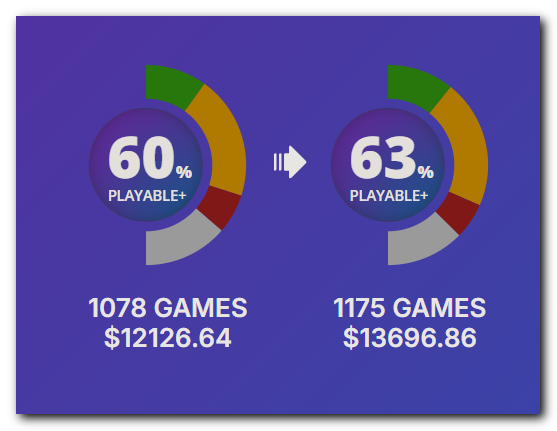


So I spent for about 8 full price games, but ended up with 200+ games. The 'money spent' counter on your stats, I would indeed take with a (very big) grain of salt.
Original address: https://www.donationcoder.com/forum/index.php?topic=51571.0